

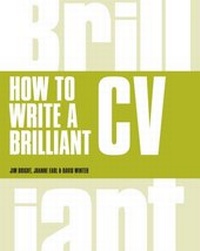
How to Write a Brilliant CV
Description

How do you get your CV to the top of the pile?
When you apply for a job, your CV is compared to hundreds of others. You've only got the time it takes the employer to scan the pages to show how brilliant you are. How do you impress them when you don't know what employers are actually looking for?
Now fully updated and revised to give you the most up-to-date and effective guidance, Brilliant CV tells you what a prospective employer is looking for and how to write it - now.
· Learn how to write CVs that make the shortlist
· Understand what employers love and loathe
· Revamp your existing CV with minimum effort
· Learn how to make the most of online applications and social media
Find out what works in the real world and learn how to put it into practice through examples, exercises, samples and templates. With brilliant new chapters on how to tackle online applications and using social media to land that perfect job, you'll be well prepared and ready to really shine and stand out from the rest.
All prices
More details
Other editions
Additional editions
Persons
Jim Bright is the managing partner of Bright & Associates. He has an international reputation as a career development professional based on his award winning innovative career development research, best-selling career development books and his entertaining and informative speaking and training. Jim has over 20 years of experience in psychology and career development. Born in Royal Leamington Spa, he was educated at Trinity School and the University of Nottingham. He has a BA(Hons) and a PhD in psychology. He has published over 300 books,chapters journal and newspaper articles, tests and reports. Jim regularly gives Keynotes and workshops around the world, and regularly visits the UK to work and speak.
Content
Contents
Acknowledgements
Introduction
Part 1 Writing a CV from scratch
1 How to sell yourself
2 The applicant-employer fit
3 Where is the prime suspect?
4 How to read a job ad
5 Job descriptions
6 Do you fit the job?
7 What sort of person are you?
8 Making the perfect fit
9 Presenting your CV
Part 2 The icing on the cake
10 Mind your language!
11 Using competency statements
12 Telling tales
13 Using career objectives
14 Job application letters
Part 3 The doctor is in - your problems solved
15 Addressing selection criteria
16 CV makeovers
17 Tricky CV issues
Part 4 Resource bank - useful ingredients and tips
18 Finding out, finding others and being found: Job searching for a new decade
19 Internet sites and other resources
