

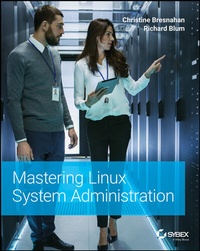
Mastering Linux System Administration
1st Edition
Published on 30. June 2021
576 pages
978-1-119-79447-9 (ISBN)
Description

Achieve Linux system administration mastery with time-tested and proven techniques
In Mastering Linux System Administration, Linux experts and system administrators Christine Bresnahan and Richard Blum deliver a comprehensive roadmap to go from Linux beginner to expert Linux system administrator with a learning-by-doing approach. Organized by do-it-yourself tasks, the book includes instructor materials like a sample syllabus, additional review questions, and slide decks.
Amongst the practical applications of the Linux operating system included within, you'll find detailed and easy-to-follow instruction on:
* Installing Linux servers, understanding the boot and initialization processes, managing hardware, and working with networks
* Accessing the Linux command line, working with the virtual directory structure, and creating shell scripts to automate administrative tasks
* Managing Linux user accounts, system security, web and database servers, and virtualization environments
Perfect for entry-level Linux system administrators, as well as system administrators familiar with Windows, Mac, NetWare, or other UNIX systems, Mastering Linux System Administration is a must-read guide to manage and secure Linux servers.
In Mastering Linux System Administration, Linux experts and system administrators Christine Bresnahan and Richard Blum deliver a comprehensive roadmap to go from Linux beginner to expert Linux system administrator with a learning-by-doing approach. Organized by do-it-yourself tasks, the book includes instructor materials like a sample syllabus, additional review questions, and slide decks.
Amongst the practical applications of the Linux operating system included within, you'll find detailed and easy-to-follow instruction on:
* Installing Linux servers, understanding the boot and initialization processes, managing hardware, and working with networks
* Accessing the Linux command line, working with the virtual directory structure, and creating shell scripts to automate administrative tasks
* Managing Linux user accounts, system security, web and database servers, and virtualization environments
Perfect for entry-level Linux system administrators, as well as system administrators familiar with Windows, Mac, NetWare, or other UNIX systems, Mastering Linux System Administration is a must-read guide to manage and secure Linux servers.
More details
Other editions
Additional editions
Christine Bresnahan | Richard Blum
Mastering Linux System Administration
Book
09/2021
1st Edition
Sybex Inc.,U.S.
€47.00
Shipment within 15-20 days
Persons
Christine Bresnahan has over thirty years of experience working in the IT industry. She is an Adjunct Professor at Ivy Tech Community College where she teaches Linux certification and Python programming classes. She is co-author with Richard Blum of CompTIA Linux+ Study Guide, Linux Essentials, and the Linux Command Line and Scripting Bible.
Richard Blum has over thirty years of experience working as a system and network administrator. He teaches online courses in Linux and Web programming and is co-author with Christine Bresnahan of several Linux titles, including CompTIA Linux+ Study Guide, Linux Essentials, and the Linux Command Line and Scripting Bible.
Richard Blum has over thirty years of experience working as a system and network administrator. He teaches online courses in Linux and Web programming and is co-author with Christine Bresnahan of several Linux titles, including CompTIA Linux+ Study Guide, Linux Essentials, and the Linux Command Line and Scripting Bible.
