

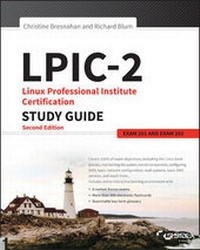
LPIC-2
Description

More details
Other editions
Additional editions
Persons
Content
Assessment Test xliii
Part I The LPI 201 Exam 1
Chapter 1 Starting a System 3
The Linux Boot Process 4
Following the Boot Process 4
Viewing the Boot Process 5
The Firmware Startup 6
The BIOS Startup 6
The UEFI Startup 7
Linux Bootloaders 8
GRUB Legacy 9
GRUB 2 12
Alternative Bootloaders 14
Secure Bootloaders 15
Process Initialization 16
The SysV Method 17
The systemd Method 21
The Upstart Method 26
System Recovery 27
Kernel Failures 27
Root Drive Failure 29
Summary 31
Exam Essentials 31
Review Questions 33
Chapter 2 Maintaining the System 37
Keeping Users Informed 38
Looking at Fluid Messaging 39
Looking at Static Messaging 47
Backing Up the System 51
Developing a Backup Strategy 51
Performing Backups 61
Installing Programs from Source 72
Obtaining the Installation Files 73
Unpacking the Installation Files 73
Reading Installation Documentation 74
Compiling Preparation 75
Compiling the Program 76
Completing the Installation 76
Managing Resource Usage 79
Measuring Resource Usage 79
Predicting Resource Usage 83
Troubleshooting Resource Usage 85
Summary 87
Exam Essentials 87
Review Questions 89
Chapter 3 Mastering the Kernel 93
What Is the Kernel? 94
The Kernel Features 94
Parts of the Kernel 104
Kernel Versions 107
Compiling a Kernel 108
Obtaining Source Code 109
Creating the Configuration File 110
Compiling and Installing the Kernel 114
Compiling and Installing Modules 116
Creating an Initial RAM Disk 116
Booting the New Kernel 118
Creating a Kernel Package 119
Maintaining the Kernel 120
Working with Module Files 120
Module Commands 120
Working with Hardware 125
Automatically Detecting Hardware 128
Troubleshooting the Kernel 129
Summary 132
Exam Essentials 133
Review Questions 135
Chapter 4 Managing the Filesystem 139
Operating the Linux Filesystem 140
Understanding Filesystem Structures 140
Understanding Filesystem Types 141
Making a Filesystem 144
Attaching a Filesystem 146
Exploring Additional Filesystem Topics 162
Looking at Memory-Based Linux Filesystems 162
Looking at the Btrfs Filesystem 163
Exploring Btrfs Subvolumes 165
Exploring Btrfs Snapshots 169
Looking at Optical Filesystems 171
Looking at Swap Filesystems 177
Looking at Network-Based Filesystems 180
Understanding Auto-Mounting 180
Looking at Encrypted Filesystems 183
Maintaining Linux Filesystems 185
Adjusting a Filesystem 185
Checking and Repairing a Filesystem 187
Using SMART 189
Summary 192
Exam Essentials 192
Review Questions 195
Chapter 5 Administering Advanced Storage Devices 199
Configuring RAID 200
Understanding RAID 200
Implementing RAID on Linux 204
Managing a RAID Array 216
Adjusting Storage Devices 221
Looking at Drive Interface Concepts 221
Testing and Tuning Drives 223
Implementing iSCSI 234
Managing Logical Volumes 245
Understanding LVM 245
Creating Logical Volumes 246
Supporting Logical Volumes 254
Understanding the Device Mapper 263
Summary 264
Exam Essentials 264
Review Questions 267
Chapter 6 Navigating Network Services 271
Networking Basics 272
The Physical Layer 272
The Network Layer 274
The Transport Layer 278
The Application Layer 279
Configuring Network Features 279
Network Configuration Files 280
Graphical Tools 282
Command-Line Tools 284
Basic Network Troubleshooting 288
Checking the Log Files 288
Viewing the ARP Cache 289
Sending Test Packets 290
Testing Network Routes 291
Testing Client/Server Connectivity 293
Finding Host Information 295
Network Security 297
Advanced Network Troubleshooting 297
Viewing Open Network Connections 297
Viewing Network Statistics 300
Scanning the Network 302
Capturing Network Traffic 303
Summary 308
Exam Essentials 308
Review Questions 310
Part II The LPI 202 Exam 315
Chapter 7 Organizing Email Services 317
The Linux Mail System 318
Mail Transfer Agent 319
Mail Delivery Agent 321
Mail User Agent 323
Email Protocols 325
Simple Mail Transfer Protocol 326
Post Office Protocol 332
Internet Message Access Protocol 334
Using Email Servers 338
Using Sendmail 338
Using Postfix 342
Local Email Delivery 351
Procmail Basics 351
Sieve 356
Remote Email Delivery 359
Using Courier 359
Using Dovecot 360
Summary 363
Exam Essentials 364
Review Questions 366
Chapter 8 Directing DNS 371
Configuring a DNS Server 372
Understanding DNS and BIND 372
Configuring DNS on Linux 379
Starting, Stopping, and Reloading BIND 395
Configuring BIND Logging 398
Creating and Maintaining DNS Zones 403
Exploring BIND Zone Files 403
Managing BIND Zones on Linux 417
Securing a DNS Server 427
Setting Up Basic Security 427
Jailing BIND 431
Using DNSSEC 434
Connecting via TSIG 440
Employing DANE 442
Summary 445
Exam Essentials 445
Review Questions 447
Chapter 9 Offering Web Services 451
What Is a Web Server? 452
Web Server Basics 452
The HTTP Standard 453
Linux Web Servers 459
The Apache Web Server 461
Installing an Apache Server 462
Configuring the Apache Server 464
Hosting Dynamic Web Applications 472
Creating a Secure Web Server 474
Using a Proxy Server 482
Installing Squid 482
Configuring Squid 483
Configuring Clients 486
The Nginx Server 487
Installing Nginx 487
Configuring Nginx 488
Summary 490
Exam Essentials 491
Review Questions 493
Chapter 10 Sharing Files 497
Looking at Samba 498
Understanding Samba 498
Configuring Samba 500
Troubleshooting Samba 527
Looking at NFS 530
Understanding NFS 530
Configuring NFS 533
Securing NFS 549
Troubleshooting NFS 552
Looking at FTP Servers 553
Understanding FTP 554
Configuring vsftpd 556
Configuring Pure-FTPd 568
Summary 575
Exam Essentials 575
Review Questions 577
Chapter 11 Managing Network Clients 581
Assigning Network Addresses 582
The DHCP Standard 583
Linux DHCP Software 584
Installing a Linux DHCP Server 585
Configuring a DHCP Server 585
Configuring Clients 590
Authentication Service 591
PAM Basics 591
Configuring PAM 594
Using PAM Application Files 595
Network Directories 597
LDAP Basics 597
The OpenLDAP Server 601
Implementing LDAP Clients 607
Summary 613
Exam Essentials 613
Review Questions 615
Chapter 12 Setting Up System Security 619
Server Network Security 620
Port Scanning 620
Intrusion Detection Systems 628
External Network Security 631
Using iptables 634
Routing in Linux 639
Connecting Securely to a Server 639
OpenSSH 640
OpenVPN 643
Security Resources 646
US-CERT 646
SANS Institute 647
Bugtraq 647
Summary 648
Exam Essentials 649
Review Questions 651
Appendix Answers to Review Questions 655
Chapter 1: Starting a System 656
Chapter 2: Maintaining the System 659
Chapter 3: Mastering the Kernel 662
Chapter 4: Managing the Filesystem 664
Chapter 5: Administering Advanced Storage Devices 667
Chapter 6: Navigating Network Services 670
Chapter 7: Organizing Email Services 673
Chapter 8: Directing DNS 676
Chapter 9: Offering Web Services 678
Chapter 10: Sharing Files 681
Chapter 11: Managing Network Clients 684
Chapter 12: Setting Up System Security 687
Index 691
Introduction
Welcome to the LPIC-2: Linux Professional Institute Certification Study Guide. If you used our LPIC-1: Linux Professional Institute Certification Study Guide to study for your LPIC-1 exam, welcome back! We're glad that you decided to stay with us for your LPIC-2 study resources.
Just like our LPIC-1 Study Guide, this book contains detailed explanations for all of the LPIC-2 exam objectives, along with example questions, flashcards for self-study, and practice questions. The purpose of this book is to help you pass both of the LPIC-2 exams, 201 and 202. These exams cover more advanced topics than the LPIC-1 exam, such as the Linux kernel, system startup, filesystems, network operations, DNS servers, web servers, file servers, email servers, network client management, and security. This book will walk you through all of these topics, helping prepare you for the LPIC-2 exam questions.
LPI's Certification Program
The purpose of the Linux Professional Institute's (LPI) LPIC-2 program is to define the basic knowledge required to administer small to medium-sized mixed (Microsoft and Linux) networks, focusing on the Linux operating system. The program guides professionals wishing to build on knowledge gained from the LPIC-1 program.
It is expected that you have already passed the LPI Linux Essentials (optional) exam and the LPIC-1 (or CompTIA Linux+) exam and have at least five years' experience in administering a Linux server(s) in a mixed network environment.
The successful LPIC-2 candidate should have at a minimum knowledge and experience concerning the following topics:
- Administering multiple Linux servers
- Advising management on computerization and purchasing
- Planning and managing a small, mixed-network environment, which includes the following:
- LAN server:
- Client management
- DHCP
- DNS
- NFS
- Samba
- Internet gateway:
- Firewall
- OpenSSH
- VPN
- Web cache/proxy
- Internet server:
- FTP server
- Web server
- Web server with a reverse proxy
- LAN server:
- Team supervision skills
If you've already passed the LPIC-1 exam, you've proven to the world that you're proficient with the basic operation of Linux, along with the basic Linux commands. But don't stop there. When you pass the LPIC-2 exam, that will demonstrate that you have the skills that companies look for when hiring Linux administrators. Having the LPIC-2 certification validates your skills, and it helps prepare you for working with Linux servers in a commercial environment.
How to Become Certified
The LPIC-2 certification is available to anyone who has an active LPIC-1 certification and who passes the two required exams: 201 and 202.
To take an LPI exam, you must first register with LPI to obtain an LPI ID number (if you already did this for the LPIC-1 exam, you must use your existing LPI ID number for the LPIC-2 exam). If you need to register, you can do this online at https://cs.lpi.org/caf/Xamman/register. LPI will email your LPI ID number to you. With that you can log into the LPI Marketplace to purchase an exam voucher.
The exams are administered by Pearson VUE. The exam can be taken at any Pearson VUE testing center. If you pass, you will get a certificate in the mail saying that you have passed. Call (877) 619-2096 for Pearson VUE contact information.
To register for the exam with Pearson VUE, go to http://www.vue.com. Enter the exam voucher number that you received from the LPI Marketplace, and schedule the time and place to take the exam.
Who Should Buy This Book
Anyone who wants to pass the LPIC-2 certification exams may benefit from this book. You should already have a basic knowledge of Linux, as covered by the LPIC-1 exam material. If not, you should start with our LPIC-1: Linux Professional Institute Study Guide book and then move on to this book. This book focuses on the more advanced Linux topics covered by the LPIC-2 201 and 202 exams. Once you obtain your certification, this book will continue to be useful by serving as a handy resource for information on installing and maintaining Linux servers.
Even if you don't plan to take the LPIC-2 exams, this book makes an excellent resource for understanding advanced Linux server topics. It covers topics such as creating your own web server, email server, and file server. These skills are required by Linux administrators in small and medium-sized network environments.
This book is written with the assumption that you have a basic knowledge of Linux. You should be familiar with how Linux works and be able to work in the Linux command line, including the core commands such as ls, cp, mv, cat, less, ps, free, and uptime. You should also already know how to install a default Linux distribution environment, because that is not covered in this book.
You'll need a Linux system with which to practice and perform the chapter activities. Any Linux desktop or server distribution will work for the activities in this book; however, we focus on the Ubuntu and CentOS Linux desktop distributions for our examples.
How This Book Is Organized
This book consists of 12 chapters plus supplementary information: an online glossary, this introduction, and the assessment test after the introduction.
Part I of the book, Chapters 1 through 6, covers the LPIC-2 201 exam topics. Part II, Chapters 7 through 12, covers the 202 exam topics. Each chapter begins with a list of the exam objectives that are covered in that chapter. However, the book doesn't cover the objectives in order.
Part I: The LPI 201 Exam
Chapter 1: Starting a System This chapter covers how Linux boots from the system BIOS. It discusses the Linux bootloader program and how to create a dual-boot Linux environment.
Chapter 2: Maintaining the System This chapter describes how to install and manage resources on a Linux system. It also covers how to back up Linux systems and communicate with system users to warn of system issues or downtime.
Chapter 3: Mastering the Kernel This chapter focuses on the core of the Linux system-the kernel. It walks you through how to install a custom kernel, as well as how to create and maintain kernel modules required to support the hardware on your Linux system.
Chapter 4: Managing the Filesystem This chapter explores the different Linux filesystems and how to manage and maintain them, as well as how to troubleshoot them when problems occur.
Chapter 5: Administering Advanced Storage Devices This chapter takes a look at two of the more advanced storage methods used in Linux environments. It focuses on how to use RAID devices in Linux, either as hardware devices or using a software RAID emulator. It also demonstrates how to implement a Logical Volume Manager in a Linux environment.
Chapter 6: Navigating Network Services This chapter takes a deeper look at how Linux interacts in a network environment. It covers how to use the Linux command-line commands to set up a network interface and how to troubleshoot basic network problems.
Part II: The LPI 202 Exam
Chapter 7: Organizing Email Services This chapter examines how to run an Internet email server using Linux. It covers the two most popular email servers-sendmail and Postfix, as well as walking you through how to use the most popular Linux email client packages-Courier and Dovecot.
Chapter 8: Directing DNS This chapter covers the basics of the DNS system and how to configure your Linux server to offer DNS services on your network.
Chapter 9: Offering Web Services This chapter covers how to run your own web server using a Linux server. It discusses how to install and manage the Apache web server-the most popular web server on the Internet. It also covers the nginx web server, a newer up-and-coming web server that's quickly gaining in popularity. Also, this chapter dives into the basics of Squid, a popular web proxy server used by many companies as a web firewall to block users from accessing inappropriate websites.
Chapter 10: Sharing Files This chapter discusses how to use your Linux server as a file server in a local network. It covers using both FTP and NFS to serve files, as well as the popular Samba package to serve files to Microsoft Windows clients on a network.
Chapter 11: Managing Network Clients This chapter explores how to use a Linux server to provide basic network services to clients on a local network. It shows how to create a DHCP server for serving dynamic IP addresses, how to create an LDAP server for providing simple network directory services, and how to use PAM to provide authentication services to local applications.
Chapter 12: Setting Up System Security This chapter explores some ways to use your Linux server security in a network environment. It covers using the iptables program as a firewall, OpenSSH for remote communication with clients,...
