

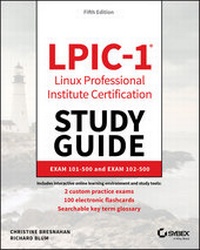
LPIC-1 Linux Professional Institute Certification Study Guide
Exam 101-500 and Exam 102-500
5th Edition
Published on 3. October 2019
688 pages
978-1-119-58209-0 (ISBN)
Description

The bestselling study guide for the popular Linux Professional Institute Certification Level 1 (LPIC-1).
The updated fifth edition of LPIC-1: Linux Professional Institute Certification Study Guide is a comprehensive, one-volume resource that covers 100% of all exam objectives. Building on the proven Sybex Study Guide approach, this essential resource offers a comprehensive suite of study and learning tools such as assessment tests, hands-on exercises, chapter review questions, and practical, real-world examples. This book, completely updated to reflect the latest 101-500 and 102-500 exams, contains clear, concise, and user-friendly information on all of the Linux administration topics you will encounter on test day. Key exam topics include system architecture, Linux installation and package management, GNU and UNIX commands, user interfaces and desktops, essential system services, network and server security, and many more.
Linux Servers currently have a 20% market share which continues to grow. The Linux OS market saw a 75% increase from last year and is the third leading OS, behind Windows and MacOS. There has never been a better time to expand your skills, broaden your knowledge, and earn certification from the Linux Professional Institute. A must-have guide for anyone preparing for the 101-500 and 102-500 exams, this study guide enables you to:
* Assess your performance on practice exams to determine what areas need extra study
* Understand and retain vital exam topics such as administrative tasks, network configuration, booting Linux, working with filesystems, writing scripts, and using databases
* Gain insights and tips from two of the industry's most highly respected instructors, consultants, and authors
* Access Sybex interactive tools that include electronic flashcards, an online test bank, customizable practice exams, bonus chapter review questions, and a searchable PDF glossary of key terms
LPIC-1: Linux Professional Institute Certification Study Guide is ideal for network and system administrators studying for the LPIC-1 exams, either for the first time or for the purpose of renewing their certifications.
The updated fifth edition of LPIC-1: Linux Professional Institute Certification Study Guide is a comprehensive, one-volume resource that covers 100% of all exam objectives. Building on the proven Sybex Study Guide approach, this essential resource offers a comprehensive suite of study and learning tools such as assessment tests, hands-on exercises, chapter review questions, and practical, real-world examples. This book, completely updated to reflect the latest 101-500 and 102-500 exams, contains clear, concise, and user-friendly information on all of the Linux administration topics you will encounter on test day. Key exam topics include system architecture, Linux installation and package management, GNU and UNIX commands, user interfaces and desktops, essential system services, network and server security, and many more.
Linux Servers currently have a 20% market share which continues to grow. The Linux OS market saw a 75% increase from last year and is the third leading OS, behind Windows and MacOS. There has never been a better time to expand your skills, broaden your knowledge, and earn certification from the Linux Professional Institute. A must-have guide for anyone preparing for the 101-500 and 102-500 exams, this study guide enables you to:
* Assess your performance on practice exams to determine what areas need extra study
* Understand and retain vital exam topics such as administrative tasks, network configuration, booting Linux, working with filesystems, writing scripts, and using databases
* Gain insights and tips from two of the industry's most highly respected instructors, consultants, and authors
* Access Sybex interactive tools that include electronic flashcards, an online test bank, customizable practice exams, bonus chapter review questions, and a searchable PDF glossary of key terms
LPIC-1: Linux Professional Institute Certification Study Guide is ideal for network and system administrators studying for the LPIC-1 exams, either for the first time or for the purpose of renewing their certifications.
More details
Other editions
Additional editions
Christine Bresnahan | Richard Blum
LPIC-1 Linux Professional Institute Certification Study Guide
Exam 101-500 and Exam 102-500
Book
12/2019
5th Edition
Sybex Inc.,U.S.
€62.00
Shipment within 15-20 days
Content
- Cover
- Title Page
- Copyright
- Acknowledgments
- About the Authors
- Contents at a Glance
- Contents
- Table of Exercises
- Introduction
- Why Become Linux Certified?
- How to Become Certified
- Who Should Buy This Book
- How This Book Is Organized
- Additional Study Tools
- Conventions Used in This Book
- The Exam Objectives
- Exam 101-500 Objectives
- 101 System Architecture
- 102 Linux Installation and Package Management
- 103 GNU and Unix Commands
- 104 Devices, Linux Filesystems, Filesystem Hierarchy Standard
- Exam 102-500 Objectives
- 105 Shells, Scripting and Data Management
- 106 User Interfaces and Desktops
- 107 Administrative Tasks
- 108 Essential System Services
- 109 Networking Fundamentals
- 110 Security
- Assessment Test
- Answers to Assessment Test
- Part I Exam 101-500
- Chapter 1 Exploring Linux Command-Line Tools
- Understanding Command-Line Basics
- Discussing Distributions
- Reaching a Shell
- Exploring Your Linux Shell Options
- Using a Shell
- Using Environment Variables
- Getting Help
- Editing Text Files
- Looking at Text Editors
- Understanding vim Modes
- Exploring Basic Text-Editing Procedures
- Saving Changes
- Processing Text Using Filters
- File-Combining Commands
- File-Transforming Commands
- File-Formatting Commands
- File-Viewing Commands
- File-Summarizing Commands
- Using Regular Expressions
- Using grep
- Understanding Basic Regular Expressions
- Understanding Extended Regular Expressions
- Using Streams, Redirection, and Pipes
- Redirecting Input and Output
- Piping Data between Programs
- Using sed
- Generating Command Lines
- Summary
- Exam Essentials
- Review Questions
- Chapter 2 Managing Software and Processes
- Looking at Package Concepts
- Using RPM
- RPM Distributions and Conventions
- The rpm Command Set
- Extracting Data from RPMs
- Using YUM
- Using ZYpp
- Using Debian Packages
- Debian Package File Conventions
- The dpkg Command Set
- Looking at the APT Suite
- Using apt-cache
- Using apt-get
- Reconfiguring Packages
- Managing Shared Libraries
- Library Principles
- Locating Library Files
- Loading Dynamically
- Library Management Commands
- Managing Processes
- Examining Process Lists
- Employing Multiple Screens
- Understanding Foreground and Background Processes
- Managing Process Priorities
- Sending Signals to Processes
- Summary
- Exam Essentials
- Review Questions
- Chapter 3 Configuring Hardware
- Configuring the Firmware and Core Hardware
- Understanding the Role of Firmware
- Device Interfaces
- The /dev Directory
- The /proc Directory
- The /sys Directory
- Working with Devices
- Hardware Modules
- Storage Basics
- Types of Drives
- Drive Partitions
- Automatic Drive Detection
- Storage Alternatives
- Multipath
- Logical Volume Manager
- Using RAID Technology
- Partitioning Tools
- Working with fdisk
- Working with gdisk
- The GNU parted Command
- Graphical Tools
- Understanding Filesystems
- The Virtual Directory
- Maneuvering Around the Filesystem
- Formatting Filesystems
- Common Filesystem Types
- Creating Filesystems
- Mounting Filesystems
- Manually Mounting Devices
- Automatically Mounting Devices
- Managing Filesystems
- Retrieving Filesystem Stats
- Filesystem Tools
- Summary
- Exam Essentials
- Review Questions
- Chapter 4 Managing Files
- Using File Management Commands
- Naming and Listing Files
- Exploring Wildcard Expansion Rules
- Understanding the File Commands
- Compressing File Commands
- Archiving File Commands
- Managing Links
- Managing File Ownership
- Assessing File Ownership
- Changing a File's Owner
- Changing a File's Group
- Controlling Access to Files
- Understanding Permissions
- Changing a File's Mode
- Setting the Default Mode
- Changing Special Access Modes
- Locating Files
- Getting to Know the FHS
- Employing Tools to Locate Files
- Summary
- Exam Essentials
- Review Questions
- Chapter 5 Booting, Initializing, and Virtualizing Linux
- Understanding the Boot Process
- The Boot Process
- Extracting Information about the Boot Process
- Looking at Firmware
- The BIOS Startup
- The UEFI Startup
- Looking at Boot Loaders
- Boot Loader Principles
- Using GRUB Legacy as the Boot Loader
- Using GRUB 2 as the Boot Loader
- Adding Kernel Boot Parameters
- Using Alternative Boot Loaders
- The Initialization Process
- Using the systemd Initialization Process
- Exploring Unit Files
- Focusing on Service Unit Files
- Focusing on Target Unit Files
- Looking at systemctl
- Examining Special systemd Commands
- Using the SysV Initialization Process
- Understanding Runlevels
- Investigating SysVinit Commands
- Stopping the System
- Notifying the Users
- Virtualizing Linux
- Looking at Virtual Machines
- Understanding Containers
- Looking at Infrastructure as a Service
- Summary
- Exam Essentials
- Review Questions
- Part II Exam 102-500
- Chapter 6 Configuring the GUI, Localization, and Printing
- Understanding the GUI
- Understanding the X11 Architecture
- Examining X.Org
- Figuring Out Wayland
- Managing the GUI
- Standard GUI Features
- The X GUI Login System
- Common Linux Desktop Environments
- Providing Accessibility
- Using X11 for Remote Access
- Remote X11 Connections
- Tunneling your X11 Connection
- Using Remote Desktop Software
- Viewing VNC
- Grasping Xrdp
- Exploring NX
- Studying SPICE
- Understanding Localization
- Character Sets
- Environment Variables
- Setting Your Locale
- Installation Locale Decisions
- Changing Your Locale
- Looking at Time
- Working with Time Zones
- Setting the Time and Date
- Configuring Printing
- Summary
- Exam Essentials
- Review Questions
- Chapter 7 Administering the System
- Managing Users and Groups
- Understanding Users and Groups
- Configuring User Accounts
- Configuring Groups
- Managing Email
- Understanding Email
- Choosing Email Software
- Working with Email
- Using Log and Journal Files
- Examining the syslog Protocol
- Viewing the History of Linux Logging
- Logging Basics Using rsyslogd
- Journaling with systemd-journald
- Maintaining the System Time
- Understanding Linux Time Concepts
- Viewing and Setting Time
- Understanding the Network Time Protocol
- Using the NTP Daemon
- Using the chrony Daemon
- Summary
- Exam Essentials
- Review Questions
- Chapter 8 Configuring Basic Networking
- Networking Basics
- The Physical Layer
- The Network Layer
- The Transport Layer
- The Application Layer
- Configuring Network Features
- Network Configuration Files
- Graphical Tools
- Command-Line Tools
- Getting Network Settings Automatically
- Bonding Network Cards
- Basic Network Troubleshooting
- Sending Test Packets
- Tracing Routes
- Finding Host Information
- Advanced Network Troubleshooting
- The netstat Command
- Examining Sockets
- The netcat Utility
- Summary
- Exam Essentials
- Review Questions
- Chapter 9 Writing Scripts
- Shell Variables
- Global Environment Variables
- Local Environment Variables
- Setting Local Environment Variables
- Setting Global Environment Variables
- Locating System Environment Variables
- Using Command Aliases
- The Basics of Shell Scripting
- Running Multiple Commands
- Redirecting Output
- Piping Data
- The Shell Script Format
- Running the Shell Script
- Advanced Shell Scripting
- Displaying Messages
- Using Variables in Scripts
- Command-Line Arguments
- Getting User Input
- The Exit Status
- Writing Script Programs
- Command Substitution
- Performing Math
- Logic Statements
- Loops
- Functions
- Running Scripts in Background Mode
- Running in the Background
- Running Multiple Background Jobs
- Running Scripts Without a Console
- Sending Signals
- Interrupting a Process
- Pausing a Process
- Job Control
- Viewing Jobs
- Restarting Stopped Jobs
- Running Like Clockwork
- Scheduling a Job Using the at Command
- Scheduling Regular Scripts
- Summary
- Exam Essentials
- Review Questions
- Chapter 10 Securing Your System
- Administering Network Security
- Disabling Unused Services
- Using Super Server Restrictions
- Restricting via TCP Wrappers
- Administering Local Security
- Securing Passwords
- Limiting root Access
- Auditing User Access
- Setting Login, Process, and Memory Limits
- Locating SUID/SGID Files
- Exploring Cryptography Concepts
- Discovering Key Concepts
- Securing Data
- Signing Transmissions
- Looking at SSH
- Exploring Basic SSH Concepts
- Configuring SSH
- Generating SSH Keys
- Authenticating with SSH Keys
- Authenticating with the Authentication Agent
- Tunneling
- Using SSH Securely
- Using GPG
- Generating Keys
- Importing Keys
- Encrypting and Decrypting Data
- Signing Messages and Verifying Signatures
- Revoking a Key
- Summary
- Exam Essentials
- Review Questions
- Appendix Answers to Review Questions
- Chapter 1: Exploring Linux Command-Line Tools
- Chapter 2: Managing Software and Processes
- Chapter 3: Configuring Hardware
- Chapter 4: Managing Files
- Chapter 5: Booting, Initializing, and Virtualizing Linux
- Chapter 6: Configuring the GUI, Localization, and Printing
- Chapter 7: Administering the System
- Chapter 8: Configuring Basic Networking
- Chapter 9: Writing Scripts
- Chapter 10: Securing Your System
- Index
- EULA
