

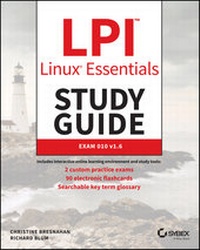
LPI Linux Essentials Study Guide
Description

Linux is a secure, reliable, open source alternative to costly operating systems such as Microsoft Windows. As large organizations worldwide continue to add Linux servers, the need for IT professionals skilled in Linux continues to grow. The LPI Linux Essentials Study Guide is a valuable resource for anyone preparing to take the new Linux Essentials Exam--the entry-level certification from The Linux Professional Institute (LPI) which validates knowledge of Linux concepts and applications.
Written by recognized experts on Linux and open source technologies, this accessible, user-friendly guide covers desktop skills, the command line, directories and files, networks, scripting, security, users and permissions, and much more. Clear, concise chapters provide numerous hands-on tutorials, real-world examples, color illustrations, and practical end-of-chapter exercises and review questions. An ideal introduction for those new to Linux or considering a career in IT, this guide helps readers:
* Learn the operation and components of Linux desktops and servers
* Understand open source software, licensing, and applications
* Configure networks, security, cloud services, storage, and devices
* Create users and groups and set permissions and ownership
* Use the command line and build automation scripts
LPI Linux Essentials Study Guide: Exam 010 v1.6 is perfect for anyone beginning a career in IT, newcomers to Linux, students in computer courses, and system administrators working with other operating systems wanting to learn more about Linux and other open source solutions.
More details
Other editions
Additional editions
Persons
Richard Blum has worked as a system and network administrator for over 30 years. He is the author of several Linux books, including Linux Command Line and Shell Scripting Bible and Linux for Dummies, 9th edition, and is a popular online Linux instructor.
Content
Introduction
This book you hold in your hands provides a solid introduction to the Linux operating system. As its title suggests, it will give you the essential knowledge to begin using and managing this powerful operating system (OS), which is an important one in today's computing world.
The Linux Professional Institute, or LPI (lpi.org), offers a series of Linux certifications. These certifications aim to provide proof of skill levels for employers; if you've passed a particular certification, you should be competent to perform certain tasks on Linux computers. The LPI exams include Linux Essentials, LPIC-1, LPIC-2, and the LPIC-3 series. As the name implies, the Linux Essentials exam is the lowest level of the four exams, covering the most basic tasks of using and administering a Linux computer.
The purpose of this book is to help you pass the Linux Essentials exam, updated in 2019 to version 1.6. The Linux Essentials exam is meant to certify that you:
- Understand the open source industry
- Have knowledge of the most popular open source applications
- Understand the major components of Linux
- Can work at the Linux command line
- Have basic knowledge of security and administration-related concepts
- Know where to go for help
Why Become Linux Certified?
With the growing popularity of Linux (and the increase in Linux-related jobs) comes hype. With all the hype that surrounds Linux it's become hard for employers to distinguish between employees who are competent Linux users and those who just know the buzzwords. This is where the Linux Essentials certification comes in.
With a Linux Essentials certification, you will establish yourself as a Linux user who is familiar with the Linux platform and its applications and who can use any type of Linux system. LPI has created the Linux Essentials exams as a way for employers to have confidence in knowing their employees who pass the exam will have the skills necessary to get the job done.
How to Become Certified
The certification is available to anyone who passes the LPI Linux Essentials required exam. The current version of the exam is version 1.6 and is denoted as 010-160.
The exam is administered by Pearson VUE. The exam can be taken at any Pearson VUE testing center. If you pass, you will get a certificate in the mail saying that you have passed.
To register for the exam with Pearson VUE register online at home.pearsonvue?.com. You'll have to provide your name, mailing address, phone number, employer, when and where you want to take the test (which testing center), and your credit card number (arrangement for payment must be made at the time of registration).
Who Should Buy This Book
You may have been assigned this book for a class that you're taking, but if not, it can still have value for self-study or as a supplement to other resources. If you're new to Linux, this book covers the material that you will need to learn the OS from the beginning. You can pick up this book and learn from it even if you've never used Linux before. If you're already familiar with Linux, you'll have a leg up on many of the topics described in these pages.
This book is written with the assumption that you know at least a little about computers generally, such as how to use a keyboard, how to insert a disc into an optical drive, and so on. Chances are that you have used computers in a substantial way in the past-perhaps even Linux, as an ordinary user-or maybe you have used Windows or macOS. We do not assume that you have knowledge of how to use a Linux system.
It will also help to have a Linux system available to follow along with. Each chapter contains a simple exercise that will walk you through the basic concepts presented in the chapter. This provides the crucial hands-on experience that you'll need, both to pass the exam and to do well in the Linux world.
Although the LPI Linux Essentials exam is Linux distribution neutral, it's impossible to write exercises that work in all Linux distributions. That said, the exercises in this book assume you have a learning environment similar to the one described in Appendix B "Setting up a Linux Environment."
How This Book Is Organized
This book consists of 15 chapters, two appendixes, plus this introduction and the assessment test after the introduction. The chapters are organized as follows:
- Chapter 1, "Selecting an Operating System," provides a birds-eye view of the world of operating systems. The chapter will help you understand exactly what Linux is and the situations in which you might want to use it.
- Chapter 2, "Understanding Software Licensing," describes copyright law and the licenses that both Linux and non-Linux OSs use to expand or restrict users' rights to use and copy software.
- Chapter 3, "Investigating Linux's Principles and Philosophy," covers Linux's history and the ways in which Linux, and other OSs, are commonly used.
- Chapter 4, "Using Common Linux Programs," looks at the major categories of Linux software, and it provides pointers to some of the most popular Linux programs.
- Chapter 5, "Getting to Know the Command Line," tackles using typed commands to control Linux. Although many new users find this topic intimidating, command-line control of Linux is important.
- Chapter 6, "Managing Hardware," provides advice on how to select and use hardware in Linux. Specific topics range from the central processing unit (CPU) to device drivers.
- Chapter 7, "Managing Files," describes how to move, rename, delete, and edit files. Directories are just a special type of file, so they are covered here as well.
- Chapter 8, "Searching, Extracting, and Archiving Data," summarizes the tools that you can use to find data on your computer, as well as how you can manipulate data archive files for data transport and backup purposes.
- Chapter 9, "Exploring Processes and Process Data," describes how to install programs in Linux and how to adjust the priority of running programs or terminate selected programs.
- Chapter 10, "Editing Files," introduces the topic of editing text files. This includes the basic features of the nano and vi text-mode text editors, as well as some common configuration file and formatted text file conventions.
- Chapter 11, "Creating Scripts," describes how to create simple scripts, which are programs that can run other programs. You can use scripts to help automate otherwise tedious manual tasks, thus improving your productivity.
- Chapter 12, "Understanding Basic Security," introduces the concepts that are critical to understanding Linux's multiuser nature. It also covers super user privileges, which Linux uses for most administrative tasks.
- Chapter 13, "Creating Users and Groups," covers the software and procedures you use to create, modify, and delete accounts and groups, which define who may use the computer.
- Chapter 14, "Setting Ownership and Permissions," describes how to control which users may access files and in what ways they may do so. In conjunction with users and groups, ownership and permissions control your computer's security.
- Chapter 15, "Managing Network Connections," covers the critical topic of telling Linux how to use a network, including testing the connection and some basic network security measures.
Each chapter begins with a list of the exam objectives that are covered in that chapter. The book doesn't cover the objectives in order. Thus, you shouldn't be alarmed at some of the odd ordering of the objectives within the book. At the end of each chapter, you'll find a couple of elements you can use to prepare for the exam:
Exam Essentials This section summarizes important information that was covered in the chapter. You should be able to perform each of the tasks or convey the information requested.
Review Questions Each chapter concludes with 10 review questions. You should answer these questions and check your answers against the ones provided in Appendix A. If you can't answer at least 80 percent of these questions correctly, go back and review the chapter, or at least those sections that seem to be giving you difficulty.
The review questions, assessment test, and other testing elements included in this book are not derived from the actual exam questions, so don't memorize the answers to these questions and assume that doing so will enable you to pass the exam. You should learn the underlying topic, as described in the text of the book. This will let you answer the questions provided with this book and pass the exam. Learning the underlying topic is also the approach that will serve you best in the workplace-the ultimate goal of a certification.
To get the most out of this book, you should read each chapter from start to finish and then check your memory and understanding with the chapter-end elements. Even...
