

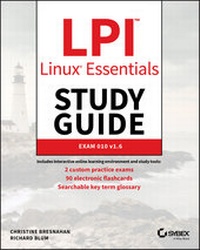
LPI Linux Essentials Study Guide
Exam 010 v1.6
3rd Edition
Published on 31. December 2019
416 pages
978-1-119-65770-5 (ISBN)
Description

Provides a solid foundation for those considering a career in IT--covers the objectives of the new Linux Essentials Exam 010-160 v1.6
Linux is a secure, reliable, open source alternative to costly operating systems such as Microsoft Windows. As large organizations worldwide continue to add Linux servers, the need for IT professionals skilled in Linux continues to grow. The LPI Linux Essentials Study Guide is a valuable resource for anyone preparing to take the new Linux Essentials Exam--the entry-level certification from The Linux Professional Institute (LPI) which validates knowledge of Linux concepts and applications.
Written by recognized experts on Linux and open source technologies, this accessible, user-friendly guide covers desktop skills, the command line, directories and files, networks, scripting, security, users and permissions, and much more. Clear, concise chapters provide numerous hands-on tutorials, real-world examples, color illustrations, and practical end-of-chapter exercises and review questions. An ideal introduction for those new to Linux or considering a career in IT, this guide helps readers:
* Learn the operation and components of Linux desktops and servers
* Understand open source software, licensing, and applications
* Configure networks, security, cloud services, storage, and devices
* Create users and groups and set permissions and ownership
* Use the command line and build automation scripts
LPI Linux Essentials Study Guide: Exam 010 v1.6 is perfect for anyone beginning a career in IT, newcomers to Linux, students in computer courses, and system administrators working with other operating systems wanting to learn more about Linux and other open source solutions.
Linux is a secure, reliable, open source alternative to costly operating systems such as Microsoft Windows. As large organizations worldwide continue to add Linux servers, the need for IT professionals skilled in Linux continues to grow. The LPI Linux Essentials Study Guide is a valuable resource for anyone preparing to take the new Linux Essentials Exam--the entry-level certification from The Linux Professional Institute (LPI) which validates knowledge of Linux concepts and applications.
Written by recognized experts on Linux and open source technologies, this accessible, user-friendly guide covers desktop skills, the command line, directories and files, networks, scripting, security, users and permissions, and much more. Clear, concise chapters provide numerous hands-on tutorials, real-world examples, color illustrations, and practical end-of-chapter exercises and review questions. An ideal introduction for those new to Linux or considering a career in IT, this guide helps readers:
* Learn the operation and components of Linux desktops and servers
* Understand open source software, licensing, and applications
* Configure networks, security, cloud services, storage, and devices
* Create users and groups and set permissions and ownership
* Use the command line and build automation scripts
LPI Linux Essentials Study Guide: Exam 010 v1.6 is perfect for anyone beginning a career in IT, newcomers to Linux, students in computer courses, and system administrators working with other operating systems wanting to learn more about Linux and other open source solutions.
More details
Other editions
Additional editions
Book
01/2020
3rd Edition
Sybex Inc.,U.S.
€47.00
Shipment within 15-20 days
Persons
Christine Bresnahan is an Adjunct Professor at Ivy Tech Community College, where she teaches Linux certification and Python classes. She is the author of several books, including LPIC-1 Study Guide, Fifth edition and LPIC-2 Study Guide, Second edition.
Richard Blum has worked as a system and network administrator for over 30 years. He is the author of several Linux books, including Linux Command Line and Shell Scripting Bible and Linux for Dummies, 9th edition, and is a popular online Linux instructor.
Richard Blum has worked as a system and network administrator for over 30 years. He is the author of several Linux books, including Linux Command Line and Shell Scripting Bible and Linux for Dummies, 9th edition, and is a popular online Linux instructor.
Content
- Intro
- LPI Linux Essentials Study Guide
- Acknowledgments
- About the Authors
- Contents at a Glance
- Contents
- Introduction
- Assessment Test
- Answers to Assessment Test
- Chapter 1 Selecting an Operating System
- What Is an OS?
- What Is a Kernel?
- What Else Identifies an OS?
- Investigating User Interfaces
- Using a Text-Mode User Interface
- Using a Graphical User Interface
- Where Does Linux Fit in the OS World?
- Comparing Linux to Unix
- Comparing Linux to macOS
- Comparing Linux to Windows
- What Is a Distribution?
- Creating a Complete Linux-Based OS
- A Summary of Common Linux Distributions
- Understanding Release Cycles
- Embedded Linux Systems
- Linux in the Cloud
- What Is Cloud Computing?
- What Are the Cloud Services?
- Summary
- Exam Essentials
- Review Questions
- Chapter 2 Understanding Software Licensing
- Investigating Software Licenses
- Exploring Copyright Protection and Software
- Using Licenses to Modify Copyright Terms
- Looking at the Free Software Foundation
- Understanding the FSF Philosophy
- Examining Free Software and the GPL
- Looking at the Open Source Initiative
- Understanding the Open Source Philosophy
- Defining Open Source Software
- Looking at the Creative Commons
- Using Open Source Licenses
- Understanding Open Source Licenses
- Understanding Open Source Business Models
- Summary
- Exam Essentials
- Review Questions
- Chapter 3 Investigating Linux's Principles and Philosophy
- Linux Through the Ages
- Understanding Linux's Origins
- Seeing Today's Linux World
- Using Open Source Software
- Understanding Basic Open Source Principles
- Linux as a Software Integrator
- Understanding OS Roles
- Looking At Embedded Computers
- Exploring Desktop and Laptop Computers
- Investigating Server Computers
- Summary
- Exam Essentials
- Review Questions
- Chapter 4 Using Common Linux Programs
- Using a Linux Desktop Environment
- Choosing a Desktop Environment
- Launching Programs
- Using a File Manager
- Working with Productivity Software
- Finding the Right Tool for the Job
- Using a Web Browser
- Using Email Clients
- Using Office Tools
- Using Multimedia Applications
- Using Linux for Cloud Computing
- Using Mobile Applications
- Using Server Programs
- Identifying Common Server Protocols and Programs
- Focusing on Web Servers
- Installing and Launching Servers
- Securing Servers
- Managing Programming Languages
- Choosing a Compiled vs. an Interpreted Language
- Identifying Common Programming Languages
- Handling Software Packages
- Understanding Software Packages
- Identifying Common Package Tools
- Summary
- Exam Essentials
- Review Questions
- Chapter 5 Getting to Know the Command Line
- Starting a Command Line
- Launching a Terminal
- Logging into a Text-Mode Console
- Running Programs
- Understanding Text-Mode Program Syntax
- Running Text-Mode Programs
- Running GUI Programs
- Running Programs in the Background
- Using Shell Features
- Using Command Completion
- Using Command History
- Getting Help Using Man Pages
- Understanding the Purpose of Man Pages
- Locating Man Pages by Section Number
- Searching for a Man Page
- Reading Man Pages
- Using less
- Getting Help Using Info Pages
- Understanding the Purpose of Info Pages
- Reading Info Pages
- Finding Additional Documentation
- Locating Program Documentation on Your Computer
- Locating Program Documentation Online
- Consulting Experts
- Summary
- Exam Essentials
- Review Questions
- Chapter 6 Managing Hardware
- Learning About Your CPU
- Understanding CPU Families
- Identifying Your CPU
- Identifying Motherboard Capabilities
- Sizing Your Power Supply
- Understanding Disk Issues
- Disk Interfaces
- Partitioning a Disk
- Understanding Filesystem Issues
- Using Removable and Optical Disks
- Managing Displays
- Understanding the Role of X
- Using Common Display Hardware
- Handling USB Devices
- Managing Drivers
- Understanding Types of Drivers
- Locating and Installing Drivers
- Summary
- Exam Essentials
- Review Questions
- Chapter 7 Managing Files
- Understanding Where Things Go
- User Files vs. System Files
- The Filesystem Hierarchy Standard
- Important Directories and Their Contents
- Exploring Files and Directories
- Obtaining File Listings
- Changing Directories
- Using Absolute and Relative File References
- Manipulating Files
- Creating Files
- Copying Files
- Moving and Renaming Files
- Using Links
- Deleting Files
- Using Wildcards
- Understanding Case Sensitivity
- Manipulating Directories
- Creating Directories
- Deleting Directories
- Managing Directories
- Summary
- Exam Essentials
- Review Questions
- Chapter 8 Searching, Extracting, and Archiving Data
- Using Regular Expressions
- Searching For and Extracting Data
- Using grep
- Using find
- Using wc
- Using cut
- Using sort
- Using cat
- Redirecting Input and Output
- Using Basic Redirection Operators
- Using Pipes
- Generating Command Lines
- Archiving Data
- Using tar
- Using Compression
- Using zip
- Summary
- Exam Essentials
- Review Questions
- Chapter 9 Exploring Processes and Process Data
- Understanding Package Management
- Linux Package Management Principles
- Understanding Package Systems
- Managing Red Hat Systems
- Managing Debian Systems
- Understanding the Process Hierarchy
- Identifying Running Processes
- Using ps to Identify Processes
- Using top to Identify Processes
- Measuring Memory Use
- Using Log Files
- Locating Log Files
- Producing More Verbose Log File Entries
- Examining the Kernel Ring Buffer
- Summary
- Exam Essentials
- Review Questions
- Chapter 10 Editing Files
- Understanding the Role of Text Files
- Choosing an Editor
- Editing Files with nano
- Using Text Editor Conventions
- Exploring Basic nano Text-Editing Procedures
- Saving Your Changes from nano
- Editing Files with vi
- Understanding vi Modes
- Exploring Basic vi Text-Editing Procedures
- Saving Your Changes from vi
- Summary
- Exam Essentials
- Review Questions
- Chapter 11 Creating Scripts
- Beginning a Shell Script
- Using Commands
- Using Arguments
- Using Variables
- Using Conditional Expressions
- Using Loops
- Using Functions
- Setting the Script's Exit Value
- Summary
- Exam Essentials
- Review Questions
- Chapter 12 Understanding Basic Security
- Understanding Accounts
- Understanding Account Features
- Identifying Accounts
- Understanding Groups
- Using Account Tools
- Discovering Your Own Identity
- Learning Who's Online
- Working as root
- Understanding User Types
- Acquiring root Privileges
- Using root Privileges Safely
- Summary
- Exam Essentials
- Review Questions
- Chapter 13 Creating Users and Groups
- Creating New Accounts
- Deciding on a Group Strategy
- Selecting a Good Password
- Creating Accounts Using GUI Tools
- Creating Accounts from the Shell
- Modifying Accounts
- Deciding When to Modify Accounts
- Checking for Logged-in Users
- Modifying Accounts Using GUI Tools
- Modifying Accounts from the Shell
- Deleting Accounts
- Avoiding Account Deletion Pitfalls
- Deleting Accounts Using GUI Tools
- Deleting Accounts from the Shell
- Managing Groups
- Managing Groups Using GUI Tools
- Managing Groups from the Shell
- Summary
- Exam Essentials
- Review Questions
- Chapter 14 Setting Ownership and Permissions
- Setting Ownership
- Understanding Ownership
- Setting Ownership in a File Manager
- Setting Ownership in a Shell
- Setting Permissions
- Understanding Permissions
- Setting Permissions in a File Manager
- Setting Permissions in a Shell
- Setting the umask
- Using Special Permission Bits and File Features
- Using Sticky Bits
- Using Special Execute Permissions
- Hiding Files from View
- Viewing Directories
- Summary
- Exam Essentials
- Review Questions
- Chapter 15 Managing Network Connections
- Configuring Network Features
- Graphical Tools
- Command-Line Tools
- Basic Network Troubleshooting
- Sending Test Packets
- Finding Host Information
- Advanced Network Troubleshooting
- The netstat Command
- Examining Sockets
- Summary
- Exam Essentials
- Review Questions
- Appendix A Answers to Review Questions
- Chapter 1: Selecting an Operating System
- Chapter 2: Understanding Software Licensing
- Chapter 3: Investigating Linux's Principles and Philosophy
- Chapter 4: Using Common Linux Programs
- Chapter 5: Getting to Know the Command Line
- Chapter 6: Managing Hardware
- Chapter 7: Managing Files
- Chapter 8: Searching, Extracting, and Archiving Data
- Chapter 9: Exploring Processes and Process Data
- Chapter 10: Editing Files
- Chapter 11: Creating Scripts
- Chapter 12: Understanding Basic Security
- Chapter 13: Creating Users and Groups
- Chapter 14: Setting Ownership and Permissions
- Chapter 15: Managing Network Connections
- Appendix B Setting Up a Linux Environment
- Index
- EULA
