

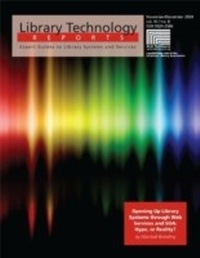
Opening Up Library Systems through Web Services and SOA: Hype, or Reality?
A Library Technology Report
1st Edition
Published on 1. January 2009
80 pages
978-0-8389-9145-9 (ISBN)
Description

Libraries are increasingly demanding the ability to exploit their library systems (LIS) using application programming interfaces (APIs), Web services, or other technologies. This issue of Library Technology Reports explores how vendors of open source library technology are approaching this desire for customization plus an in-depth exploration of trends towards APIs, Web services, and the service-oriented architecture. Topics Covered in this Issue Include: Why Should Libraries Care about Application Programming Interfaces? APIs: Basic Concepts Vendors and Products: Case Studies and Customer Responses API Hype and Reality Conclusions and resources
More details
Other editions
Additional editions
American Library Association
Opening Up Library Systems Through Web Services and Soa
Hype, or Reality?
Book
03/2010
ALA Editions
€63.33
Article not available for order
Content
- Intro
- Title
- Copyright
- Contents
- Chapter 1-Introduction
- Scope
- Intended Audience of This Report
- Why Should Libraries Care about Application Programming Interfaces?
- Possibilities Abound
- Basic Concepts
- API Implementation Models
- What Is an API?
- Proprietary APIs
- APIs and Open Source
- Standards as Open Interfaces
- API Security
- Terms of Service
- With Power Comes Responsibility and Cost
- No Universal Expectation for APIs
- Chapter 2-Vendors and Products
- Case Studies and Customer Responses
- Ex Libris
- Duke University Libraries
- Broome Community College
- University of Tennessee
- National Library of Australia
- Evergreen
- The Library Corporation
- Innovative Interfaces
- Koha
- Polaris
- SirsiDynix
- Talis
- VTLS
- Notes
- Chapter 3-API Hype and Reality
- Conclusions
- Resources
