

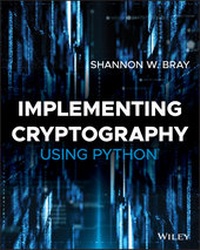
Implementing Cryptography Using Python
1st Edition
Published on 15. July 2020
304 pages
978-1-119-61222-3 (ISBN)
Description

Learn to deploy proven cryptographic tools in your applications and services
Cryptography is, quite simply, what makes security and privacy in the digital world possible. Tech professionals, including programmers, IT admins, and security analysts, need to understand how cryptography works to protect users, data, and assets. Implementing Cryptography Using Python will teach you the essentials, so you can apply proven cryptographic tools to secure your applications and systems. Because this book uses Python, an easily accessible language that has become one of the standards for cryptography implementation, you'll be able to quickly learn how to secure applications and data of all kinds.
In this easy-to-read guide, well-known cybersecurity expert Shannon Bray walks you through creating secure communications in public channels using public-key cryptography. You'll also explore methods of authenticating messages to ensure that they haven't been tampered with in transit. Finally, you'll learn how to use digital signatures to let others verify the messages sent through your services.
* Learn how to implement proven cryptographic tools, using easy-to-understand examples written in Python
* Discover the history of cryptography and understand its critical importance in today's digital communication systems
* Work through real-world examples to understand the pros and cons of various authentication methods
* Protect your end-users and ensure that your applications and systems are using up-to-date cryptography
Cryptography is, quite simply, what makes security and privacy in the digital world possible. Tech professionals, including programmers, IT admins, and security analysts, need to understand how cryptography works to protect users, data, and assets. Implementing Cryptography Using Python will teach you the essentials, so you can apply proven cryptographic tools to secure your applications and systems. Because this book uses Python, an easily accessible language that has become one of the standards for cryptography implementation, you'll be able to quickly learn how to secure applications and data of all kinds.
In this easy-to-read guide, well-known cybersecurity expert Shannon Bray walks you through creating secure communications in public channels using public-key cryptography. You'll also explore methods of authenticating messages to ensure that they haven't been tampered with in transit. Finally, you'll learn how to use digital signatures to let others verify the messages sent through your services.
* Learn how to implement proven cryptographic tools, using easy-to-understand examples written in Python
* Discover the history of cryptography and understand its critical importance in today's digital communication systems
* Work through real-world examples to understand the pros and cons of various authentication methods
* Protect your end-users and ensure that your applications and systems are using up-to-date cryptography
More details
Other editions
Additional editions
Shannon Bray
Implementing Cryptography Using Python
Book
08/2020
1st Edition
Wiley
€47.00
Shipment within 15-20 days
Person
SHANNON W. BRAY CASP, Security +, CISM is the Virtual CISO at Secured Systems providing clients guidance on establishing and maintaining information security plans, policies, procedures, standards, and guidelines using accepted frameworks. He has worked in this roles and others in corporations and federal agencies. Shannon has an MS in Cybersecurity from the University of Delaware. Prior to transitioning to cybersecurity, he was a well known IT expert with several successful books about Microsoft SharePoint.
Content
- Cover
- Title Page
- Copyright Page
- About the Author
- Acknowledgments
- Contents at a Glance
- Contents
- Introduction
- Chapter 1 Introduction to Cryptography and Python
- Exploring Algorithms
- Why Use Python?
- Downloading and Installing Python
- Installing on Ubuntu
- Installing on macOS
- Installing on Windows
- Installing on a Chromebook
- Installing Additional Packages
- Installing Pip, NumPy, and Matplotlib
- Installing the Cryptography Package
- Installing Additional Packages
- Testing Your Install
- Diving into Python Basics
- Using Variables
- Using Strings
- Introducing Operators
- Understanding Arithmetic Operators
- Understanding Comparison Operators
- Understanding Logical Operators
- Understanding Assignment Operators
- Understanding Bitwise Operators
- Understanding Membership Operators
- Understanding Identity Operators
- Using Conditionals
- Using Loops
- for
- while
- continue
- break
- else
- Using Files
- Understanding Python Semantics
- Sequence Types
- Introducing Custom Functions
- Downloading Files Using Python
- Introducing Python Modules
- Creating a Reverse Cipher
- Summary
- Chapter 2 Cryptographic Protocols and Perfect Secrecy
- The Study of Cryptology
- Understanding Cryptography
- Cryptography's Famous Family: Alice and Bob
- Diffie-Hellman
- Data Origin Authentication
- Entity Authentication
- Symmetric Algorithms
- Asymmetric Algorithms
- The Needham-Schroeder Protocols
- The Otway-Rees Protocol
- Kerberos
- Multiple-Domain Kerberos
- X.509
- Formal Validation of Cryptographic Protocols
- Configuring Your First Cryptographic Library
- Understanding Cryptanalysis
- Brute-Force Attacks
- Side-Channel Attacks
- Social Engineering
- Analytical Attacks
- Frequency Analysis
- Attack Models
- Shannon's Theorem
- One-Time Pad
- XOR, AND, and OR
- One-Time Pad Function
- One-Way Hashes
- Cryptographic One-Way Hashes
- Message Authentication Codes
- Perfect Forward Secrecy
- Published and Proprietary Encryption Algorithms
- Summary
- References
- Chapter 3 Classical Cryptography
- Password Best Practices
- Password Storage
- Hashing Passwords
- Salting Passwords
- Stretching Passwords
- Password Tools
- Obfuscating Data
- ASCII Encoding
- Base64 Encoding Text
- Binary Data
- Decoding
- Historical Ciphers
- Scytale of Sparta
- Substitution Ciphers
- Caesar Cipher
- ROT-13
- Atbash Cipher
- Vigenère Cipher
- Playfair
- Hill 2x2
- Column Transposition
- Affine Cipher
- Summary
- Chapter 4 Cryptographic Math and Frequency Analysis
- Modular Arithmetic and the Greatest Common Devisor
- Prime Numbers
- Prime Number Theorem
- School Primality Test
- Fermat's Little Theorem
- Miller-Rabin Primality Test
- Generate Large Prime Numbers
- Basic Group Theory
- Orders of Elements
- Modular Inverses
- Fermat's Little Theorem to Find the Inverse
- Extending the GCD
- Euler's Theorem
- Pseudorandomness
- Breaking C's rand() Function
- Solving Systems of Linear Equations
- Frequency Analysis
- Cryptanalysis with Python
- Using an Online Word List
- Determining the Frequency
- Breaking the Vigenère Cipher
- Summary
- Chapter 5 Stream Ciphers and Block Ciphers
- Convert between Hexdigest and Plaintext
- Use Stream Ciphers
- ARC4
- Vernam Cipher
- Salsa20 Cipher
- ChaCha Cipher
- Use Block Ciphers
- Block Modes of Operations
- ECB Mode
- CBC Mode
- CFB Mode
- OFB Mode
- CTR Mode
- Tricks with Stream Modes
- DIY Block Cipher Using Feistel Networks
- Advanced Encryption Standard (AES)
- Using AES with Python
- File Encryption Using AES
- File Decryption Using AES
- Summary
- Chapter 6 Using Cryptography with Images
- Simple Image Cryptography
- Images and Cryptography Libraries
- Understanding the Cryptography Library
- Understanding the Cryptosteganography Library
- Image Cryptography
- File Cryptography Using Fernet
- Image Cryptography Using Fernet
- AES and Block Modes of Operations
- Exploring a Simple ECB Mode Example
- Exploring a Simple CBC Mode Example
- Applying the Examples
- Steganography
- Storing a Message Inside an Image
- Storing a Binary File Inside an Image
- Working with large images
- Summary
- Chapter 7 Message Integrity
- Message Authentication Codes
- Hash-based Message Authentication Code
- Using HMAC to Sign Message
- Message Digest with SHA
- Binary Digests
- NIST Compliance
- CBC-MAC
- Birthday Attacks
- Crafting Forgeries
- The Length Extension Attack
- Setting Up a Secure Channel
- Communication Channels
- Sending Secure Messages Over IP Networks
- Create a Server Socket
- Create a Client Socket
- Create a Threaded Server with TCP
- Adding Symmetric Encryption
- Concatenate Message and MAC
- Summary
- References
- Chapter 8 Cryptographic Applications and PKI
- The Public-Key Transformation
- Exploring the Basics of RSA
- Generating RSA Certificates
- Constructing Simple Text Encryption and Decryption with RSA Certificates
- Constructing BLOB Encryption and Decryption with RSA Certificates
- The El-Gamal Cryptosystem
- Elliptic Curve Cryptography
- Generating ECC Keys
- Key Lengths and Curves
- Diffie-Hellman Key Exchange
- Summary
- Chapter 9 Mastering Cryptography Using Python
- Constructing a Plaintext Communications Application
- Creating a Server
- Creating the Client
- Creating the Helper File
- Execution
- Installing and Testing Wireshark
- Implementing PKI in the Application Using RSA Certificates
- Modifying the Server
- Modifying the Client
- Modifying the Helper File
- Execution
- Implementing Diffie-Hellman Key Exchange
- Modifying the Server File
- Modifying the Client File
- Modifying the Helper File
- Creating the Diffie-Hellman Class File
- Execution
- Wrapping Up
- Index
- EULA
