

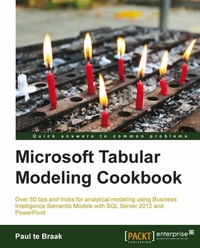
Microsoft Tabular Modeling Cookbook
No prior knowledgeof tabular modeling is needed to benefit from this brilliant cookbook. This is the total guide to developing and managing analytical models using the Business Intelligence Semantic Models technology.
Published on 13. January 2025
320 pages
978-1-78217-089-1 (ISBN)
Description

No prior knowledgeof tabular modeling is needed to benefit from this brilliant cookbook. This is the total guide to developing and managing analytical models using the Business Intelligence Semantic Models technology.
Key Features
Develop tabular models for personal use
Learn about the modeling techniques which are required to overcome commonly encountered problems and master advanced modeling scenarios
Understand the techniques required to promote personal models to corporate enterprise environments and manage the models in a corporate environment
Learn tips and tricks for querying tabular models and learn how to access the data within them for dynamic reporting including the development of interactive workbooks
Book DescriptionBusiness Intelligence Semantic Models (BISM) is a technology that is designed to deliver analytical information to users through a variety of mechanisms that include model structure, definition, and design. This book demonstrates how to create BISM models so that information can be presented to users in an intuitive and easy-to-use format. Once the model is defined, we also show you how it can be managed and maintained so that the data in it remains current and secure. Microsoft Tabular Modeling Cookbook is an all-encompassing guide to developing, managing, creating, and using analytical models using the Business Intelligence Semantic Model (BISM). This title covers a range of modeling situations and common data analysis related problems to show you the techniques required to turn data into information using tabular modeling. Microsoft Tabular Modeling Cookbook examines three areas of tabular modeling: model development, model management and maintenance, and reporting. This book is a practical guide on how to develop semantic models and turn business data into information. It covers all phases of the model lifecycle from creation to administration and finally reporting. It also shows you how to create models which are designed to analyze data. All sections of BISM modeling from development to management and finally reporting are covered. The sections on development examine a wide range of techniques and tricks required to build models, including moving data into the model, structuring the model to manipulate the data, and finally the formulas required to answer common business questions; all of these are discussed in this book in detail. Finally, the book examines methods of reporting on the data within the model, including the creation of data-driven workbooks and reports for a powerful end user experience.What you will learn
Create tabular models which present custom information to users
Create simple and complex DAX formulas and measures that address business questions and concerns
Learn the basics of tabular modeling and how to structure the model and control what information is presented to the user
Understand the methods of importing data into the model and the techniques to manage the data access components of the model
Learn about the DAX calculations and modeling concepts required to present custom-specific user requirements to model users
Explore the techniques required to promote and manage tabular models in corporate environments
Learn methods to report and query on the data within the model
Understand the techniques required to extend the native reporting capabilities in Excel through the use of Visual Basic for Application (VBA) within workbooks in order to provide a rich and customizable reporting framework for users
Who this book is forThis book is designed for developers who wish to develop powerful and dynamic models for users as well as those who are responsible for the administration of models in corporate environments. It is also targeted at analysts and users of Excel who wish to advance their knowledge of Excel through the development of tabular models or who wish to analyze data through tabular modeling techniques. We assume no prior knowledge of tabular modeling.
Key Features
Develop tabular models for personal use
Learn about the modeling techniques which are required to overcome commonly encountered problems and master advanced modeling scenarios
Understand the techniques required to promote personal models to corporate enterprise environments and manage the models in a corporate environment
Learn tips and tricks for querying tabular models and learn how to access the data within them for dynamic reporting including the development of interactive workbooks
Book DescriptionBusiness Intelligence Semantic Models (BISM) is a technology that is designed to deliver analytical information to users through a variety of mechanisms that include model structure, definition, and design. This book demonstrates how to create BISM models so that information can be presented to users in an intuitive and easy-to-use format. Once the model is defined, we also show you how it can be managed and maintained so that the data in it remains current and secure. Microsoft Tabular Modeling Cookbook is an all-encompassing guide to developing, managing, creating, and using analytical models using the Business Intelligence Semantic Model (BISM). This title covers a range of modeling situations and common data analysis related problems to show you the techniques required to turn data into information using tabular modeling. Microsoft Tabular Modeling Cookbook examines three areas of tabular modeling: model development, model management and maintenance, and reporting. This book is a practical guide on how to develop semantic models and turn business data into information. It covers all phases of the model lifecycle from creation to administration and finally reporting. It also shows you how to create models which are designed to analyze data. All sections of BISM modeling from development to management and finally reporting are covered. The sections on development examine a wide range of techniques and tricks required to build models, including moving data into the model, structuring the model to manipulate the data, and finally the formulas required to answer common business questions; all of these are discussed in this book in detail. Finally, the book examines methods of reporting on the data within the model, including the creation of data-driven workbooks and reports for a powerful end user experience.What you will learn
Create tabular models which present custom information to users
Create simple and complex DAX formulas and measures that address business questions and concerns
Learn the basics of tabular modeling and how to structure the model and control what information is presented to the user
Understand the methods of importing data into the model and the techniques to manage the data access components of the model
Learn about the DAX calculations and modeling concepts required to present custom-specific user requirements to model users
Explore the techniques required to promote and manage tabular models in corporate environments
Learn methods to report and query on the data within the model
Understand the techniques required to extend the native reporting capabilities in Excel through the use of Visual Basic for Application (VBA) within workbooks in order to provide a rich and customizable reporting framework for users
Who this book is forThis book is designed for developers who wish to develop powerful and dynamic models for users as well as those who are responsible for the administration of models in corporate environments. It is also targeted at analysts and users of Excel who wish to advance their knowledge of Excel through the development of tabular models or who wish to analyze data through tabular modeling techniques. We assume no prior knowledge of tabular modeling.
All prices
More details
Edition
Digital original
Language
English
Place of publication
Birmingham
United Kingdom
Target group
Professional and scholarly
US School Grade: College Graduate Student
Edition type
Digital original
File size
6,96 MB
ISBN-13
978-1-78217-089-1 (9781782170891)
Copyright in bibliographic data and cover images is held by Nielsen Book Services Limited or by the publishers or by their respective licensors: all rights reserved.
Schweitzer Classification
Other editions
Additional editions
Paul Te Braak
SQL Server and Power Pivot - Tabular Modeling Cookbook
Book
09/2013
Packt Publishing
€69.20
Shipment within 3-4 weeks
Person
te Braak Paul :
Paul te Braak (ptebraak@abaXdata.com.au) is a leading Business Intelligence Consultant based in Australia. He has been involved in Information Management for over 15 years, with the past 9 years focusing on the Microsoft Business Intelligence stack. His areas of interest include data modeling, data mining, and visualization. He is an active participant in the SQL Server community, speaks at various local and international events, and organizes a regional SQL Server Saturday. His blog can be found at www.paultebraak.wordpress.com.
Paul te Braak (ptebraak@abaXdata.com.au) is a leading Business Intelligence Consultant based in Australia. He has been involved in Information Management for over 15 years, with the past 9 years focusing on the Microsoft Business Intelligence stack. His areas of interest include data modeling, data mining, and visualization. He is an active participant in the SQL Server community, speaks at various local and international events, and organizes a regional SQL Server Saturday. His blog can be found at www.paultebraak.wordpress.com.
Content
Table of Contents
Starting In Excel - My First Model & Simple Modelling Concepts
Getting Data Into the Model (In Excel with comparatives to SSDT)
Advanced Browsing / Functionality
Time Calculations & Date Functions
Advanced Applied Modelling
Programing & Tabular Models in Excel
Team Models (SharePoint)
Power View
Enterprise Tabular
Querying Tabular With DAX
Programmatic & Indirect Access
Appendix A | B
Starting In Excel - My First Model & Simple Modelling Concepts
Getting Data Into the Model (In Excel with comparatives to SSDT)
Advanced Browsing / Functionality
Time Calculations & Date Functions
Advanced Applied Modelling
Programing & Tabular Models in Excel
Team Models (SharePoint)
Power View
Enterprise Tabular
Querying Tabular With DAX
Programmatic & Indirect Access
Appendix A | B

