

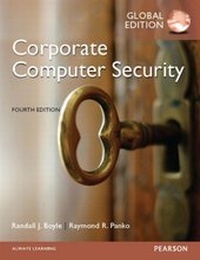
Corporate Computer Security, Global Edition
Corporate Computer Security, Global Edition
1st Edition
Published on 23. January 2015
672 pages
978-1-292-06659-2 (ISBN)
Description

For introductory courses in IT Security. A strong business focus through a solid technical presentation of security tools. Corporate Computer Security provides a strong business focus along with a solid technical understanding of security tools. This text gives students the IT security skills they need for the workplace. This edition is more business focused and contains additional hands-on projects, coverage of wireless and data security, and case studies. This program will provide a better teaching and learning experiencefor you and your students. Heres how: Encourage Students to Apply Concepts: Each chapter now contains new hands-on projects that use contemporary software. Business Environment Focus: This edition includes more of a focus on the business applications of the concepts. Emphasis has been placed on securing corporate information systems, rather than just hosts in general. Keep Your Course Current and Relevant: New examples, exercises, and research findings appear throughout the text.
More details
Other editions
Additional editions
Randall Boyle | Randall J. Boyle | Raymond R. Panko
Corporate Computer Security, Global Edition
Book
08/2014
4th Edition
Pearson Education Limited
€109.99
Shipment within 10-20 days
Content
- Cover
- Contents
- Preface
- About the Authors
- Chapter 1: The Threat Environment
- 1.1 Introduction
- Basic Security Terminology
- The Threat Environment
- Security Goals
- Compromises
- CounterMeasures
- 1.2 Employee and Ex-Employee Threats
- Why Employees are Dangerous
- Employee Sabotage
- Employee Hacking
- Employee Financial Theft and Theft of Intellectual Property
- Employee Extortion
- Employee Sexual or Racial Harassment
- Employee Computer and Internet Abuse
- Internet Abuse
- Non-Internet Computer Abuse
- Data Loss
- Other "Internal" Attackers
- 1.3 Malware
- Malware Writers
- Viruses
- Worms
- Blended Threats
- Payloads
- Trojan Horses and Rootkits
- Nonmobile Malware
- Trojan Horses
- Remote Access Trojans
- Downloaders
- Spyware
- Rootkits
- Mobile Code
- Social Engineering in Malware
- Spam
- Phishing
- Spear Phishing
- Hoaxes
- 1.4 Hackers and Attacks
- Traditional Motives
- Anatomy of a Hack
- Target Selection
- Reconnaissance Probes
- The Exploit
- Spoofing
- Social Engineering in an Attack
- Denial-of-Service Attacks
- Skill Levels
- 1.5 The Criminal Era
- Dominance by Career Criminals
- Cybercrime
- International Gangs
- Black Markets and Market Specialization
- Fraud, Theft, and Extortion
- Fraud
- Financial and Intellectual Property Theft
- Extortion Against Corporations
- Stealing Sensitive Data about Customers and Employees
- Carding
- Bank Account Theft
- Online Stock Account Theft
- Identity Theft
- The Corporate Connection
- Corporate Identity Theft
- 1.6 Competitor Threats
- Commercial Espionage
- Denial-of-Service Attacks
- 1.7 Cyberwar and Cyberterror
- Cyberwar
- Cyberterror
- 1.8 Conclusion
- Thought Questions
- Hands-on Projects
- Project Thought Questions
- Case Study
- Case Discussion Questions
- Perspective Questions
- Chapter 2: Planning and Policy
- 2.1 Introduction
- Defense
- Management Processes
- Management is the Hard Part
- Comprehensive Security
- Weakest-Links Failures
- The Need to Protect Many Resources
- The Need for a Disciplined Security Management Process
- The Plan-Protect-Respond Cycle
- Planning
- Protection
- Response
- Vision in Planning
- Viewing Security as an Enabler
- Developing Positive Visions of Users
- Strategic IT Security Planning
- 2.2 Compliance Laws and Regulations
- Driving Forces
- Sarbanes-Oxley
- Privacy Protection Laws
- Data Breach Notification Laws
- The Federal Trade Commission
- Industry Accreditation
- PCI-DSS
- FISMA
- 2.3 Organization
- Chief Security Officers
- Should You Place Security within IT?
- Locating Security Within It
- Placing Security Outside It
- A Hybrid Solution
- Top Management Support
- Relationships with Other Departments
- Special Relationships
- All Corporate Departments
- Business Partners
- Outsourcing IT Security
- E-mail Outsourcing
- Managed Security Service Provider
- 2.4 Risk Analysis
- Reasonable Risk
- Classic Risk Analysis Calculations
- Asset Value
- Exposure Factor
- Single Loss Expectancy
- Annualized Probability (or Rate) of Occurrence
- Annualized Loss Expectancy
- Countermeasure Impact
- Annualized Countermeasure Cost and Net Value
- Problems with Classic Risk Analysis Calculations
- Uneven Multiyear Cash Flows
- Total Cost of Incident
- Many-To-Many Relationships Between Countermeasures and Resources
- The Impossibility of Computing Annualized Rates of Occurrence
- The Problem With "Hard-Headed Thinking"
- Perspective
- Responding to Risk
- Risk Reduction
- Risk Acceptance
- Risk Transference (Insurance)
- Risk Avoidance
- 2.5 Technical Security Architecture
- Technical Security Architectures
- Architectural Decisions
- Dealing With Legacy Security Technology
- Principles
- Defense in Depth
- Defense in Depth Versus Weakest Links
- Single Points of Vulnerability
- Minimizing Security Burdens
- Realistic Goals
- Elements of a Technical Security Architecture
- Border Management
- Internal Site Security Management
- Management of Remote Connections
- Interorganizational Systems
- Centralized Security Management
- 2.6 Policy-Driven Implementation
- Policies
- What are Policies?
- What, Not How
- Clarity
- Categories of Security Policies
- Corporate Security Policy
- Major Policies
- Acceptable Use Policy
- Policies for Specific Countermeasures or Resources
- Policy-Writing Teams
- Implementation Guidance
- No Guidance
- Standards and Guidelines
- Types of Implementation Guidance
- Procedures
- Processes
- Baselines
- Best Practices and Recommended Practices
- Accountability
- Ethics
- Exception Handling
- Oversight
- Policies and Oversight
- Promulgation
- Electronic Monitoring
- Security Metrics
- Auditing
- Anonymous Protected Hotline
- Behavioral Awareness
- Fraud
- Sanctions
- 2.7 Governance Frameworks
- Coso
- The Coso Framework
- Objectives
- Reasonable Assurance
- Coso Framework Components
- CobiT
- The Cobit Framework
- Dominance in the United States
- The ISO/IEC 27000 Family
- ISO/IEC 27002
- ISO/IEC 27001
- Other 27000 Standards
- 2.8 Conclusion
- Thought Questions
- Hands-on Projects
- Project Thought Questions
- Case Study
- Case Discussion Questions
- Perspective Questions
- Chapter 3: Cryptography
- 3.1 What is Cryptography?
- Encryption for Confidentiality
- Terminology
- Plaintext
- Encryption and Ciphertext
- Cipher
- Key
- Keeping the Key Secret
- The Simple Cipher
- Cryptanalysis
- Substitution and Transposition Ciphers
- Substitution Ciphers
- Transposition Ciphers
- Real-world Encryption
- Ciphers and Codes
- Symmetric Key Encryption
- Key Length
- Human Issues in Cryptography
- 3.2 Symmetric Key Encryption Ciphers
- RC4
- The Data Encryption Standard (DES)
- 56-Bit Key Size
- Block Encryption
- Triple DES (3DES)
- 168-Bit 3DES Operation
- 112-Bit 3DES
- Perspective on 3DES
- Advanced Encryption Standard (AES)
- Other Symmetric Key Encryption Ciphers
- 3.3 Cryptographic System Standards
- Cryptographic Systems
- Initial Handshaking Stages
- Negotiation
- Initial Authentication
- Keying
- Ongoing Communication
- 3.4 The Negotiation Stage
- Cipher Suite Options
- Cipher Suite Policies
- 3.5 Initial Authentication Stage
- Authentication Terminology
- Hashing
- Initial Authentication with MS-CHAP
- On The Supplicant's Machine: Hashing
- On The Verifier Server
- 3.6 The Keying Stage
- Session Keys
- Public Key Encryption for Confidentiality
- Two Keys
- Process
- Padlock and Key Analogy
- High Cost and Short Message Lengths
- RSA and ECC
- Key Length
- Symmetric Key Keying Using Public Key Encryption
- Symmetric Key Keying Using Diffie-Hellman Key Agreement
- 3.7 Message-By-Message Authentication
- Electronic Signatures
- Public Key Encryption for Authentication
- Message-by-Message Authentication with Digital Signatures
- Digital Signatures
- Hashing to Produce the Message Digest
- Signing the Message Digest to Produce the Digital Signature
- Sending the Message with Confidentiality
- Verifying the Supplicant
- Message Integrity
- Public Key Encryption for Confidentiality and Authentication
- Digital Certificates
- Certificate Authorities
- Digital Certificate
- Verifying the Digital Certificate
- The Roles of the Digital Certificate and Digital Signature
- Key-Hashed Message Authentication Codes
- The Problem with Digital Signatures
- Creating and Testing the HMAC
- Nonrepudiation
- 3.8 Quantum Security
- 3.9 Cryptographic Systems
- Virtual Private Networks (VPNs)
- Why VPNs?
- Host-to-Host VPNs
- Remote Access VPNs
- Site-to-Site VPNs
- 3.10 SSL/TLS
- Nontransparent Protection
- Inexpensive Operation
- SSL/TLS Gateways and Remote Access VPNs
- VPN Gateway Standards
- Authentication
- Connecting the Client PC to Authorized Resources
- Security for Services
- Browser on the Client
- Advanced Services Require Administrator Privileges on PCs
- Perspective
- 3.11 IPsec
- Attractions of IPsec
- SSL/TLS Gives Nontransparent Transport Layer Security
- IPsec: Transparent Internet Layer Security
- IPsec in Both IPv4 and IPv6
- IPsec Transport Mode
- Host-To-Host Security
- End-To-End Protection
- Cost of Setup
- IPsec in Transport Mode and Firewalls
- IPsec Tunnel Mode
- Protection is Provided by IPsec Gateways
- Less Expensive than Transport Mode
- Firewall-Friendly Protection
- No Protection within the Two Sites
- IPsec Security Associations (SAs)
- Separate SAs in the Two Directions
- Policy-Based SA
- 3.12 Conclusion
- Thought Questions
- Hands-on Projects
- Project Thought Questions
- Case Study
- Case Discussion Questions
- Perspective Questions
- Chapter 4: Secure Networks
- 4.1 Introduction
- Creating Secure Networks
- Availability
- Confidentiality
- Functionality
- Access Control
- Future of Secure Networks
- Death of the Perimeter
- Rise of the City
- 4.2 DoS Attacks
- Denial of Service. . . But Not an Attack
- Faulty Coding
- Referrals from Large Sites
- Goal of DoS Attacks
- Stop Critical Services
- Degrade Services
- Methods of DoS Attacks
- Direct and Indirect Attacks
- Intermediary
- Reflected Attack
- Sending Malformed Packets
- Defending Against Denial-of-Service Attacks
- Black Holing
- Validating the Handshake
- Rate Limiting
- 4.3 ARP Poisoning
- Normal ARP Operation
- The Problem
- ARP Poisoning
- ARP DoS Attack
- Preventing ARP Poisoning
- Static Tables
- Limit Local Access
- 4.4 Access Control for Networks
- LAN Connections
- Access Control Threats
- Eavesdropping Threats
- 4.5 Ethernet Security
- Ethernet and 802.1X
- Cost Savings
- Consistency
- Immediate Changes
- The Extensible Authentication Protocol (EAP)
- EAP Operation
- Extensibility
- RADIUS Servers
- RADIUS and EAP
- 4.6 Wireless Security
- Wireless Attacks
- Unauthorized Network Access
- Preventing Unauthorized Access
- Evil Twin Access Points
- Wireless Denial of Service
- Flood the Frequency
- Flood the Access Point
- Send Attack Commands
- Wireless LAN Security with 802.11i
- EAP's Need for Security
- Adding Security to EAP
- EAP-TLS and PEAP
- Core Wireless Security Protocols
- Wired Equivalent Privacy (WEP)
- Cracking WEP
- Shared Keys and Operational Security
- Exploiting WEP's Weakness
- Perspective
- Wi-Fi Protected Access (WPAT)
- Pre-Shared Key (PSK) Mode
- Wireless Intrusion Detection Systems
- False 802.11 Security Measures
- Spread Spectrum Operation and Security
- Turning off SSID Broadcasting
- MAC Access Control Lists
- Implementing 802.11i or WPA Is Easier
- 4.7 Conclusion
- Thought Questions
- Hands-on Projects
- Project Thought Questions
- Case Study
- Case Discussion Questions
- Perspective Questions
- Chapter 5: Access Control
- 5.1 Introduction
- Access Control
- Authentication, Authorizations, and Auditing
- Authentication
- Beyond Passwords
- Two-Factor Authentication
- Individual and Role-Based Access Control
- Organizational and Human Controls
- Military and National Security Organization Access Controls
- Multilevel Security
- 5.2 Physical Access and Security
- Risk Analysis
- ISO/IEC 9.1: Secure Areas
- Physical Security Perimeter
- Physical Entry Controls
- Public Access, Delivery, and Loading Areas
- Securing Offices, Rooms, and Facilities
- Protecting Against External and Environmental Threats
- Rules for Working in Secure Areas
- ISO/IEC 9.2 Equipment Security
- Equipment Siting and Protection
- Supporting Utilities
- Cabling Security
- Security During Off-Site Equipment Maintenance
- Security of Equipment Off-Premises
- Secure Disposal or Reuse of Equipment
- Removal of Property
- Other Physical Security Issues
- Terrorism
- Piggybacking
- Monitoring Equipment
- DumpsterT Diving
- Desktop PC Security
- Notebook Security
- 5.3 Passwords
- Password-Cracking Programs
- Password Policies
- Password Use and Misuse
- Not Using the Same Password at Multiple Sites
- Password Duration Policies
- Policies Prohibiting Shared Accounts
- Disabling Passwords that are No Longer Valid
- Lost Passwords
- Password Strength
- Password Auditing
- The End of Passwords?
- 5.4 Access Cards and Tokens
- Access Cards
- Magnetic Stripe Cards
- Smart Cards
- Card Reader Costs
- Tokens
- One-Time-Password Tokens
- USB Tokens
- Proximity Access Tokens
- Addressing Loss and Theft
- Physical Device Cancellation
- Two-Factor Authentication
- 5.5 Biometric Authentication
- Biometrics
- Biometric Systems
- Initial Enrollment
- Subsequent Access Attempts
- Acceptance or Rejection
- Biometric Errors
- False Acceptance Rate
- False Rejection Rate
- Which is Worse?
- Vendor Claims
- Failure to Enroll
- Verification, Identification, and Watch Lists
- Verification
- Identification
- Watch Lists
- Biometric Deception
- Biometric Methods
- Fingerprint Recognition
- IRIS Recognition
- Face Recognition
- Hand Geometry
- Voice Recognition
- Other Forms of Biometric Authentication
- 5.6 Cryptographic Authentication
- Key Points from Chapter 3
- Public Key Infrastructures
- The Firm as a Certificate Authority
- Creating Public Key-Private Key Pairs
- Distributing Digital Certificates
- Accepting Digital Certificates
- Certificate Revocation Status
- Provisioning
- The Prime Authentication Problem
- 5.7 Authorization
- The Principle of Least Permissions
- 5.8 Auditing
- Logging
- Log Reading
- Regular Log Reading
- Periodic External Audits of Log File Entries
- Automatic Alerts
- 5.9 Central Authentication Servers
- The Need for Centralized Authentication
- Kerberos
- 5.10 Directory Servers
- What are Directory Servers?
- Hierarchical Data Organization
- Lightweight Data Access Protocol
- Use by Authentication Servers
- Active Directory
- Active Directory Domains
- Trust
- 5.11 Full Identity Management
- Other Directory Servers and Metadirectories
- Federated Identity Management
- The Security Assertion Markup Language
- Perspective
- Identity Management
- Benefits of Identity Management
- What is Identity?
- Identity Management
- Trust and Risk
- 5.12 Conclusion
- Thought Questions
- Hands-on Projects
- Project Thought Questions
- Case Study
- Case Discussion Questions
- Perspective Questions
- Chapter 6: Firewalls
- 6.1 Introduction
- Basic Firewall Operation
- The Danger of Traffic Overload
- Firewall Filtering Mechanisms
- 6.2 Static Packet Filtering
- Looking at Packets One at a Time
- Looking Only at Some Fields in the Internet and Transport Headers
- Usefulness of Static Packet Filtering
- Perspective
- 6.3 Stateful Packet Inspection
- Basic Operation
- Connections
- States
- Stateful Packet Inspection with Two States
- Representing Connections
- Packets That Do Not Attempt to Open Connections
- TCP Connections
- UDP and ICMP Connections
- Attack Attempts
- Perspective
- Packets That Do Attempt to Open a Connection
- Access Control Lists (ACLs) for Connection-Opening Attempts
- Well-Known Port Numbers
- Access Control Lists for Ingress Filtering
- If-Then Format
- Ports and Server Access
- Disallow All Connections
- Perspective on SPI Firewalls
- Low Cost
- Safety
- Dominance
- 6.4 Network Address Translation
- Sniffers
- NAT Operation
- Packet Creation
- Network and Port Address Translation (NAT/PAT)
- Translation Table
- Response Packet
- Restoration
- Protection
- Perspective on NAT
- NAT/PAT
- Transparency
- NAT Traversal
- 6.5 Application Proxy Firewalls and Content Filtering
- Application Proxy Firewall Operation
- Operational Details
- Application Proxy Programs Versus Application Proxy Firewalls
- Processing-Intensive Operation
- Only A Few Applications Can be Proxied
- Two Common Uses
- Application Content Filtering in Stateful Packet Inspection Firewalls
- Application Content Filtering for HTTP
- Client Protections
- Server Protections
- Other Protections
- 6.6 Intrusion Detection Systems and Intrusion Prevention Systems
- Intrusion Detection Systems
- Firewalls Versus IDSs
- False Positives (False Alarms)
- Heavy Processing Requirements
- Intrusion Prevention Systems
- ASICs for Faster Processing
- The Attack Identification Confidence Spectrum
- IPS Actions
- Dropping Packets
- Limiting Traffic
- 6.7 Antivirus Filtering and Unified Threat Management
- 6.8 Firewall Architectures
- Types of Firewalls
- Main Border Firewalls
- Screening Border Routers
- Internal Firewalls
- Host Firewalls
- Defense in Depth
- The Demilitarized Zone (DMZ)
- Security Implications
- Hosts in the DMZ
- 6.9 Firewall Management
- Defining Firewall Policies
- Why Use Policies?
- Examples of Policies
- Implementation
- Firewall Hardening
- Central Firewall Management Systems
- Firewall Policy Database
- Vulnerability Testing After Configuration
- Change Authorization and Management
- Reading Firewall Logs
- Reading Firewall Logs
- Log Files
- Sorting the Log File by Rule
- Echo Probes
- External Access to All Internal FTP Servers
- Attempted Access to Internal Webservers
- Incoming Packet with a Private IP Source Address
- Lack of Capacity
- Perspective
- Sizes of Log Files
- Logging All Packets
- 6.10 Firewall Filtering Problems
- The Death of the Perimeter
- Avoiding the Border Firewall
- Extending the Perimeter
- Perspective
- Attack Signatures versus Anomaly Detection
- Zero-Day Attacks
- Anomaly Detection
- Accuracy
- 6.11 Conclusion
- Thought Questions
- Hands-on Projects
- Project Thought Questions
- Case Study
- Case Discussion Questions
- Perspective Questions
- Chapter 7: Host Hardening
- 7.1 Introduction
- What is a Host?
- The Elements of Host Hardening
- Security Baselines and Images
- Virtualization
- Virtualization Analogy
- Benefits of Virtualization
- Systems Administrators
- 7.2 Important Server Operating Systems
- Windows Server Operating Systems
- The Windows Server User Interface
- Start Administrative Tools
- Microsoft Management Consoles (MMCs)
- UNIX (Including Linux) Servers
- Many Versions
- Linux
- UNIX User Interfaces
- 7.3 Vulnerabilities and Patches
- Vulnerabilities and Exploits
- Fixes
- Work-Arounds
- Patches
- Service Packs
- Version Upgrades
- The Mechanics of Patch Installation
- Microsoft Windows Server
- Linux RPM Program
- Problems with Patching
- The Number of Patches
- Cost of Patch Installation
- Prioritizing Patches
- Patch Management Servers
- The Risks of Patch Installation
- 7.4 Managing Users and Groups
- The Importance of Groups in Security Management
- Creating and Managing Users and Groups in Windows
- The Administrator Account
- Managing Accounts
- Creating Users
- Windows Groups
- 7.5 Managing Permissions
- Permissions
- Assigning Permissions in Windows
- Directory Permissions
- Windows Permissions
- Adding Users and Groups
- Inheritance
- Directory Organization
- Assigning Groups and Permissions in UNIX
- Number of Permissions
- Number of Accounts or Groups
- 7.6 Creating Strong Passwords
- Creating and Storing Passwords
- Creating a Password Hash
- Storing Passwords
- Stealing Passwords
- Password-Cracking Techniques
- Brute-Force Guessing
- Dictionary Attacks on Common Word Passwords
- Hybrid Dictionary Attacks
- Rainbow Tables
- Truly Random Passwords
- Testing and Enforcing the Strength of Passwords
- Other Password Threats
- 7.7 Testing for Vulnerabilities
- Windows Client PC Security
- Client PC Security Baselines
- The Windows Action Center
- Windows Firewall
- Automatic Updates
- Antivirus and Spyware Protection
- Implementing Security Policy
- Password Policies
- Account Policies
- Audit Policies
- Protecting Notebook Computers
- Threats
- Backup
- Policies for Sensitive Data
- Training
- Computer Recovery Software
- Centralized PC Security Management
- Standard Configurations
- Network Access Control
- Windows Group Policy Objects
- 7.8 Conclusion
- Thought Questions
- Hands-on Projects
- Project Thought Questions
- Case Study
- Case Discussion Questions
- Perspective Questions
- Chapter 8: Application Security
- 8.1 Application Security and Hardening
- Executing Commands with the Privileges of a Compromised Application
- Buffer Overflow Attacks
- Buffers and Overflows
- Stacks
- Return Address
- The Buffer and Buffer Overflow
- Executing Attack Code
- An Example: The IIS IPP Buffer Overflow Attack
- Few Operating Systems, Many Applications
- Hardening Applications
- Understand the Server's Role and Threat Environment
- The Basics
- Minimize Applications
- Security Baselines for Application Minimization
- Create a Secure Configuration
- Install Application Patches and Updates
- Minimize the Permissions of Applications
- Add Application-Level Authentication, Authorizations, and Auditing
- Implement Cryptographic Systems
- Securing Custom Applications
- Never Trust User Input
- Buffer Overflow Attacks
- Login Screen Bypass Attacks
- Cross-Site Scripting Attacks
- SQL Injection Attacks
- Ajax Manipulation
- Training in Secure Computing
- 8.2 WWW and E-Commerce Security
- The Importance of WWW and E-Commerce Security
- WWW Service versus E-Commerce Service
- WWW Service
- E-Commerce Service
- External Access
- Custom Programs
- Some Webserver Attacks
- Website Defacement
- Buffer Overflow Attack to Launch a Command Shell
- Directory Traversal Attack
- The Directory Traversal with Hexadecimal Character Escapes
- Unicode Directory Traversal
- Patching the Webserver and E-Commerce Software and Its Components
- E-Commerce Software Vulnerabilities
- Other Website Protections
- Website Vulnerability Assessment Tools
- Website Error Logs
- Webserver-Specific Application Proxy Firewalls
- Controlling Deployment
- Development Servers
- Testing Servers
- Production Servers
- 8.3 Web Browser Attacks
- Browser Threats
- Mobile Code
- Malicious Links
- Other Client-Side Attacks
- Enhancing Browser Security
- Patching and Upgrading
- Configuration
- Internet Options
- Security Tab
- Privacy Tab
- 8.4 E-Mail Security
- E-Mail Content Filtering
- Malicious Code in Attachments and HTML Bodies
- Spam
- Inappropriate Content
- Extrusion Prevention
- Personally Identifiable Information
- Where to Do E-Mail Malware and Spam Filtering
- E-Mail Encryption
- Transmission Encryption
- Message Encryption
- 8.5 Voice over IP Security
- Sending Voice between Phones
- Transport and Signaling
- SIP and H.323
- Registration
- SIP Proxy Servers
- PSTN Gateway
- VoIP Threats
- Eavesdropping
- Denial-of-Service Attacks
- Caller Impersonation
- Hacking and Malware Attacks
- Toll Fraud
- Spam over IP Telephony
- New Threats
- Implementing VoIP Security
- Authentication
- Encryption for Confidentiality
- Firewalls
- NAT Problems
- Separation: Anticonvergence
- The Skype VoIP Service
- 8.6 Other User Applications
- Instant Messaging
- TCP/IP Supervisory Applications
- 8.7 Conclusion
- Thought Questions
- Hands-on Projects
- Project Thought Questions
- Case Study
- Case Discussion Questions
- Perspective Questions
- Chapter 9: Data Protection
- 9.1 Introduction
- Data's Role in Business
- Sony Data Breaches
- Securing Data
- 9.2 Data Protection: Backup
- The Importance of Backup
- Threats
- Scope of Backup
- File/Directory Data Backup
- Image Backup
- Shadowing
- Full Versus Incremental Backups
- Backup Technologies
- Local Backup
- Centralized Backup
- Continuous Data Protection
- Internet Backup Service
- Mesh Backup
- 9.3 Backup Media and Raid
- Magnetic Tape
- Client PC Backup
- Disk Arrays-RAID
- Raid Levels
- No Raid
- Raid 0
- Raid 1
- Raid 5
- 9.4 Data Storage Policies
- Backup Creation Policies
- Restoration Policies
- Media Storage Location Policies
- Encryption Policies
- Access Control Policies
- Retention Policies
- Auditing Backup Policy Compliance
- E-Mail Retention
- The Benefit of Retention
- The Dangers of Retention
- Accidental Retention
- Third-Party E-mail Retention
- Legal Archiving Requirements
- U.S. Federal Rules of Civil Procedure
- Message Authentication
- Developing Policies and Processes
- User Training
- Spreadsheets
- Vault Server Access Control
- Other Vault Server Protections
- 9.5 Database Security
- Relational Databases
- Limiting the View of Data
- Database Access Control
- Database Accounts
- SQL Injection Attacks
- Database Auditing
- What to Audit
- Triggers
- Database Placement and Configuration
- Change the Default Port
- Data Encryption
- Key Escrow
- File/Directory Encryption Versus Whole-Disk Encryption
- Protecting Access to the Computer
- Difficulties in File Sharing
- 9.6 Data Loss Prevention
- Data Collection
- Personally Identifiable Information
- Data Masking
- Information Triangulation
- Buy or Sell Data
- Document Restrictions
- Digital Rights Management
- Data Extrusion Management
- Extrusion Prevention
- Data Loss Prevention Systems
- DLP at the Gateway
- DLP on Clients
- DLP for Data Storage
- DLP Manager
- Watermarks
- Removable Media Controls
- Perspective
- Employee Training
- Social Networking
- Data Destruction
- Nominal Deletion
- Basic File Deletion
- Wiping/Clearing
- Destruction
- 9.7 Conclusion
- Thought Questions
- Hands-on Projects
- Project Thought Questions
- Case Study
- Case Discussion Questions
- Perspective Questions
- Chapter 10: Incident and Disaster Response
- 10.1 Introduction
- Walmart and Hurricane Katrina
- Incidents Happen
- Incident Severity
- False Alarms
- Minor Incidents
- Major Incidents
- Disasters
- Speed and Accuracy
- Speed is of the Essence
- So is Accuracy
- Planning
- Rehearsal
- 10.2 The Intrusion Response Process for Major Incidents
- Detection, Analysis, and Escalation
- Detection
- Analysis
- Escalation
- Containment
- Disconnection
- Black-Holing the Attacker
- Continuing to Collect Data
- Recovery
- Repair During Continuing Server Operation
- Restoration from Backup Tapes
- Total Software Reinstallation
- Apology
- Punishment
- Punishing Employees
- The Decision to Pursue Prosecution
- Collecting and Managing Evidence
- Postmortem Evaluation
- Organization of the CSIRT
- Legal Considerations
- Criminal versus Civil Law
- Jurisdictions
- The U.S. Federal Judicial System
- U.S. State and Local Laws
- International Law
- Evidence and Computer Forensics
- U.S. Federal Cybercrime Laws
- Computer Hacking, Malware Attacks, Denial-of-Service Attacks, and Other Attacks (18 U.S.C. § 1030)
- Hacking
- Denial-of-Service and Malware AttackS
- Damage Thresholds
- Confidentiality in Message Transmission
- Other Federal Laws
- 10.3 Intrusion Detection Systems
- Functions of an IDS
- Logging (Data Collection)
- Automated Analysis by the IDS
- Actions
- Log Summary Reports
- Support for Interactive Manual Log Analysis
- Distributed IDSs
- Agents
- Manager and Integrated Log File
- Batch Versus Real-Time Data Transfer
- Secure Manager-Agent Communication
- Vendor Communication
- Network IDSs
- Stand-Alone NIDSs
- Switch and Router NIDSs
- Strengths of NIDSs
- Weaknesses of NIDSs
- Host IDSs
- Attraction of HIDSs
- Weaknesses of Host IDSs
- Host IDSs: Operating System Monitors
- Log Files
- Time-Stamped Events
- Individual Logs
- Integrated Logs
- Manual Analysis
- Managing IDSs
- Tuning for Precision
- Honeypots
- 10.4 Business Continuity Planning
- Principles of Business Continuity Management
- People First
- Reduced Capacity in Decision Making
- Avoiding Rigidity
- Communication, Communication, Communication
- Business Process Analysis
- Identification of Business Processes and their Interrelationships
- Prioritization of Business Processes
- Specify Resource Needs
- Specify Actions and Sequences
- Testing and Updating the Plan
- 10.5 It Disaster Recovery
- Types of Backup Facilities
- Hot Sites
- Cold Sites
- Site Sharing with Continuous Data Protection
- Location of the Sites
- Office PCs
- Data Backup
- New Computers
- Work Environment
- Restoration of Data and Programs
- Testing the IT Disaster Recovery Plan
- 10.6 Conclusion
- Thought Questions
- Hands-on Projects
- Project Thought Questions
- Case Study
- Case Discussion Questions
- Perspective Questions
- Module A: Networking Concepts
- A.1 Introduction
- A.2 A Sampling of Networks
- A Simple Home Network
- The Access Router
- Personal Computers
- UTP Wiring
- Internet Access Line
- A Building LAN
- A Firm's Wide Area Networks
- The Internet
- Applications
- A.3 Network Protocols and Vulnerabilities
- Inherent Security
- Security Explicitly Designed into the Standard
- Security in Older Versions of the Standard
- Defective Implementation
- A.4 Core Layers in Layered Standards Architectures
- A.5 Standards Architectures
- The TCP/IP Standards Architecture
- The OSI Standards Architecture
- The Hybrid TCP/IP-OSI Architecture
- A.6 Single-Network Standards
- The Data Link Layer
- The Physical Layer
- UTP
- Optical Fiber
- Wireless Transmission
- Switch Supervisory Frames
- A.7 Internetworking Standards
- A.8 The Internet Protocol
- The IP Version 4 Packet
- The First Row
- The Second Row
- The Third Row
- Options
- The Source and Destination IP Addresses
- Masks
- IP Version 6
- IPsec
- A.9 The Transmission Control Protocol
- TCP: A Connection-Oriented and Reliable Protocol
- Connectionless and Connection-Oriented Protocols
- Reliability
- Flag Fields
- Sequence Number Field
- Acknowledgment Number Field
- Window Field
- Options
- Port Numbers
- Port Numbers on Servers
- Port Numbers on Clients
- Sockets
- TCP Security
- A.10 The User Datagram Protocol
- A.11 TCP /IP Supervisory Standards
- Internet Control Message Protocol
- The Domain Name System
- Dynamic Host Configuration Protocol
- Dynamic Routing Protocols
- Simple Network Management Protocol
- A.12 Application Standards
- HTTP and HTML
- Telnet, FTP, and SSH
- Other Application Standards
- A.13 Conclusion
- Hands-on Projects
- Project Thought Questions
- Perspective Questions
- Glossary
- Index
