

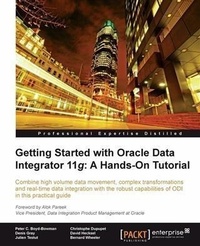
Getting Started with Oracle Data Integrator 11g: A Hands-On Tutorial
This is a brilliant crash course in Oracle Data Integrator that pulls you straight into the platform through practical instructions and real-world situations rather than dry theory. Written by a team of seasoned experts.
1st Edition
Published on 13. January 2025
384 pages
978-1-84968-069-1 (ISBN)
Description

This is a brilliant crash course in Oracle Data Integrator that pulls you straight into the platform through practical instructions and real-world situations rather than dry theory. Written by a team of seasoned experts.Key Features - Discover the comprehensive and sophisticated orchestration of data integration tasks made possible with ODI, including monitoring and error-management
- Get to grips with the product architecture and building data integration processes with technologies including Oracle, Microsoft SQL Server and XML files
- A comprehensive tutorial packed with tips, images and best practices
Book DescriptionOracle Data Integrator (ODI) is Oracle's strategic data integration platform for high-speed data transformation and movement between different systems. From high-volume, SOA-enabled data services, to trickle operations ñ ODI is a cutting-edge platform that offers heterogeneous connectivity, enterprise-level deployment, and strong administrative, diagnostic, and management capabilities. "Getting Started with Oracle Data Integrator 11g: A Hands-On Tutorial" provides you with everything you to get up and running with Oracle Data Integrator, and more! Following an example scenario, the book covers essential information about the ODI architecture and using ODI across different databases (Oracle, Microsoft SQL Server and MySQL), and file types such as XML, before covering Orchestrating Data Integration Workflows, Error Management, Operational Management and Monitoring, and beyond. "Getting Started with Oracle Data Integrator 11g: A Hands-On Tutorial" begins by describing the Oracle Data Integrator architecture and teaching you to install the product following best practices. You'll then be introduced to some of the key concepts of ODI such as the Knowledge Modules. Later topics include moving and transforming data from sources to targets including the Oracle Database, Microsoft SQL Server, MySQL, Flat files, and XML files, each with illustrated hands-on examples for the different technologies. Your learning experience will be made all the more rich with chapters introducing, explaining and leveraging additional ODI functionality such as variables, reusable procedures, temporary indexes and more. Finally ODI's workflow and task orchestration capabilities are explained before introducing you to Error Management with ODI's built-in 'error hospital' and 'error recycling' capabilities for non-compliant data, not to mention tackling ODI Studio, ODI Console and Enterprise Manager Fusion Middleware Control.What you will learn - Get to grips with the various components of the Oracle Data Integrator architecture
- Learn how to install ODI quickly and effectively using recommended best practices
- Orchestrate your data integration processing by designing ODI packages and scenarios
- Discover how to develop ODI interfaces in order to effortlessly move data between servers and files
- Get the full lowdown on both Error Processing and Management and Monitoring
- Give your knowledge a boost with in-depth coverage of various data sources and targets including Oracle, Microsoft SQL Server and XML files
- Master key ODI concepts like Physical and Logical Architectures or the Knowledge Modules
- Take advantage of expert advice from the authors combined 15 years of ODI experience
Who this book is forIf you are a software/ETL developer or database administrator who is new to Oracle Data Integrator but want to get hands-on with the product quickly, then "Getting Started with Oracle Data Integrator 11g: A Hands-On Tutorial" is for you. You should have some experience with databases, SQL and ETL technologies.
- Get to grips with the product architecture and building data integration processes with technologies including Oracle, Microsoft SQL Server and XML files
- A comprehensive tutorial packed with tips, images and best practices
Book DescriptionOracle Data Integrator (ODI) is Oracle's strategic data integration platform for high-speed data transformation and movement between different systems. From high-volume, SOA-enabled data services, to trickle operations ñ ODI is a cutting-edge platform that offers heterogeneous connectivity, enterprise-level deployment, and strong administrative, diagnostic, and management capabilities. "Getting Started with Oracle Data Integrator 11g: A Hands-On Tutorial" provides you with everything you to get up and running with Oracle Data Integrator, and more! Following an example scenario, the book covers essential information about the ODI architecture and using ODI across different databases (Oracle, Microsoft SQL Server and MySQL), and file types such as XML, before covering Orchestrating Data Integration Workflows, Error Management, Operational Management and Monitoring, and beyond. "Getting Started with Oracle Data Integrator 11g: A Hands-On Tutorial" begins by describing the Oracle Data Integrator architecture and teaching you to install the product following best practices. You'll then be introduced to some of the key concepts of ODI such as the Knowledge Modules. Later topics include moving and transforming data from sources to targets including the Oracle Database, Microsoft SQL Server, MySQL, Flat files, and XML files, each with illustrated hands-on examples for the different technologies. Your learning experience will be made all the more rich with chapters introducing, explaining and leveraging additional ODI functionality such as variables, reusable procedures, temporary indexes and more. Finally ODI's workflow and task orchestration capabilities are explained before introducing you to Error Management with ODI's built-in 'error hospital' and 'error recycling' capabilities for non-compliant data, not to mention tackling ODI Studio, ODI Console and Enterprise Manager Fusion Middleware Control.What you will learn - Get to grips with the various components of the Oracle Data Integrator architecture
- Learn how to install ODI quickly and effectively using recommended best practices
- Orchestrate your data integration processing by designing ODI packages and scenarios
- Discover how to develop ODI interfaces in order to effortlessly move data between servers and files
- Get the full lowdown on both Error Processing and Management and Monitoring
- Give your knowledge a boost with in-depth coverage of various data sources and targets including Oracle, Microsoft SQL Server and XML files
- Master key ODI concepts like Physical and Logical Architectures or the Knowledge Modules
- Take advantage of expert advice from the authors combined 15 years of ODI experience
Who this book is forIf you are a software/ETL developer or database administrator who is new to Oracle Data Integrator but want to get hands-on with the product quickly, then "Getting Started with Oracle Data Integrator 11g: A Hands-On Tutorial" is for you. You should have some experience with databases, SQL and ETL technologies.
More details
Other editions
Additional editions
David Hecksel | Bernard Wheeler | Peter C. Boyd-Bowman
Getting Started with Oracle Data Integrator 11g
A Hands-On Tutorial
Book
04/2012
Packt Publishing
€74.70
Shipment within 3-4 weeks
Content
- Intro
- Getting Started with Oracle Data Integrator 11g: A Hands-On Tutorial
- Table of Contents
- Getting Started with Oracle Data Integrator 11g: A Hands-On Tutorial
- Credits
- Foreword
- About the Authors
- About the Reviewers
- www.PacktPub.com
- Support files, eBooks, discount offers and more
- Why Subscribe?
- Free Access for Packt account holders
- Instant Updates on New Packt Books
- Preface
- Oracle Data Integrator-background and history
- Data integration usage scenarios
- Data warehouses and BI
- Service-oriented architecture (SOA)
- Applications
- Master Data Management
- Big Data
- What this book covers
- What you need for this book
- Who this book is for
- Who this book is not for
- Conventions
- Reader feedback
- Customer support
- Errata
- Piracy
- Questions
- 1. Product Overview
- ODI product architecture
- ODI repository
- Repository overview
- Repository location
- Master repository
- Work repository
- Execution repository
- Lifecycle management and repositories
- Studio
- Agent
- Console
- Oracle Enterprise Manager
- ODI key concepts
- Execution Contexts
- Knowledge Modules
- Models
- Interfaces
- Interface descriptions
- Interface mappings
- Interface flow tab
- Interface controls
- Packages and Scenarios
- Summary
- 2. Product Installation
- Prerequisites
- Prerequisites for the repository
- Prerequisites for the Oracle Universal Installer
- Prerequisites for the Studio
- Prerequisites for the Standalone Agent
- Installing ODI 11g
- Two installation modes
- Creating the repository with RCU
- Installing the ODI Studio and the ODI Agent
- Starting the ODI Studio for the first time
- Post installation-parameter files review
- Summary
- 3. Using Variables
- Defining variables
- Variable location and scope
- Variable definitions
- Refreshing variables
- Variable history
- Using variables for dynamic information
- Assigning a value to a variable
- Setting a hardcoded value
- Refresh Variable
- Passed as a parameter (Declare Variable)
- Referencing variables
- Variables in interfaces
- Variables in models
- Variables in topology
- Using variables to alter workflows
- Packages
- Load Plans
- Summary
- 4. ODI Sources, Targets, and Knowledge Modules
- Defining Physical Schemas, Logical Schemas, and Contexts
- Defining physical data servers
- Defining Physical Schemas
- Data schemas and work schemas
- Defining Logical Schemas and Contexts
- Non-database technologies
- Flat Files
- XML files
- Reverse-engineering metadata into ODI models
- Standard reverse-engineering
- Custom reverse-engineering
- File reverse-engineering
- XML reverse-engineering
- Examining the anatomy of the interface flow
- Example 1: Database and file to database
- Example 2: File and database to second file
- Example 3: File to Enterprise Application
- Importing and choosing Knowledge Modules
- Choosing Knowledge Modules
- Importing a Knowledge Module
- KMs-A quick look under the hood
- Configuring behavior with KM options
- Examining ODI Interfaces
- Overview tab
- Mapping tab
- Flow tab
- Quick-Edit tab
- Summary
- 5. Working with Databases
- Sample scenario description
- Integration target
- Integration source
- Integration mappings
- Data flow logistics
- Exercise 1: Building the Load_Customer interface
- Building the topology
- Setting up the topology
- Reverse-engineering the model metadata
- Moving the data using an ODI interface
- Checking the execution with the Operator Navigator
- Summary
- 6. Working with MySQL
- What you can and can't do with MySQL
- Working with MySQL
- Obtaining and installing the software
- Overview of the task
- Integrating the product data
- Product data target, sources, and mappings
- Product interface flow logistics
- Integrating inventory data
- Inventory target, sources, and mappings
- Inventory interface flow logistics
- Using MySql with ODI
- Adding the MySQL JDBC driver
- Expanding the topology
- Reverse-engineering revisited
- Preparing to move the product data
- Using simulation and execution
- Moving the inventory data
- Summary
- 7. Working with Microsoft SQL Server
- Example: Working with SQL Server
- Overview of the task
- Integrating the Sales data
- Source
- Target
- Integrations
- Sample scenario
- Expanding the ODI topology
- Setting up the topology
- Reverse-engineering the Model metadata
- Creating interfaces and mappings
- Load Sales Person interface
- Load Sales Person mapping
- Automatic Temporary Index Management
- Load Sales Region interface
- Checking the execution with the Operator Navigator
- Execute the Load Sales Person interface
- Verify and examine the Load Sales Person results
- Verify and examine Load Sales Region results
- Summary
- 8. Integrating File Data
- Working with flat files
- Scope
- Prerequisites for flat files
- Integrate the file data into an Oracle table
- Partner data target, source, and mappings
- Partner interface flow logistics
- Step-by-step example
- Expanding the topology for file handling
- Integrating the Partner data
- Creating and preparing the project
- Creating the interface to integrate the Partner data
- Running the interface
- Summary
- 9. Working with XML Files
- Introduction to XML
- Introducing the ODI JDBC driver for XML
- ODI and its XML driver-basic concepts
- Example: Working with XML files
- Requirements and background
- Scope
- Overview of the task
- Integrating a Purchase Order from an XML file
- Creating models from XML files
- Integrating the data from a single Purchase Order
- Single order interface flow logistics
- Sample scenario: Integrating a simple Purchase Order file
- Expanding the Topology
- Reverse-engineering the metadata
- Creating the Interface
- Creating procedures
- Summary
- 10. Creating Workflows-Packages and Load Plans
- Packages
- Creating a package
- Adding steps into a package
- Adding tools in a package
- Changed Data Capture
- Event Detection
- Files
- Internet
- Metadata
- ODI Objects
- Plugins
- SAP
- Utilities
- Adding tools to a package
- Using ODI Tools
- Retry versus fail
- Best practice: No infinite loop
- Generating a scenario from a package
- Load Plans
- Serial and parallel steps
- Objects that can be used in a Load Plan
- Exception handling
- Using Packages and Load Plans
- Summary
- 11. Error Management
- Managing data errors
- Detecting and diverting data errors
- Data quality with ODI constraints
- ODI error table prefix
- Contents of an error table
- Using flow control and static control
- Using error thresholds
- Correcting and recycling data errors
- Recycling errors and ODI update keys
- Managing execution errors
- Handling anticipated errors
- Causing a deliberate benign error with OdiBeep
- Handling unexpected design-time errors
- More detailed error investigation in Operator Navigator
- Handling unexpected runtime errors
- Handling operational errors
- Summary
- 12. Managing and Monitoring ODI Components
- Scheduling with Oracle Data Integrator
- Overview
- Illustrating the schedule management user interface
- Creating a scheduled execution that will execute exactly once
- Using third-party schedulers
- Fusion Middleware Console Control
- Launching and accessing the FMCC
- Domain
- Agent
- Starting and stopping
- Performance summary
- Log file visibility and aggregation
- Visibility
- Aggregation
- Repository visibility
- Session statistics
- Oracle Data Integrator Console
- Launching and accessing ODI Console
- Data Lineage
- Flow Map
- Summary
- 13. Concluding Remarks
- Index
