

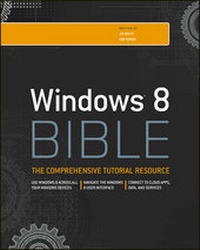
Windows 8 Bible
4th Edition
Published on 5. October 2012
1176 pages
978-1-118-22830-2 (ISBN)
Description

The first and last word on the feature-packed new Windows8
Windows 8 is an exciting new version of Microsoft's flagshipoperating system and it's packed with exciting new features. Fromthe new Windows 82032s lock screen and the new Internet Explorer toa built-in PDF reader and new user interface, Windows 8 is not onlya replacement for Windows 7 but a serious OS for today's tablet andtouchscreen device users. And what better way to get the very mostout of it than with this equally impressive new book from Microsoftexperts? Over 900 pages packed with tips, instruction, andtechniques help you hit the ground running with Windows 8.
* Provides complete how-to coverage of Windows 8 in a thoroughlyredesigned and revised new Bible from an expert author team
* Covers all the exciting new Windows 8 features, including theWindows 82032s lock screen, Internet Explorer Immersive, ModernReader, a new interface, and more
* Helps new and inexperienced users, as well as those upgradingfrom Windows 7, Windows Vista, or Windows XP
* Also explores new connections to cloud applications and data,distributed file system replication, and improvements to branchcache
Get the very most out of Windows 8, no matter what device yourun it on, with Windows 8 Bible.
Windows 8 is an exciting new version of Microsoft's flagshipoperating system and it's packed with exciting new features. Fromthe new Windows 82032s lock screen and the new Internet Explorer toa built-in PDF reader and new user interface, Windows 8 is not onlya replacement for Windows 7 but a serious OS for today's tablet andtouchscreen device users. And what better way to get the very mostout of it than with this equally impressive new book from Microsoftexperts? Over 900 pages packed with tips, instruction, andtechniques help you hit the ground running with Windows 8.
* Provides complete how-to coverage of Windows 8 in a thoroughlyredesigned and revised new Bible from an expert author team
* Covers all the exciting new Windows 8 features, including theWindows 82032s lock screen, Internet Explorer Immersive, ModernReader, a new interface, and more
* Helps new and inexperienced users, as well as those upgradingfrom Windows 7, Windows Vista, or Windows XP
* Also explores new connections to cloud applications and data,distributed file system replication, and improvements to branchcache
Get the very most out of Windows 8, no matter what device yourun it on, with Windows 8 Bible.
All prices
More details
Other editions
Additional editions
Jim Boyce | Rob Tidrow
Windows 8 Bible
Book
10/2012
4th Edition
Wiley
€34.90
Article exhausted; check different version
Persons
Jim Boyce is a Support Practice Manager at Microsoft anda former Microsoft MVP. He has authored or coauthored over 50 booksand hundreds of articles and white papers on computer topicsincluding Windows, Windows Server, Office applications,programming, and other topics.
Rob Tidrow has worked in the technology industry for 15years. He has authored or coauthored over 30 books on a widevariety of computer and technical topics, including IBM LotusSymphony, Microsoft Windows, Wireless Networking technologies,Microsoft Outlook, Windows 2003 Server, and Microsoft InternetInformation Server.
Rob Tidrow has worked in the technology industry for 15years. He has authored or coauthored over 30 books on a widevariety of computer and technical topics, including IBM LotusSymphony, Microsoft Windows, Wireless Networking technologies,Microsoft Outlook, Windows 2003 Server, and Microsoft InternetInformation Server.
Content
Introduction xxxix
Part I: Getting Started, Getting Secure 1
Chapter 1: What's New in Windows 8 3
Chapter 2: Navigating the Windows 8 Interface 21
Chapter 3: Windows 8 on Mobile Devices 37
Chapter 4: Getting Around the Windows Desktop 41
Chapter 5: Sharing and Securing with User Accounts 79
Chapter 6: Using Windows 8 Family Safety 121
Part II: Security and Updates 139
Chapter 7: Help, Support, and Troubleshooting 141
Chapter 8: Troubleshooting Startup Problems 153
Part III: Personalizing Windows 8 163
Chapter 9: Protecting Yourself with Windows Firewall 165
Chapter 10: Conquering Malicious Software 181
Chapter 11: Automatic Updates as Security 195
Chapter 12: Personalizing the Windows 8 Interface 205
Chapter 13: Personalizing the Desktop 215
Chapter 14: Transferring Files from Another Computer 257
Chapter 15: Customizing Startup Options 271
Chapter 16: Troubleshooting Customization Problems 291
Part IV: Beyond the Desktop 305
Chapter 17: Chatting with Windows 8 307
Chapter 18: Windows 8 and Windows Live 319
Chapter 19: Social Networking with Windows 8 331
Chapter 20: Using Computers Remotely 343
Chapter 21: Managing Names and Addresses 363
Chapter 22: Working in the Cloud 377
Part V: Pictures, Music, and Movies 391
Chapter 23: Working with Pictures 393
Chapter 24: Making Music with Media Player 441
Chapter 25: Working with Video and Photos 499
Chapter 26: Using Media Center 513
Part VI: Managing Your Content 537
Chapter 27: Understanding Drives, Folders, and Files 539
Chapter 28: Managing Files and Folders 599
Chapter 29: Searching for Files and Messages on Your Computer633
Chapter 30: Metadata and Power Searches 653
Chapter 31: Protecting Your Files 679
Part VII: Printing, Faxing, and Scanning 707
Chapter 32: Installing and Managing Printers 709
Chapter 33: Printing Documents and Screenshots 729
Chapter 34: Managing Print Jobs 741
Chapter 35: Faxing and Scanning 755
Chapter 36: Troubleshooting Printing and Faxing 775
Part VIII: Installing and Removing Programs 781
Chapter 37: Adding and Managing Windows 8 Applications 783
Chapter 38: Installing and Upgrading Legacy Programs 799
Chapter 39: Getting Older Programs to Run 811
Chapter 40: Repairing and Removing Programs 823
Chapter 41: Setting Default Programs 831
Chapter 42: Managing Programs and Processes 845
Chapter 43: Troubleshooting Software Problems 871
Part IX: Hardware and Performance Tuning 887
Chapter 44: Installing and Removing Hardware 889
Chapter 45: Using Wireless Bluetooth Devices 917
Chapter 46: Syncing Devices 937
Chapter 47: Performance Tuning Your System 953
Chapter 48: Troubleshooting Hardware and Performance 991
Part X: Networking and Sharing 1001
Chapter 49: Creating a Home Network 1003
Chapter 50: Sharing Resources on a Network 1019
Chapter 51: Using Shared Resources 1039
Chapter 52: Troubleshooting Networks 1055
Appendix A: Upgrading to Windows 8 1069
Appendix B: Installing Windows 8 on a New System 1073
Appendix C: Universal Shortcut Keys 1079
Appendix D: Windows 8 Touch Gestures 1089
Index 1091
Part I: Getting Started, Getting Secure 1
Chapter 1: What's New in Windows 8 3
Chapter 2: Navigating the Windows 8 Interface 21
Chapter 3: Windows 8 on Mobile Devices 37
Chapter 4: Getting Around the Windows Desktop 41
Chapter 5: Sharing and Securing with User Accounts 79
Chapter 6: Using Windows 8 Family Safety 121
Part II: Security and Updates 139
Chapter 7: Help, Support, and Troubleshooting 141
Chapter 8: Troubleshooting Startup Problems 153
Part III: Personalizing Windows 8 163
Chapter 9: Protecting Yourself with Windows Firewall 165
Chapter 10: Conquering Malicious Software 181
Chapter 11: Automatic Updates as Security 195
Chapter 12: Personalizing the Windows 8 Interface 205
Chapter 13: Personalizing the Desktop 215
Chapter 14: Transferring Files from Another Computer 257
Chapter 15: Customizing Startup Options 271
Chapter 16: Troubleshooting Customization Problems 291
Part IV: Beyond the Desktop 305
Chapter 17: Chatting with Windows 8 307
Chapter 18: Windows 8 and Windows Live 319
Chapter 19: Social Networking with Windows 8 331
Chapter 20: Using Computers Remotely 343
Chapter 21: Managing Names and Addresses 363
Chapter 22: Working in the Cloud 377
Part V: Pictures, Music, and Movies 391
Chapter 23: Working with Pictures 393
Chapter 24: Making Music with Media Player 441
Chapter 25: Working with Video and Photos 499
Chapter 26: Using Media Center 513
Part VI: Managing Your Content 537
Chapter 27: Understanding Drives, Folders, and Files 539
Chapter 28: Managing Files and Folders 599
Chapter 29: Searching for Files and Messages on Your Computer633
Chapter 30: Metadata and Power Searches 653
Chapter 31: Protecting Your Files 679
Part VII: Printing, Faxing, and Scanning 707
Chapter 32: Installing and Managing Printers 709
Chapter 33: Printing Documents and Screenshots 729
Chapter 34: Managing Print Jobs 741
Chapter 35: Faxing and Scanning 755
Chapter 36: Troubleshooting Printing and Faxing 775
Part VIII: Installing and Removing Programs 781
Chapter 37: Adding and Managing Windows 8 Applications 783
Chapter 38: Installing and Upgrading Legacy Programs 799
Chapter 39: Getting Older Programs to Run 811
Chapter 40: Repairing and Removing Programs 823
Chapter 41: Setting Default Programs 831
Chapter 42: Managing Programs and Processes 845
Chapter 43: Troubleshooting Software Problems 871
Part IX: Hardware and Performance Tuning 887
Chapter 44: Installing and Removing Hardware 889
Chapter 45: Using Wireless Bluetooth Devices 917
Chapter 46: Syncing Devices 937
Chapter 47: Performance Tuning Your System 953
Chapter 48: Troubleshooting Hardware and Performance 991
Part X: Networking and Sharing 1001
Chapter 49: Creating a Home Network 1003
Chapter 50: Sharing Resources on a Network 1019
Chapter 51: Using Shared Resources 1039
Chapter 52: Troubleshooting Networks 1055
Appendix A: Upgrading to Windows 8 1069
Appendix B: Installing Windows 8 on a New System 1073
Appendix C: Universal Shortcut Keys 1079
Appendix D: Windows 8 Touch Gestures 1089
Index 1091
