

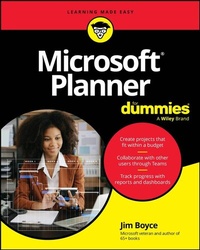
Microsoft Planner For Dummies
Description

Tackle projects with confidence using Microsoft Planner
Microsoft Planner For Dummies delivers a start-to-finish guide to Microsoft's industry-leading project management software. Jim Boyce walks you through this not-as-confusing-as-it-first-looks software, showing you the ins and outs of creating projects, integrating Planner with other Microsoft software, organizing and assigning tasks, and more.
Covering the key features of Planner Plan 1, you'll get insight into planning a project, reporting and tracking progress, and managing plans with other collaborators. Keep your project running smoothly and on track, so the only thing you'll have to worry about is checking tasks off your checklist.
You'll also find:
- Step-by-step instructions for planning projects within strict time and budget constraints
- Expansive coverage of report generation within Microsoft Planner
- Practical discussions of how to stay in sync with conversations on Microsoft Teams as you use Planner
For beginner project managers, Microsoft Planner For Dummies is your go-to guide. This is also an essential resource for project management students as well as experienced project managers who are new to - or need a refresher on - Microsoft Planner.
More details
Other editions
Additional editions
Person
Jim Boyce is a former principal customer success account manager at Microsoft and author of more than 65 books on computers and technology. He has written for Microsoft.com, TechRepublic, and InfoWorld and was previously an IT services director at Xerox.
Content
Introduction 1
Part 1: Getting Started with Microsoft Planner 5
Chapter 1: Introducing Microsoft Planner 7
Chapter 2: Choosing a Plan and a Path 23
Chapter 3: Comparing Microsoft Planner to Other Tools 33
Chapter 4: Stepping into Microsoft Planner 43
Part 2: Grasping the Basics of Microsoft Planner 55
Chapter 5: Navigating the Microsoft Planner Interface 57
Chapter 6: Creating and Managing Tasks 73
Chapter 7: Organizing and Structuring Tasks 87
Chapter 8: Collaborating and communicating with Microsoft Planner 101
Chapter 9: Managing Tasks 127
Part 3: Digging Deeper with Microsoft Planner 147
Chapter 10: Managing Plan Structure and Flow 149
Chapter 11: Adding Structure with Templates 167
Chapter 12: Managing Goals, Sprints, and Milestones 181
Part 4: Automating and Managing Microsoft Planner 195
Chapter 13: Leveraging Automation and Integration 197
Chapter 14: Integrating Copilot with Microsoft Planner 221
Chapter 15: Reporting from Microsoft Planner 243
Chapter 16: Managing Microsoft Planner in the Enterprise 271
Part 5: The Part of Tens 281
Chapter 17: Ten Tips for Faster, Smarter Planning 283
Chapter 18: Ten Outside-the-Box Use Cases for Microsoft Planner 289
Chapter 19: Ten Training and Support Resources 297
Index 301
