

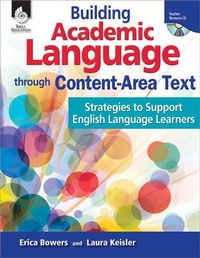
Building Academic Language through Content-Area Text
Strategies to Support English Language Learners
Published on 1. April 2011
200 pages
978-1-4258-9422-1 (ISBN)
Description

Set the stage for effective academic language instruction with strategies that are designed specifically for English language learners and support instruction in content-area vocabulary. The teacher-friendly format includes strategy descriptions, rationale, and resources for easy implementation. Each strategy features examples for different grade levels and content areas. Complete sample lessons demonstrate how strategies can support content-area literacy using informational text. This resource is correlated to College and Career Readiness and other state standards and includes digital resources.
More details
Series
Language
English
Place of publication
Huntington Beach
United States
Target group
Professional and scholarly
US School Grade: From First Grade to Eighth Grade, Interest Age: From 5 to 16 years
File size
24,85 MB
ISBN-13
978-1-4258-9422-1 (9781425894221)
Copyright in bibliographic data and cover images is held by Nielsen Book Services Limited or by the publishers or by their respective licensors: all rights reserved.
Schweitzer Classification
Other editions
Additional editions
Erica Bowers | Laura Keisler
Building Academic Language through Content-Area Text
Strategies to Support English Language Learners
Book
04/2011
Shell Educational Publishing
€51.29
Article exhausted; check different version
Content
- Cover
- Credits
- Page 3 - Table of Contents
- Page 4 - Research
- Page 8 - Academic Language and Literacy in the Content Areas
- Page 12 - Proficiency Levels for English Language Learners
- Page 14 - How to Use This Book
- Page 17 - Introduction to Correlations
- Page 18 - Correlation to Standards
- Page 19 - Planning for Explicit Teaching
- Page 20 - Being Explicit
- Page 22 - Elements of Academic Language
- Page 27 - Analyzing Content-Area Text
- Page 34 - Resources
- Page 35 - Schema and Vocabulary Building
- Page 36 - How Students Benefit
- Page 44 - Strategies for the Classroom
- Page 44- Quick-Draw
- Page 46 - Quick-Write
- Page 48 - Quick-Draw/Quick-Write
- Page 50 - Circle Map
- Page 54 - Semantic Map
- Page 58 - Circle Map/Semantic Map
- Page 62 - K/W/H/L
- Page 66 - Visual/Vocal
- Page 70 - Word-Definition Maps
- Page 74 - Everyday to Specialized Content
- Page 78 - Illustration of Differing Meanings
- Page 82 - Writing or Discussion Prompts
- Page 86 - Is It Possible?
- Page 88 - Resources
- Page 107 - Comprehensible Input
- Page 108 - How Students Benefit
- Page 110 - Strategies for the Classroom
- Page 110 - Supporting the Visual Modality
- Page 112 - Supporting the Auditory Modality
- Page 114 - Supporting the Tactile Modality
- Page 116 - Supporting the Kinesthetic Modality
- Page 118 - Study Guides
- Page 120 - Sentence Frames
- Page 122 - Resources
- Page 133 - Opportunities for Practice
- Page 134 - How Students Benefit
- Page 136 - Strategies for the Classroom
- Page 136 - Think-Pair-Share
- Page 138 - Talking Chips
- Page 140 - Not Taboo
- Page 142 - Whip-Around
- Page 144 - Mix-Freeze-Match
- Page 146 - Give and Take
- Page 148 - Inside/Outside Circles
- Page 150 - Parallel Lines
- Page 152 - Clock Appointments
- Page 154 - Fishbowl
- Page 156 - Passing the Pen
- Page 158 - Gallery Walk
- Page 160 - Resources
- Page 167 - Lesson Design
- Page 168 - What Makes a Good Lesson?
- Page 169 - Elements of Lesson Design
- Page 171 - Reviewing the Academic Language Support Planning Template
- Page 176 - Sample Lessons
- Page 191 - Resources
- Page 193 - Additional Resources
- Page 194 - References Cited
- Page 197 - Contents of the Teacher Resource CD
- Thank You Page
