

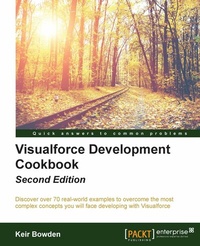
Visualforce Development Cookbook
Upgrade Your Development Skills
2nd Edition
Published on 13. January 2025
358 pages
978-1-78646-031-8 (ISBN)
Description

Discover over 70 real-world examples to overcome the most complex concepts you will face developing with Visualforce
Key Features
[*]This book provides an enhanced user experience with dynamically-generated, reactive pages
[*]Access data over additional channels via public web sites and mobile pages
[*]Packed with easy-to-follow recipes, including step-by-step instructions and Apex/Visualforce code downloads this title is the all in one package you need to get more from Visualforce.
Book DescriptionVisualforce is a framework that allows developers to build sophisticated, custom user interfaces that can be hosted natively on the Force.com platform. The Visualforce framework includes a tag-based markup language, similar to HTML that is used to write the Visualforce pages and a set of controllers that are used to write business logic to the Visualforce pages. Visualforce Development Cookbook provides solutions to a variety of challenges faced by Salesforce developers and demonstrates how easy it is to build rich, interactive pages using Visualforce. Whether you are looking to make a minor addition to the standard page functionality or override it completely, this book will provide you with the help you require throughout. You will start by learning about the simple utilities and will build up to more advanced techniques for data visualization and to reuse functionality. You will learn how to perform various tasks such as creating multiple records from a single page, visualizing data as charts, using JavaScript to enhance client-side functionality, building a public website, and making data available to a mobile device. With an interesting chapter on tackling common issues faced while developing Visualforce pages, the book provides lots of practical examples to enhance and extend your Salesforce user interface. What you will learn
[*]Pass parameters between Visualforce pages
[*]Update attributes in component controllers
[*]Avoid validation errors with action regions
[*]Refresh record details from embedded Visualforce
[*]Create and develop a website template from scratch
[*]Get to know about the Salesforce Lightening Design system and use Visualforce in Salesforce1
[*]Effectively tackle frequently-faced problems while developing Visualforce pages
Who this book is forThis book will be beneficial to developers who are already well-versed with the basics of Visualforce. An awareness of the standard component library and the purpose of controllers is expected.
Key Features
[*]This book provides an enhanced user experience with dynamically-generated, reactive pages
[*]Access data over additional channels via public web sites and mobile pages
[*]Packed with easy-to-follow recipes, including step-by-step instructions and Apex/Visualforce code downloads this title is the all in one package you need to get more from Visualforce.
Book DescriptionVisualforce is a framework that allows developers to build sophisticated, custom user interfaces that can be hosted natively on the Force.com platform. The Visualforce framework includes a tag-based markup language, similar to HTML that is used to write the Visualforce pages and a set of controllers that are used to write business logic to the Visualforce pages. Visualforce Development Cookbook provides solutions to a variety of challenges faced by Salesforce developers and demonstrates how easy it is to build rich, interactive pages using Visualforce. Whether you are looking to make a minor addition to the standard page functionality or override it completely, this book will provide you with the help you require throughout. You will start by learning about the simple utilities and will build up to more advanced techniques for data visualization and to reuse functionality. You will learn how to perform various tasks such as creating multiple records from a single page, visualizing data as charts, using JavaScript to enhance client-side functionality, building a public website, and making data available to a mobile device. With an interesting chapter on tackling common issues faced while developing Visualforce pages, the book provides lots of practical examples to enhance and extend your Salesforce user interface. What you will learn
[*]Pass parameters between Visualforce pages
[*]Update attributes in component controllers
[*]Avoid validation errors with action regions
[*]Refresh record details from embedded Visualforce
[*]Create and develop a website template from scratch
[*]Get to know about the Salesforce Lightening Design system and use Visualforce in Salesforce1
[*]Effectively tackle frequently-faced problems while developing Visualforce pages
Who this book is forThis book will be beneficial to developers who are already well-versed with the basics of Visualforce. An awareness of the standard component library and the purpose of controllers is expected.
All prices
More details
Edition
2nd Revised edition
Language
English
Place of publication
Birmingham
United Kingdom
Target group
Professional and scholarly
US School Grade: College Graduate Student
Edition type
Revised edition
File size
16,49 MB
ISBN-13
978-1-78646-031-8 (9781786460318)
Copyright in bibliographic data and cover images is held by Nielsen Book Services Limited or by the publishers or by their respective licensors: all rights reserved.
Schweitzer Classification
Other editions
Additional editions
Book
08/2016
2nd Edition
Packt Publishing
€63.50
Shipment within 3-4 weeks
Person
Bowden Keir :
Keir Bowden is a 30-year veteran of the IT industry from the United Kingdom. After spending the early part of his career in the defence industry, he moved into investment banking systems, implementing systems for Banque Nationale de Paris, CitiGroup, and Deutsche Bank. In the late 1990s, Keir moved into Internet technologies, leading to a development of the order management and payment handling systems of one of the first European Internet shopping sites. Keir started working with Force.com in late 2008 and has been recognized multiple times by Salesforce as an MVP for his contribution and leadership in the community. In 2012, he became the first certified technical architect outside of Salesforce in EMEA, and he has served as a judge on several EMEA Technical Architect Certification Review Boards. Keir is also a prominent blogger on Apex, Visualforce and Lightning Components solutions; and a regular speaker at events such as Dreamforce, Cloud World Forum, and Salesforce World Tour. Keir is a chief technical officer of BrightGena-a Salesforce.com Platinum Cloud Alliance Partner in the United Kingdom, where he is responsible for the present and future technical strategies. Keir acted as a technical reviewer for the CRM Admin Cookbook before accepting the challenge of authoring this book, which also happens to be his first.
Keir Bowden is a 30-year veteran of the IT industry from the United Kingdom. After spending the early part of his career in the defence industry, he moved into investment banking systems, implementing systems for Banque Nationale de Paris, CitiGroup, and Deutsche Bank. In the late 1990s, Keir moved into Internet technologies, leading to a development of the order management and payment handling systems of one of the first European Internet shopping sites. Keir started working with Force.com in late 2008 and has been recognized multiple times by Salesforce as an MVP for his contribution and leadership in the community. In 2012, he became the first certified technical architect outside of Salesforce in EMEA, and he has served as a judge on several EMEA Technical Architect Certification Review Boards. Keir is also a prominent blogger on Apex, Visualforce and Lightning Components solutions; and a regular speaker at events such as Dreamforce, Cloud World Forum, and Salesforce World Tour. Keir is a chief technical officer of BrightGena-a Salesforce.com Platinum Cloud Alliance Partner in the United Kingdom, where he is responsible for the present and future technical strategies. Keir acted as a technical reviewer for the CRM Admin Cookbook before accepting the challenge of authoring this book, which also happens to be his first.
Content
Table of Contents
General Utilities
Custom Components
Capturing Data using Forms
Managing Records
Managing Multiple Records
Visualforce Charts
Enhancing the Client with JavaScript
Force.com Sites
Visualforce in Salesforce1
Troubleshooting
General Utilities
Custom Components
Capturing Data using Forms
Managing Records
Managing Multiple Records
Visualforce Charts
Enhancing the Client with JavaScript
Force.com Sites
Visualforce in Salesforce1
Troubleshooting

