

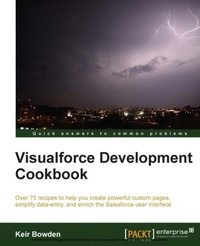
Visualforce Development Cookbook
For developers who already know the basics of Visualforce, this book enables you to advance to the next level. With over 75 real-world examples accompanied by stacks of illustrations, it clarifies even the most complex concepts.
Published on 13. January 2025
334 pages
978-1-78217-081-5 (ISBN)
Description

For developers who already know the basics of Visualforce, this book enables you to advance to the next level. With over 75 real-world examples accompanied by stacks of illustrations, it clarifies even the most complex concepts.
Key Features
Provide an enhanced user experience with dynamically generated, reactive pages
Access data over additional channels via public web sites and mobile pages
Packed with easy to follow recipes, including step-by-step instructions and Apex/Visualforce code downloads
Book DescriptionVisualforce, in conjunction with Apex, makes it easy to develop sophisticated, custom UIs for Force.com desktop and mobile apps without having to write thousands of lines of code and markup. The "Dynamic Binding" feature of Visualforce lets you develop generic Visualforce pages to display information related to the records without necessarily knowing which data fields to show. This is accomplished through a formula-like syntax, which makes it simple to manage even a complex hierarchy of records. "Visualforce Development Cookbook" provides solutions for a variety of challenges faced by Salesforce developers and demonstrates how easy it is to build rich, interactive pages using Visualforce. Whether you are looking to make a minor addition to the standard page functionality or override it completely, this book will provide you with the required help throughout. "Visualforce Development Cookbook" starts with explaining the simple utilities and builds up to advanced techniques for data visualization and reuse of functionality. This book contains recipes that cover various topics like creating multiple records from a single page, visualizing data as charts, using JavaScript to enhance client-side functionality, building a public website and making data available to a mobile device. "Visualforce Development Cookbook" provides lots of practical examples to enhance and extend the Salesforce user interface.What you will learn
Write effective controller tests
Maintain multiple records from a single page
Produce re-usable components for utility functions
Create custom charts to visualize single or multiple sets of data
Redraw part of a page in response to user input
Replace standard components with custom, brandable versions
Provide access to data via a public website
Allow users to create and retrieve data from a mobile device
Who this book is for"Visualforce Development Cookbook" is aimed at developers who have already grasped the basics of Visualforce. Awareness of the standard component library and the purpose of controllers is expected.
Key Features
Provide an enhanced user experience with dynamically generated, reactive pages
Access data over additional channels via public web sites and mobile pages
Packed with easy to follow recipes, including step-by-step instructions and Apex/Visualforce code downloads
Book DescriptionVisualforce, in conjunction with Apex, makes it easy to develop sophisticated, custom UIs for Force.com desktop and mobile apps without having to write thousands of lines of code and markup. The "Dynamic Binding" feature of Visualforce lets you develop generic Visualforce pages to display information related to the records without necessarily knowing which data fields to show. This is accomplished through a formula-like syntax, which makes it simple to manage even a complex hierarchy of records. "Visualforce Development Cookbook" provides solutions for a variety of challenges faced by Salesforce developers and demonstrates how easy it is to build rich, interactive pages using Visualforce. Whether you are looking to make a minor addition to the standard page functionality or override it completely, this book will provide you with the required help throughout. "Visualforce Development Cookbook" starts with explaining the simple utilities and builds up to advanced techniques for data visualization and reuse of functionality. This book contains recipes that cover various topics like creating multiple records from a single page, visualizing data as charts, using JavaScript to enhance client-side functionality, building a public website and making data available to a mobile device. "Visualforce Development Cookbook" provides lots of practical examples to enhance and extend the Salesforce user interface.What you will learn
Write effective controller tests
Maintain multiple records from a single page
Produce re-usable components for utility functions
Create custom charts to visualize single or multiple sets of data
Redraw part of a page in response to user input
Replace standard components with custom, brandable versions
Provide access to data via a public website
Allow users to create and retrieve data from a mobile device
Who this book is for"Visualforce Development Cookbook" is aimed at developers who have already grasped the basics of Visualforce. Awareness of the standard component library and the purpose of controllers is expected.
More details
Edition
Digital original
Language
English
Place of publication
Birmingham
United Kingdom
Target group
Professional and scholarly
US School Grade: College Graduate Student
Edition type
Digital original
File size
6,65 MB
ISBN-13
978-1-78217-081-5 (9781782170815)
Copyright in bibliographic data and cover images is held by Nielsen Book Services Limited or by the publishers or by their respective licensors: all rights reserved.
Schweitzer Classification
Other editions
Additional editions
Keir Bowden
Visualforce Development Cookbook
Book
09/2013
Packt Publishing
€63.30
Shipment within 3-4 weeks
Person
Bowden Keir :
Keir Bowden is a 30-year veteran of the IT industry from the United Kingdom. After spending the early part of his career in the defence industry, he moved into investment banking systems, implementing systems for Banque Nationale de Paris, CitiGroup, and Deutsche Bank. In the late 1990s, Keir moved into Internet technologies, leading to a development of the order management and payment handling systems of one of the first European Internet shopping sites. Keir started working with Force.com in late 2008 and has been recognized multiple times by Salesforce as an MVP for his contribution and leadership in the community. In 2012, he became the first certified technical architect outside of Salesforce in EMEA, and he has served as a judge on several EMEA Technical Architect Certification Review Boards. Keir is also a prominent blogger on Apex, Visualforce and Lightning Components solutions; and a regular speaker at events such as Dreamforce, Cloud World Forum, and Salesforce World Tour. Keir is a chief technical officer of BrightGena-a Salesforce.com Platinum Cloud Alliance Partner in the United Kingdom, where he is responsible for the present and future technical strategies. Keir acted as a technical reviewer for the CRM Admin Cookbook before accepting the challenge of authoring this book, which also happens to be his first.
Keir Bowden is a 30-year veteran of the IT industry from the United Kingdom. After spending the early part of his career in the defence industry, he moved into investment banking systems, implementing systems for Banque Nationale de Paris, CitiGroup, and Deutsche Bank. In the late 1990s, Keir moved into Internet technologies, leading to a development of the order management and payment handling systems of one of the first European Internet shopping sites. Keir started working with Force.com in late 2008 and has been recognized multiple times by Salesforce as an MVP for his contribution and leadership in the community. In 2012, he became the first certified technical architect outside of Salesforce in EMEA, and he has served as a judge on several EMEA Technical Architect Certification Review Boards. Keir is also a prominent blogger on Apex, Visualforce and Lightning Components solutions; and a regular speaker at events such as Dreamforce, Cloud World Forum, and Salesforce World Tour. Keir is a chief technical officer of BrightGena-a Salesforce.com Platinum Cloud Alliance Partner in the United Kingdom, where he is responsible for the present and future technical strategies. Keir acted as a technical reviewer for the CRM Admin Cookbook before accepting the challenge of authoring this book, which also happens to be his first.
Content
Table of Contents
