

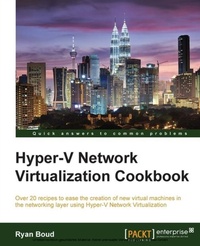
Hyper-V Network Virtualization Cookbook
Over 20 recipes to ease the creation of new virtual machines in the networking layer using Hyper-V Network Virtualization
Published on 7. October 2025
228 pages
978-1-78217-781-4 (ISBN)
Description

Key Features
Book DescriptionIf you are a virtualization architect, engineer, or administrator who wants to leverage Hyper-V to create virtual networks (virtual data centers), this is the book for you. Prior knowledge of Hyper-V or a similar solution and a good understanding of the end goals of creating a virtual network is required.What you will learn
Install a highly available Virtual Machine Manager (VMM) Configure VMM for Hyper-V Network Virtualization Create a Service Template for reusable HNV gateways Create an HNV gateway and the different options for gateways, including Network Address Translation and Direct Routing Integrate IP Address Management (IPAM) with VMM for HNV Implement network security in Hyper-V Network Virtualization
Who this book is for
Book DescriptionIf you are a virtualization architect, engineer, or administrator who wants to leverage Hyper-V to create virtual networks (virtual data centers), this is the book for you. Prior knowledge of Hyper-V or a similar solution and a good understanding of the end goals of creating a virtual network is required.What you will learn
Install a highly available Virtual Machine Manager (VMM) Configure VMM for Hyper-V Network Virtualization Create a Service Template for reusable HNV gateways Create an HNV gateway and the different options for gateways, including Network Address Translation and Direct Routing Integrate IP Address Management (IPAM) with VMM for HNV Implement network security in Hyper-V Network Virtualization
Who this book is for
All prices
More details
Edition
Digital original
Language
English
Place of publication
Birmingham
United Kingdom
Target group
Professional and scholarly
US School Grade: College Graduate Student
Edition type
Digital original
File size
7,24 MB
ISBN-13
978-1-78217-781-4 (9781782177814)
Copyright in bibliographic data and cover images is held by Nielsen Book Services Limited or by the publishers or by their respective licensors: all rights reserved.
Schweitzer Classification
Other editions
Additional editions
Ryan Boud
Hyper-V Network Virtualization Cookbook
Book
12/2014
Packt Publishing
€62.50
Shipment within 3-4 weeks
Person
Boud Ryan :
Ryan Boud has been working in the IT field since 1998 when he started working part-time on a service desk while studying at Goldsmiths College, University of London. After graduating, he worked his way up to manage the customer IT service desk. He then moved into IT management and development, creating internal applications and middleware for third-party applications. Recently, Ryan moved to Inframon, The Cloud Transformation Specialists, as a System Center and Desktop Implementation Consultant. He has worked on numerous different implementations of Microsoft Windows Server 2012 R2 Hyper-V and System Center 2012 R2 for a variety of customers in the public and private sectors.
Ryan Boud has been working in the IT field since 1998 when he started working part-time on a service desk while studying at Goldsmiths College, University of London. After graduating, he worked his way up to manage the customer IT service desk. He then moved into IT management and development, creating internal applications and middleware for third-party applications. Recently, Ryan moved to Inframon, The Cloud Transformation Specialists, as a System Center and Desktop Implementation Consultant. He has worked on numerous different implementations of Microsoft Windows Server 2012 R2 Hyper-V and System Center 2012 R2 for a variety of customers in the public and private sectors.
Content
Table of Contents
Installing Virtual Machine Manager for HNV
Configuring Networks for use with HNV
Creating the HNV Gateway for Virtual Machine Communications
IP Address Management (IPAM) Integration with VMM for HNV
Implementing Network Isolation in Hyper-V
Optimizing Network Performance
Network Access Control Lists
Appendix B
Installing Virtual Machine Manager for HNV
Configuring Networks for use with HNV
Creating the HNV Gateway for Virtual Machine Communications
IP Address Management (IPAM) Integration with VMM for HNV
Implementing Network Isolation in Hyper-V
Optimizing Network Performance
Network Access Control Lists
Appendix B

