

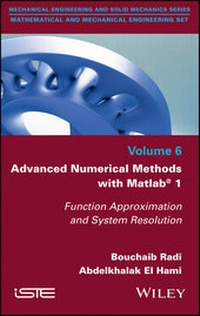
Advanced Numerical Methods with Matlab 1
Function Approximation and System Resolution
1st Edition
Published on 15. March 2018
240 pages
978-1-119-51655-2 (ISBN)
Description

Most physical problems can be written in the form of mathematical equations (differential, integral, etc.). Mathematicians have always sought to find analytical solutions to the equations encountered in the different sciences of the engineer (mechanics, physics, biology, etc.). These equations are sometimes complicated and much effort is required to simplify them. In the middle of the 20th century, the arrival of the first computers gave birth to new methods of resolution that will be described by numerical methods. They allow solving numerically as precisely as possible the equations encountered (resulting from the modeling of course) and to approach the solution of the problems posed. The approximate solution is usually computed on a computer by means of a suitable algorithm. The objective of this book is to introduce and study the basic numerical methods and those advanced to be able to do scientific computation. The latter refers to the implementation of approaches adapted to the treatment of a scientific problem arising from physics (meteorology, pollution, etc.) or engineering (structural mechanics, fluid mechanics, signal processing, etc.) .
More details
Other editions
Additional editions
Bouchaib Radi | Abdelkhalak El Hami
Advanced Numerical Methods with Matlab 1
Function Approximation and System Resolution
Book
03/2018
1st Edition
Wiley-ISTE
€206.42
Shipment within 3-4 weeks
Content
- Intro
- Table of Contents
- Title
- Copyright
- Preface
- PART 1: Introduction
- 1 Review of Linear Algebra
- 1.1. Vector spaces
- 1.2. Linear mappings
- 1.3. Matrices
- 1.4. Determinants
- 1.5. Scalar product
- 1.6. Vector norm
- 1.7. Matrix eigenvectors and eigenvalues
- 1.8. Using Matlab
- 2 Numerical Precision
- 2.1. Introduction
- 2.2. Machine representations of numbers
- 2.3. Integers
- 2.4. Real numbers
- 2.5. Representation errors
- 2.6. Determining the best algorithm
- 2.7. Using Matlab
- PART 2: Approximating Functions
- 3 Polynomial Interpolation
- 3.1. Introduction
- 3.2. Interpolation problems
- 3.3. Polynomial interpolation techniques
- 3.4. Interpolation with the Lagrange basis
- 3.5. Interpolation with the Newton basis
- 3.6. Interpolation using spline functions
- 3.7. Using Matlab
- 4 Numerical Differentiation
- 4.1. First-order numerical derivatives and the truncation error
- 4.2. Higher-order numerical derivatives
- 4.3. Numerical derivatives and interpolation
- 4.4. Studying the differentiation error
- 4.5. Richardson extrapolation
- 4.6. Application to the heat equation
- 4.7. Using Matlab
- 5 Numerical Integration
- 5.1. Introduction
- 5.2. Rectangle method
- 5.3. Trapezoidal rule
- 5.4. Simpson's rule
- 5.5. Hermite's rule
- 5.6. Newton-Côtes rules
- 5.7. Gauss-Legendre method
- 5.8. Using Matlab
- PART 3: Solving Linear Systems
- 6 Matrix Norm and Conditioning
- 6.1. Introduction
- 6.2. Matrix norm
- 6.3. Condition number of a matrix
- 6.4. Preconditioning
- 6.5. Using Matlab
- 7 Direct Methods
- 7.1. Introduction
- 7.2. Method of determinants or Cramer's method
- 7.3. Systems with upper triangular matrices
- 7.4. Gaussian method
- 7.5. Gauss-Jordan method
- 7.6. LU decomposition
- 7.7. Thomas algorithm
- 7.8. Cholesky decomposition
- 7.9. Using Matlab
- 8 Iterative Methods
- 8.1. Introduction
- 8.2. Classical iterative techniques
- 8.3. Convergence of iterative methods
- 8.4. Conjugate gradient method
- 8.5. Using Matlab
- 9 Numerical Methods for Computing Eigenvalues and Eigenvectors
- 9.1. Introduction
- 9.2. Computing det (A - ?I) directly
- 9.3. Krylov methods
- 9.4. LeVerrier method
- 9.5. Jacobi method
- 9.6. Power iteration method
- 9.7. Inverse power method
- 9.8. Givens-Householder method
- 9.9. Using Matlab
- 10 Least-squares Approximation
- 10.1. Introduction
- 10.2. Analytic formulation
- 10.3. Algebraic formulation
- 10.4. Numerically solving linear equations by QR factorization
- 10.5. Applications
- 10.6. Using Matlab
- PART 4: Appendices
- Appendix 1: Introduction to Matlab
- A1.1. Introduction
- A1.2. Starting up Matlab
- A1.3. Mathematical functions
- A1.4. Operators and programming with Matlab
- A1.5. Writing a Matlab script
- A1.6. Generating figures with Matlab
- Appendix 2: Introduction to Optimization
- A2.1. Introduction
- A2.2. Standard results on functions from Rn to R
- A2.3. Optimization without constraints
- Bibliography
- Index
- End User License Agreement
1
Review of Linear Algebra
We will denote the fields of real and complex numbers by R and C respectively. If there is no need to distinguish between them, we will instead simply refer to the field
