

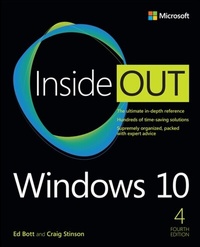
Windows 10 Inside Out
4th Edition
Published on 15. March 2021
848 pages
978-0-13-683611-7 (ISBN)
Description

Conquer today's Windows 10-from the inside out!
Dive into Windows 10-and really put your Windows expertise to work. Focusing on the newest, most powerful, and most innovative features in Windows 10, this supremely organized reference is packed with hundreds of time-saving solutions, up-to-date tips, and workarounds. From the new Chromium-based Microsoft Edge browser to improved security and Windows Sandbox virtualization, you'll discover how experts tackle today's essential tasks. Adapt to faster change in today's era of "Windows as a service," as you challenge yourself to new levels of mastery.
* Install, configure, and personalize the latest versions of Windows 10 * Manage Windows reliability and security in any environment * Keep Windows safe and current by taking charge of Windows Update * Maximize your productivity with a growing library of built-in apps * Customize the new Chromium-based Microsoft Edge browser and its advanced privacy features * Streamline and automate day-to-day business tasks with Cortana * Secure devices, data, and identities, and block malware and intruders * Safeguard your business with Windows Hello biometrics and Azure AD * Use Windows Sandbox virtualization to test programs and sites without risking your system's security * Store, sync, and share content with OneDrive and OneDrive for Business * Collaborate more efficiently with Windows 10 Mail, Calendar, Skype, and other default apps * Seamlessly manage both physical and virtual storage * Deploy and manage Windows 10 devices more efficiently in any organization * Optimize performance and battery life and troubleshoot crashes
For experienced Windows users and IT professionals * Your role: Experienced intermediate to- advanced-level Windows user, IT professional, or consultant * Prerequisites: Basic understanding of Windows procedures, techniques, and navigation
Dive into Windows 10-and really put your Windows expertise to work. Focusing on the newest, most powerful, and most innovative features in Windows 10, this supremely organized reference is packed with hundreds of time-saving solutions, up-to-date tips, and workarounds. From the new Chromium-based Microsoft Edge browser to improved security and Windows Sandbox virtualization, you'll discover how experts tackle today's essential tasks. Adapt to faster change in today's era of "Windows as a service," as you challenge yourself to new levels of mastery.
* Install, configure, and personalize the latest versions of Windows 10 * Manage Windows reliability and security in any environment * Keep Windows safe and current by taking charge of Windows Update * Maximize your productivity with a growing library of built-in apps * Customize the new Chromium-based Microsoft Edge browser and its advanced privacy features * Streamline and automate day-to-day business tasks with Cortana * Secure devices, data, and identities, and block malware and intruders * Safeguard your business with Windows Hello biometrics and Azure AD * Use Windows Sandbox virtualization to test programs and sites without risking your system's security * Store, sync, and share content with OneDrive and OneDrive for Business * Collaborate more efficiently with Windows 10 Mail, Calendar, Skype, and other default apps * Seamlessly manage both physical and virtual storage * Deploy and manage Windows 10 devices more efficiently in any organization * Optimize performance and battery life and troubleshoot crashes
For experienced Windows users and IT professionals * Your role: Experienced intermediate to- advanced-level Windows user, IT professional, or consultant * Prerequisites: Basic understanding of Windows procedures, techniques, and navigation
All prices
More details
Edition
4th edition
Language
English
Place of publication
Boston
United States
Publishing group
Pearson Education (US)
Target group
Professional and scholarly
File size
52,61 MB
ISBN-13
978-0-13-683611-7 (9780136836117)
Copyright in bibliographic data and cover images is held by Nielsen Book Services Limited or by the publishers or by their respective licensors: all rights reserved.
Schweitzer Classification
Other editions
Additional editions
Ed Bott | Craig Stinson
Windows 10 Inside Out
Book
06/2021
4th Edition
Addison Wesley
€56.00
Shipment within 15-20 days
Persons
Ed Bott is an award-winning author and technology journalist who has been researching and writing about Windows and PC technology, in print and on the Internet, for more than two decades. He has written more than 30 books, all on Windows and Microsoft Office, which have been translated into dozens of languages and read worldwide. You can catch up with Ed's latest opinions and get hands-on advice at The Ed Bott Report on ZDNet (zdnet.com/blog/bott). You can also follow his lively and frequently irreverent Twitter feed (@edbott). Ed and his wife, Judy, live in northern New Mexico with an adorable English springer spaniel, Lucy, who was adopted with the help of English Springer Rescue America (springerrescue.org). Lucy makes several cameo appearances in this book.
Craig Stinson, an industry journalist since 1981, was editor of Softalk for the IBM Personal Computer, one of the earliest IBM-PC magazines. He is the author or coauthor of numerous books about Windows and Microsoft Excel. Craig is an amateur musician and reformed music critic, having reviewed classical music for various newspapers and trade publications, including Billboard, the Boston Globe, the Christian Science Monitor, and Musical America. He lives in Bloomington, Indiana.
Craig Stinson, an industry journalist since 1981, was editor of Softalk for the IBM Personal Computer, one of the earliest IBM-PC magazines. He is the author or coauthor of numerous books about Windows and Microsoft Excel. Craig is an amateur musician and reformed music critic, having reviewed classical music for various newspapers and trade publications, including Billboard, the Boston Globe, the Christian Science Monitor, and Musical America. He lives in Bloomington, Indiana.
Content
Part I Windows 10 essentials
Chapter 1 What you need to know about Windows 10
Chapter 2 Installing, configuring, and deploying Windows 10
Chapter 3 Using Windows 10
Chapter 4 Personalizing Windows 10
Chapter 5 Managing updates
Part II Productivity
Chapter 6 Installing and configuring apps
Chapter 7 Using and managing built-in Windows apps
Chapter 8 Using the new Microsoft Edge
Chapter 9 Storage and file management
Chapter 10 Cortana and Windows search
Part III Managing Windows 10
Chapter 11 Managing user accounts, passwords, and credentials
Chapter 12 Performance and power management
Chapter 13 Windows networking
Chapter 14 Hardware and devices
Chapter 15 Troubleshooting, backup, and recovery
Part IV For IT professionals and Windows experts
Chapter 16 Hyper-V
Chapter 17 Managing business PCs
Chapter 18 Windows security and privacy
Chapter 19 PowerShell and other advanced management tools
Chapter 20 Maximizing productivity on mobile devices
Appendixes
Appendix A Windows 10 editions and licensing options
Appendix B The Windows Insider Program
Appendix C Help and support resources
Chapter 1 What you need to know about Windows 10
Chapter 2 Installing, configuring, and deploying Windows 10
Chapter 3 Using Windows 10
Chapter 4 Personalizing Windows 10
Chapter 5 Managing updates
Part II Productivity
Chapter 6 Installing and configuring apps
Chapter 7 Using and managing built-in Windows apps
Chapter 8 Using the new Microsoft Edge
Chapter 9 Storage and file management
Chapter 10 Cortana and Windows search
Part III Managing Windows 10
Chapter 11 Managing user accounts, passwords, and credentials
Chapter 12 Performance and power management
Chapter 13 Windows networking
Chapter 14 Hardware and devices
Chapter 15 Troubleshooting, backup, and recovery
Part IV For IT professionals and Windows experts
Chapter 16 Hyper-V
Chapter 17 Managing business PCs
Chapter 18 Windows security and privacy
Chapter 19 PowerShell and other advanced management tools
Chapter 20 Maximizing productivity on mobile devices
Appendixes
Appendix A Windows 10 editions and licensing options
Appendix B The Windows Insider Program
Appendix C Help and support resources
