

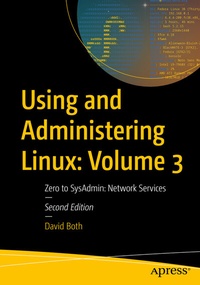
Using and Administering Linux: Volume 3
Description

In Using and Administering Linux: Volume 3 you'll work with multiple VMs on a single physical host to create a network in which to sharpen your sysadmin skills. Chapters have been fully updated to Fedora Linux 38 with expanded content and figures as well brand new material on the BTRFS file system, using Zram for swap, NetworkManager, automation with Ansible, as well as systemd.
Focusing on network and other advanced services, this second edition of the final series volume builds upon the skills you have learned so far in volumes 1&2 and will depend upon the virtual network and VMs created there. Start by reviewing the administration of Linux servers and install and configure various Linux server services such as DHCP, DNS, NTP, and SSH server that will be used to provide advanced network services. You'll then learn to install and configure servers such as BIND for name services, DHCP for network host configuration, and SSH for secure logins to remote hosts.
Other topics covered include public/private keypairs to further enhance security, SendMail and IMAP and antispam protection for email, using Apache and WordPress to create and manage web sites, NFS, SAMBA, and Chrony. This volume also covers SELinux and its use in making your systems even more secure., You will learn to build RPMs to be used to distribute automation scripts. All of these services are installed on a single server host over the course of the book and by the time you are finished you will have a single server that provides these services for your network.
What You Will Learn
- Install, configure, and manage several Linux server services such as email with spam management and single and multiple web sites
- Work with NTP time synchronization, DHCP, SSH, and file sharing with Unix/Linux and Windows clients
- Create RPMs for distribution of scripts and administrative programs.
- Understand and work withenhanced security.
Who This Book Is For
Those who are already Linux power users - SysAdmins who can administer Linux workstation hosts that are not servers - who want to learn to administer the services provided by Linux servers such as web, time, name, email, SSH, and more.
More details
Other editions
Additional editions
Previous edition
Person
David Both is an Open Source Software and GNU/Linux advocate, trainer, writer, and speaker. He has been working with Linux and Open Source Software for more than 20 years and has been working with computers for over 45 years. He is a strong proponent of and evangelist for the "Linux Philosophy for System Administrators." David has been in the IT industry for over forty years.
He worked for IBM for 21 years and, while working as a Course Development Representative in Boca Raton, FL, in 1981, wrote the training course for the first IBM PC. He has taught RHCE classes for Red Hat and has worked at MCI Worldcom, Cisco, and the State of North Carolina. In most of the places he has worked since leaving IBM in 1995, he has taught classes on Linux ranging from Lunch'n'Learns to full five day courses. Helping others learn about Linux and open source software is one of his great pleasures.
David had some amazing teachers and mentors in my 40 years in IT and my morethan 20 years working with Linux. At their core, Linux and open source in general are about sharing and helping others and about contributing to the community. These books, along with "The Linux philosophy for SysAdmins," are a continuation of his desire to pass on my knowledge and to provide mentoring to anyone interested in learning about Linux.
David is the author of The Linux Philosophy for SysAdmins (Apress, 2018) and can be found on Twitter @linuxgeek46.
Content
42. Server Preparation.- 43. Name services.- 44. Routing.- 45. Remote Access with SSH.- 46. Security.- 47. Backup everything - frequently.- 48. Introducing Email.- 49. Advanced Email Topics.- 50. Combating Spam.- 51. Apache Web Server.- 52. WordPress.- 53. Mailing Lists.- 54. Security.- 55. Advanced Package Management.- 56. File Sharing.- 57. Where Do I Go From Here?.- Bibliography.
