

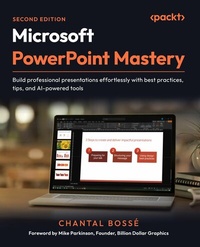
Microsoft PowerPoint Mastery
Description

Key Features
Design dynamic, engaging presentations with purposeful transitions, navigation, and interactive elements
Save time and streamline workflows using Slide Master, Handout Master, Designer, and Copilot
Bring your ideas to life with stunning visuals using SmartArt, images, multimedia, and AI tools
Book DescriptionIf you've ever spent hours crafting slides that still feel uninspired, you're not alone. This book shows you how to tap into PowerPoint's true potential to transform ordinary decks into presentations that connect, persuade, and stick. This second edition is updated with a full chapter on using Microsoft Copilot to jump-start new presentations and expands coverage of AI-powered design tools like Designer. It introduces new ways to convert text into SmartArt, customize PowerPoint's stock images, and integrate third-party add-ins. You'll also explore richer multimedia options, purposeful transitions and navigation, and enhanced delivery tools, such as Speaker Coach and the latest PowerPoint Live features, including polls, Q&A, avatars, and immersive spaces, for more engaging virtual presentations. You'll discover how to speed up slide creation, elevate visuals, and structure your decks for maximum clarity and impact. Real-world examples throughout ensure you can apply these features immediately. By the end of this book, you'll have the skills, confidence, and workflow to create professional presentations that flow seamlessly and leave a lasting impression, all while saving time and working smarter.What you will learn
Plan and structure content for maximum audience impact
Use PowerPoint's Masters to create consistent, professional slides and documents
Leverage advanced animations and Morph transitions for smooth flow
Add interactivity with Zoom, hyperlinks, and custom menus
Practice and perfect your delivery with PowerPoint's built-in tools
Enhance audience engagement by using Presenter View features
Deliver seamless virtual presentations with PowerPoint Live
Who this book is forThis book is for business professionals who want actionable best practices and smarter ways to get the most out of PowerPoint's features to create and deliver compelling presentations. No formal presentation design knowledge is needed, but you do need to know PowerPoint's basic tools and functions, such as starting and saving files, adding, copying, pasting, or moving slides. A sound understanding of cloud storage and the use of Office 365 is also needed.
All prices
More details
Other editions
Additional editions
Persons
Content
Analyzing Your Audience and Presentation Delivery Needs
Using Industry Best Practices to Design Better Visuals
Leveraging PowerPoint's Slide Master for Design
Using PowerPoint's Document Masters for Accessible Handouts and Notes
Starting Your Presentation With M365 Copilot
Using Artificial Intelligence to Improve Your Visuals
Adding and Modifying Visual Elements
Adding and Modifying Multimedia Elements
Working with Transitions and Animations
Building Flexibility and Interactivity into Your Presentations
Using PowerPoint Third-Party Add-Ins
Practicing Your Presentation Delivery
Using Presenter View
Using PowerPoint Live and Interactive Features in Microsoft Teams
Preface
Using PowerPoint is something that many people have done at some point in their business life, and even before as students. But creating engaging and impactful presentations is something many users struggle with.
For me, writing about the PowerPoint application meant including more than just the tools and features. For over 20 years, I have seen clients struggle because they did not know about the industry's best practices and did not have formal training to help them discover and use some more advanced and very helpful features. All the people I trained or the clients I worked with had another big challenge: they all wanted to save time creating their presentations.
This is why this book is different from most PowerPoint books. You have the choice of being taken on a journey through the most important tools to help you plan your presentation, create visually appealing and meaningful content, and deliver your presentations in a more flexible and impactful way. Or you can choose to read any chapter or topic that will help you learn about features and tools you don't know already. For the book's first edition, I even received comments that some creative agencies had purchased it for their whole team as a reference tool!
Whatever the method of reading you adopt, I can guarantee that you will be more knowledgeable on presentation best practices, PowerPoint features that help you create better presentations more efficiently, and how to improve your presentation delivery.
Who this book is for
This book first targets business professionals without any formal design training or experience who want to create more impactful and engaging content faster. But anyone having to create a few presentations once in a while will also find a lot of valuable content that they can apply quickly. These professionals may have had some very brief PowerPoint training in the past, but many will be self-taught. Most will have used PowerPoint before and are therefore already familiar with the basics.
What this book covers
Chapter 1, Analyzing Your Audience and Presentation Delivery Needs, covers questions that will help you plan and structure your presentation content.
Chapter 2, Using Industry Best Practices to Design Better Visuals, helps you learn about fonts, contrast, decluttering slides, and visual consistency.
Chapter 3, Leveraging PowerPoint's Slide Master to Speed Up Your Design Process, talks about how the slide master becomes a design automation tool.
Chapter 4, Using PowerPoint's Notes and Document Masters to Create Handouts and Your Speaker Notes, covers how to leverage masters that help you make your presentation file works both as on-screen visuals and as handouts, while remaining efficient and impactful.
Chapter 5, Starting Your Presentation with Copilot for M365, helps you understand what M365 Copilot in PowerPoint can do and learn about prompting.
Chapter 6, Using Artificial Intelligence to Improve Your Visuals, helps you understand how the Designer feature can save you some design time.
Chapter 7, Adding and Modifying Visual Elements in Your Content, discusses how to use graphic elements and customize them to replace text and bullet points.
Chapter 8, Adding and Modifying Multimedia Elements in Your Content, talks about improving your content by using and formatting audio and video elements.
Chapter 9, Working with Transitions and Animations, helps you learn about creating movement with purpose that improves the pace of your content and audience understanding.
Chapter 10, Building Flexibility and Interactivity in Your Presentations, covers how to engage your audience by using navigation elements to adapt to their needs or show them special content.
Chapter 11, Using Third-Party Add-Ins, discusses a few ways to boost your content creation productivity and presentation management possibilities.
Chapter 12, Practicing Your Presentation Delivery, puts forward some of PowerPoint's native tools that help you practice so you have a memorable effect on your audience.
Chapter 13, Using Presenter View, discusses how this feature and its many tools can help you deliver more engaging presentations and have more control.
Chapter 14, Using PowerPoint Live in Teams for Remote Presentations, helps virtual presenters using Teams discover many features that help create engagement.
To get the most out of this book
This book will give you step-by-step instructions to help you find the features and tools and use them. To get the most out of this book, try features you are not familiar with as you read about them. This is the best way to learn, remember, and quickly apply tips and best practices. If your goal is to learn about how to implement a better presentation creation process, you should read the chapters in order. But reading chapters or topics in any order can be valuable if you are a more advanced user.
Software/hardware covered in the book
Operating system requirements
PowerPoint
Windows
PowerPoint Live/Teams
macOS, compatible in most cases
BrightSlide
BrandIn
WeCompress/NXPowerLite
Slidewise
Build-a-Graphic
THOR
PPTMerge
If you work for an organization with an IT admin team, you might need to confirm with them if you find that your M365 PowerPoint version lacks some features, or if you want to install any of the third-party add-ins discussed in this book. Be aware that since the subscription version of PowerPoint is updated on an ongoing basis, it is possible that the screenshots shown in this book will differ from your version of the application.
After reading this book, if you have a need for a little support or have some questions, please consider following me on LinkedIn, where I post and answer many questions about presentations and M365 applications: https://www.linkedin.com/in/chantalbosse/.
Download the color images
We also provide a PDF file that has color images of the screenshots/diagrams used in this book. You can download it here: https://packt.link/gbp/9781835882245.
Conventions used
There are a number of text conventions used throughout this book.
CodeInText: Indicates code words in text, database table names, folder names, filenames, file extensions, pathnames, dummy URLs, user input, and X/Twitter handles. For example: "If you are not familiar with the QAT, type quick access toolbar in the Search box in the title bar of any Office application to get help."
Bold: Indicates a new term, an important word, or words that you see on the screen. For instance, words in menus or dialog boxes appear in the text like this. For example: "You can see how your layout will look by using the Close Master View button in the Slide Master tab and adding a new slide with your new custom layout."
Warnings or important notes appear like this.
Tips and tricks appear like this.
Get in touch
Feedback from our readers is always welcome.
General feedback: If you have questions about any aspect of this book or have any general feedback, please email us at customercare@packt.com and mention the book's title in the subject of your message.
Errata: Although we have taken every care to ensure the accuracy of our content, mistakes do happen. If you have found a mistake in this book, we would be grateful if you reported this to us. Please visit...
