

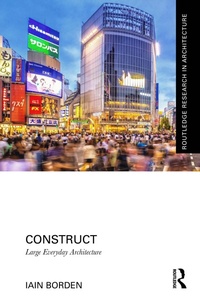
Construct
Large Everyday Architecture
Published on 9. December 2025
274 pages
978-1-040-69343-8 (ISBN)
Description

Construct introduces a new category of architecture and engineering in our cities. These structures are highly visible yet often ignored, large-scale and built without traditional designers. They are characterised by substantial technical innovation and expertise, embedded in the everyday lives of thousands of urban citizens, and serve as embodiments of cultural and political meanings. These constructions represent an overlooked but significant aspect of our urban landscape, combining technical advancement with cultural significance despite their often anonymous design origins.
The opening chapter introduces "Construct" as an architectural, academic and methodological concept, including its interdisciplinary approach combining history, critical theory, ethnography and visual studies. Six independent chapters then explore specific recent manifestations around the world - the Oresund bridge between Copenhagen and Malmoe, tower cranes in Dubai, Shibuya pedestrian intersection in Tokyo, Venice skatepark in Los Angeles, Limehouse Link tunnel in London and the Singapore Flyer observation wheel in Singapore. Each is interpreted in its own context and as a manifestation of its shared architectural typology worldwide.
Construct will appeal to those interested in the architecture, urbanism and experience of contemporary cities worldwide, and particularly those working in the fields of architecture, media studies, planning, sociology and urban geography.
The opening chapter introduces "Construct" as an architectural, academic and methodological concept, including its interdisciplinary approach combining history, critical theory, ethnography and visual studies. Six independent chapters then explore specific recent manifestations around the world - the Oresund bridge between Copenhagen and Malmoe, tower cranes in Dubai, Shibuya pedestrian intersection in Tokyo, Venice skatepark in Los Angeles, Limehouse Link tunnel in London and the Singapore Flyer observation wheel in Singapore. Each is interpreted in its own context and as a manifestation of its shared architectural typology worldwide.
Construct will appeal to those interested in the architecture, urbanism and experience of contemporary cities worldwide, and particularly those working in the fields of architecture, media studies, planning, sociology and urban geography.
More details
Series
Language
English
Place of publication
London
United Kingdom
Publishing group
Taylor & Francis Ltd
Target group
College/higher education
Professional and scholarly
Illustrations
4 Line drawings, black and white; 76 Halftones, black and white; 80 Illustrations, black and white
File size
18,57 MB
ISBN-13
978-1-040-69343-8 (9781040693438)
Copyright in bibliographic data and cover images is held by Nielsen Book Services Limited or by the publishers or by their respective licensors: all rights reserved.
Schweitzer Classification
Other editions
Additional editions
Book
approx. 12/2025
1st Edition
Routledge
€215.41
Not yet published
Person
Iain Borden is Professor of Architecture & Urban Culture, and Vice-Dean Education, at The Bartlett, University College London. He is the author and co-editor of over 15 books on architecture, cities and urban experience.
Content
1. Construct: an Introduction 2. Bridge: Copenhagen, Malmoe and Oresund 3. Crane: Dubai, UAE 4. Intersection: Shibuya, Tokyo 5. Skatepark: Venice, Los Angeles 6. Tunnel: Limehouse, London 7. Wheel: Marina Bay, Singapore
