

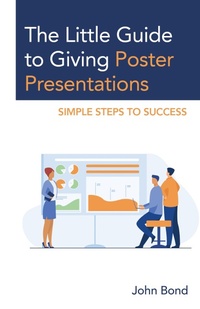
The Little Guide to Giving Poster Presentations
Simple Steps to Success
1st Edition
Published on 17. July 2023
1 pages
979-8-216-23261-2 (ISBN)
Description

Poster presentations are usually the first steps in a budding academic and research career. Many potential presenters, however, feel lost in this process, as there are few courses that teach you how to proceed. The Little Guide to Giving a Poster Presentation: Simple Steps to Success shows the reader how to take their ideas or work and present it to their peers and community in poster format. The Little Guide answers all the beginner's questions in a direct and useful fashion.
More details
Edition
1. Auflage
Language
English
Place of publication
United States
Publishing group
Bloomsbury Publishing Plc
Target group
Professional and scholarly
Illustrations
2 b/w photos; 3 tables
ISBN-13
979-8-216-23261-2 (9798216232612)
Copyright in bibliographic data and cover images is held by Nielsen Book Services Limited or by the publishers or by their respective licensors: all rights reserved.
Schweitzer Classification
Other editions
Additional editions
Book
08/2023
Rowman & Littlefield Publishers
€28.70
Shipment within 10-20 days
Person
John Bond has been in academic publishing for over 30 years as an editor, publisher, chief content officer, and now Publishing Consultant. He has overseen the publishing of over 20,000 articles in peer-reviewed journals and 500 books.
Content
Foreword: A 3-Credit Course in a Book
Acknowledgments
Preface: Helping Authors Communicate Their Message
Introduction: How to Use This Book
Part I: Getting Started
Chapter 1: What is a Poster Presentation?
Chapter 2: Why Give a Poster Presentation?
Chapter 3: Defining Your Topic
Chapter 4: Writing Your Topic and Abstract
Chapter 5: Who is Your Target Reader?
Part II: Securing Poster Presentation Opportunities
Chapter 6: Finding Venues to Present
Chapter 7: Finding Funding for Your Presentation
Chapter 8: Creating and Submitting Your Poster Presentation Proposal
Chapter 9: Giving Your Idea the Best Pitch
Part III: Creating Your Message
Chapter 10: Developing a Plan and Timeline
Chapter 11: Understanding the Parts of a Poster
Chapter 12: Creating a Content Outline
Chapter 13: Writing Your First Draft
Chapter 14: Deciding on What Information to Express Visually
Chapter 15: Keeping Track of Your Sources and References
Chapter 16: Editing Your Draft
Chapter 17: Following a Style Manual
Chapter 18: Getting Feedback from Colleagues and Reviewers
Part IV: Creating the Poster
Chapter 19: Getting Started
Chapter 20: Understanding Text Sizes, Layout, and More
Chapter 21: Using Whitespace and Color
Chapter 22: Creating Eye Catching Visuals
Chapter 23: Your Final Draft and Final Review
Chapter 24: Submitting and Printing Your Poster
Part V: Presenting Your Poster and Beyond
Chapter 25: Giving a Presentation
Chapter 26: Handouts, Networking, and Follow Ups
Chapter 27: Promoting Your Work
Chapter 28: Growing Your Poster into an Article and Beyond
Sample Forms
References
Bibliography
Resources
Index
About the Author
Acknowledgments
Preface: Helping Authors Communicate Their Message
Introduction: How to Use This Book
Part I: Getting Started
Chapter 1: What is a Poster Presentation?
Chapter 2: Why Give a Poster Presentation?
Chapter 3: Defining Your Topic
Chapter 4: Writing Your Topic and Abstract
Chapter 5: Who is Your Target Reader?
Part II: Securing Poster Presentation Opportunities
Chapter 6: Finding Venues to Present
Chapter 7: Finding Funding for Your Presentation
Chapter 8: Creating and Submitting Your Poster Presentation Proposal
Chapter 9: Giving Your Idea the Best Pitch
Part III: Creating Your Message
Chapter 10: Developing a Plan and Timeline
Chapter 11: Understanding the Parts of a Poster
Chapter 12: Creating a Content Outline
Chapter 13: Writing Your First Draft
Chapter 14: Deciding on What Information to Express Visually
Chapter 15: Keeping Track of Your Sources and References
Chapter 16: Editing Your Draft
Chapter 17: Following a Style Manual
Chapter 18: Getting Feedback from Colleagues and Reviewers
Part IV: Creating the Poster
Chapter 19: Getting Started
Chapter 20: Understanding Text Sizes, Layout, and More
Chapter 21: Using Whitespace and Color
Chapter 22: Creating Eye Catching Visuals
Chapter 23: Your Final Draft and Final Review
Chapter 24: Submitting and Printing Your Poster
Part V: Presenting Your Poster and Beyond
Chapter 25: Giving a Presentation
Chapter 26: Handouts, Networking, and Follow Ups
Chapter 27: Promoting Your Work
Chapter 28: Growing Your Poster into an Article and Beyond
Sample Forms
References
Bibliography
Resources
Index
About the Author
