

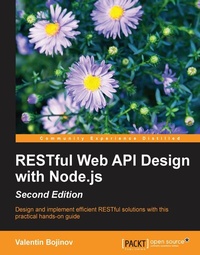
RESTful Web API Design with Node.js
A step-by-step guide in the RESTful world of Node.js.
2nd Edition
Published on 13. January 2025
148 pages
978-1-78646-320-3 (ISBN)
Description

Design and implement efficient RESTful solutions with this practical hands-on guide
Key Features
Create a fully featured RESTful API solution from scratch.
Learn how to leverage Node.JS, Express, MongoDB and NoSQL datastores to give an extra edge to your REST API design.
Use this practical guide to integrate MongoDB in your Node.js application.
Book DescriptionIn this era of cloud computing, every data provisioning solution is built in a scalable and fail-safe way. Thus, when building RESTful services, the right choice for the underlying platform is vital. Node.js, with its asynchronous, event-driven architecture, is exactly the right choice to build RESTful APIs. This book will help you enrich your development skills to create scalable, server-side, RESTful applications based on the Node.js platform. Starting with the fundamentals of REST, you will understand why RESTful web services are better data provisioning solution than other technologies. You will start setting up a development environment by installing Node.js, Express.js, and other modules. Next, you will write a simple HTTP request handler and create and test Node.js modules using automated tests and mock objects. You will then have to choose the most appropriate data storage type, having options between a key/value or document data store, and also you will implement automated tests for it. This module will evolve chapter by chapter until it turns into a full-fledged and secure Restful service. What you will learn
Install, develop, and test your own Node.js user modules
Comprehend the differences between an HTTP and a RESTful application
Optimize RESTful service URI routing with best practices
Eliminate third-party dependencies in your tests with mocking
Learn about NoSQL data stores and integrate MongoDB in your Node.js application with Mongoose
Secure your services with NoSQL database integration within Node.js applications
Enrich your development skills to create scalable, server-side, RESTful applications
based on the Node.js platform
Who this book is forThe ideal target audience for this book is web developers who have some experience with RESTful services. Familiarity with basic JavaScript programming techniques is required. No prior experience with Node.JS or Express.js is required.
Key Features
Create a fully featured RESTful API solution from scratch.
Learn how to leverage Node.JS, Express, MongoDB and NoSQL datastores to give an extra edge to your REST API design.
Use this practical guide to integrate MongoDB in your Node.js application.
Book DescriptionIn this era of cloud computing, every data provisioning solution is built in a scalable and fail-safe way. Thus, when building RESTful services, the right choice for the underlying platform is vital. Node.js, with its asynchronous, event-driven architecture, is exactly the right choice to build RESTful APIs. This book will help you enrich your development skills to create scalable, server-side, RESTful applications based on the Node.js platform. Starting with the fundamentals of REST, you will understand why RESTful web services are better data provisioning solution than other technologies. You will start setting up a development environment by installing Node.js, Express.js, and other modules. Next, you will write a simple HTTP request handler and create and test Node.js modules using automated tests and mock objects. You will then have to choose the most appropriate data storage type, having options between a key/value or document data store, and also you will implement automated tests for it. This module will evolve chapter by chapter until it turns into a full-fledged and secure Restful service. What you will learn
Install, develop, and test your own Node.js user modules
Comprehend the differences between an HTTP and a RESTful application
Optimize RESTful service URI routing with best practices
Eliminate third-party dependencies in your tests with mocking
Learn about NoSQL data stores and integrate MongoDB in your Node.js application with Mongoose
Secure your services with NoSQL database integration within Node.js applications
Enrich your development skills to create scalable, server-side, RESTful applications
based on the Node.js platform
Who this book is forThe ideal target audience for this book is web developers who have some experience with RESTful services. Familiarity with basic JavaScript programming techniques is required. No prior experience with Node.JS or Express.js is required.
All prices
More details
Edition
2nd Revised edition
Language
English
Place of publication
Birmingham
United Kingdom
Target group
Professional and scholarly
US School Grade: College Graduate Student
Edition type
Revised edition
File size
3,42 MB
ISBN-13
978-1-78646-320-3 (9781786463203)
Copyright in bibliographic data and cover images is held by Nielsen Book Services Limited or by the publishers or by their respective licensors: all rights reserved.
Schweitzer Classification
Other editions
Additional editions
Valentin Bojinov
RESTful Web API Design with Node.js
A step-by-step guide in the RESTful world of Node.js.
Book
05/2016
2nd Edition
Packt Publishing
€38.80
Shipment within 3-4 weeks
Person
Bojinov Valentin :
Valentin Bojinov studied computer science at the Technological School of Electronic Systems in Sofia, Bulgaria, a college within the Technical University of Sofia. He holds a B.Sc. in telecommunication and information engineering. Valentin is an expert in Java, SOAP, RESTful web services, and B2B integration. He specializes B2B Integration and Service Oriented Architecture and currently works as an Senior Integration Consultant in an UK consultancy company Estafet Limited.
Valentin Bojinov studied computer science at the Technological School of Electronic Systems in Sofia, Bulgaria, a college within the Technical University of Sofia. He holds a B.Sc. in telecommunication and information engineering. Valentin is an expert in Java, SOAP, RESTful web services, and B2B integration. He specializes B2B Integration and Service Oriented Architecture and currently works as an Senior Integration Consultant in an UK consultancy company Estafet Limited.
Content
Table of Contents
REST - What you Didn't know
Getting started with Node.JS
Building a typical web API
Using NoSQL Databases
Implementing FULL-fledged RESTful Service
Keeping the bad guys out
REST - What you Didn't know
Getting started with Node.JS
Building a typical web API
Using NoSQL Databases
Implementing FULL-fledged RESTful Service
Keeping the bad guys out

