

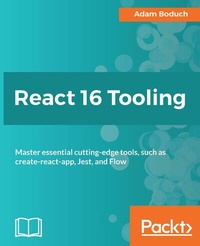
React 16 Tooling
Master essential cutting-edge tools, such as create-react-app, Jest, and Flow
Published on 23. September 2024
298 pages
978-1-78883-208-3 (ISBN)
Description

React 16 Tooling covers the most important tools, utilities, and libraries that every React developer needs to know - in detail.
Key Features
Each chapter presents meta-development solutions to help React developers
The tools used are presented in a practical, solution-oriented approach with no fluff
The chapters are arranged in a logical order that mirrors a typical React development workflow, but you are free to tweak the approaches discussed to fit your own unique style
Book DescriptionReact 16 Tooling covers the most important tools, utilities, and libraries that every React developer needs to know - in detail. As React has grown, the amazing toolset around it has also grown, adding features and enhancing the development workflow. Each of these essential tools is presented in a practical manner and in a logical order mirroring the development workflow. These tools will make your development life simpler and happier, enabling you to create better and more performant apps. Adam starts with a hand-picked selection of the best tools for the React 16 ecosystem. For starters, there's the create-react-app utility that's officially supported by the React team. Not only does this tool bootstrap your React project for you, it also provides a consistent and stable framework to build upon. The premise is that when you don't have to think about meta development work, more focus goes into the product itself. Other React tools follow this same approach to automating and improving your development life. Jest makes unit testing quicker. Flow makes catching errors easier. Docker containers make deployment in a stack simpler. Storybook makes developing components straightforward. ESLint makes writing standardized code faster. The React DevTools plugin makes debugging a cinch. React 16 Tooling clears away the barriers so you can focus on developing the good parts. In this book, we'll look at each of these powerful tools in detail, showing you how to build the perfect React ecosystem to develop your apps within. What you will learn
Bootstrap a React application using create-react-app
Isolate React component development using Storybook
Write effective unit tests for your React components using Jest
Ensure that your component code is to standard using ESLint
Use browser extensions and built-in component instrumentation to debug React applications
Enable type safety in React components with Flowtype
Deploy React applications inside a Docker container as part of a larger application stack
Who this book is forThis book is for React developers of any skill level who want to make their lives easier. It helps to have some familiarity with React, but if you are an experienced web developer looking at React, then this book will show you how to build a resilient toolset around you before you begin.
Key Features
Each chapter presents meta-development solutions to help React developers
The tools used are presented in a practical, solution-oriented approach with no fluff
The chapters are arranged in a logical order that mirrors a typical React development workflow, but you are free to tweak the approaches discussed to fit your own unique style
Book DescriptionReact 16 Tooling covers the most important tools, utilities, and libraries that every React developer needs to know - in detail. As React has grown, the amazing toolset around it has also grown, adding features and enhancing the development workflow. Each of these essential tools is presented in a practical manner and in a logical order mirroring the development workflow. These tools will make your development life simpler and happier, enabling you to create better and more performant apps. Adam starts with a hand-picked selection of the best tools for the React 16 ecosystem. For starters, there's the create-react-app utility that's officially supported by the React team. Not only does this tool bootstrap your React project for you, it also provides a consistent and stable framework to build upon. The premise is that when you don't have to think about meta development work, more focus goes into the product itself. Other React tools follow this same approach to automating and improving your development life. Jest makes unit testing quicker. Flow makes catching errors easier. Docker containers make deployment in a stack simpler. Storybook makes developing components straightforward. ESLint makes writing standardized code faster. The React DevTools plugin makes debugging a cinch. React 16 Tooling clears away the barriers so you can focus on developing the good parts. In this book, we'll look at each of these powerful tools in detail, showing you how to build the perfect React ecosystem to develop your apps within. What you will learn
Bootstrap a React application using create-react-app
Isolate React component development using Storybook
Write effective unit tests for your React components using Jest
Ensure that your component code is to standard using ESLint
Use browser extensions and built-in component instrumentation to debug React applications
Enable type safety in React components with Flowtype
Deploy React applications inside a Docker container as part of a larger application stack
Who this book is forThis book is for React developers of any skill level who want to make their lives easier. It helps to have some familiarity with React, but if you are an experienced web developer looking at React, then this book will show you how to build a resilient toolset around you before you begin.
More details
Edition
Digital original
Language
English
Place of publication
Birmingham
United Kingdom
Target group
Professional and scholarly
US School Grade: College Graduate Student
Edition type
Digital original
File size
10,47 MB
ISBN-13
978-1-78883-208-3 (9781788832083)
Copyright in bibliographic data and cover images is held by Nielsen Book Services Limited or by the publishers or by their respective licensors: all rights reserved.
Schweitzer Classification
Other editions
Additional editions
Persons
Boduch Adam :
Adam Boduch has been involved in large-scale JavaScript development for nearly 15 years. Before moving to the frontend, he worked on several large-scale cloud computing products using Python and Linux. No stranger to complexity, Adam has practical experience with real-world software systems and the scaling challenges they pose.Pitt Christopher :
Christopher Pitt is a principal developer for SilverStripe in Wellington, New Zealand. He usually works on open source software, though sometimes you'll find him building compilers and robots.
Adam Boduch has been involved in large-scale JavaScript development for nearly 15 years. Before moving to the frontend, he worked on several large-scale cloud computing products using Python and Linux. No stranger to complexity, Adam has practical experience with real-world software systems and the scaling challenges they pose.Pitt Christopher :
Christopher Pitt is a principal developer for SilverStripe in Wellington, New Zealand. He usually works on open source software, though sometimes you'll find him building compilers and robots.
Content
Table of Contents
Creating a Personalized React Development Ecosystem
Efficiently Bootstrapping React Applications with Create React App
Getting the Most from Development Mode and Mastering Hot Reloading
Optimizing Test-Driven React Development
Streamlining Development and Refactoring with Type-Safe React Components
Enforcing Code Quality to Improve Maintainability
Isolate Components with Storybook
Debugging Components in the Browser
Instrumenting Application State with Redux
Building and Deploying Static Applications With Gatsby
Building and Deploying React Applications with Docker Containers
Creating a Personalized React Development Ecosystem
Efficiently Bootstrapping React Applications with Create React App
Getting the Most from Development Mode and Mastering Hot Reloading
Optimizing Test-Driven React Development
Streamlining Development and Refactoring with Type-Safe React Components
Enforcing Code Quality to Improve Maintainability
Isolate Components with Storybook
Debugging Components in the Browser
Instrumenting Application State with Redux
Building and Deploying Static Applications With Gatsby
Building and Deploying React Applications with Docker Containers
