

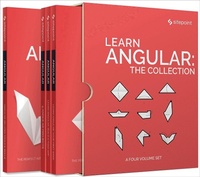
Learn Angular: The Collection
Published on 15. June 2018
655 pages
978-1-4920-6845-7 (ISBN)
Description

Angular is not just a framework, but rather a platform that empowers developers to build applications for the web, mobile, and the desktop.This collection is a set of books aimed at getting you up to speed with Angular. It contains:Learn Angular: Your First Week, a collection of articles introducing AngularLearn Angular: Build a Todo App, an in-depth project tutorial that builds a complete Angular application from start to finishLearn Angular: 4 Angular Projects presents four practical Angular projectsLearn Angular: Related Tools & Skills contains a collection of articles outlining essential tools and skills that every modern JavaScript developer should know.This book is for all front-end developers who want to become proficient with Angular and its related tools. You'll need to be familiar with HTML and CSS and have a reasonable level of understanding of JavaScript in order to follow the discussion.
More details
Content
- Learn Angular: The Collection
- Notice of Rights
- Notice of Liability
- Trademark Notice
- About SitePoint
- Preface
- Who Should Read This Book?
- Conventions Used
- Book 1: Learn Angular: Your First Week
- Chapter 1: Angular Introduction: What It Is, and Why You Should Use It
- Why Do I Need a Framework?
- Angular Introduction: What Angular IS
- Angular Introduction: the Advantages of Angular
- Angular Introduction: Angular's Complexities
- Conclusion
- Chapter 2: AngularJS and Angular: a Detailed Comparison
- Frameworks in AngularJS and Angular
- Templates in AngularJS and Angular
- Dependency Injection in AngularJS and Angular
- JavaScript vs TypeScript
- Tooling Support for AngularJS and Angular
- Summary
- Chapter 3: An Introduction to TypeScript: Static Typing for the Web
- What Exactly is TypeScript?
- How Does it Work?
- How Do I Set it Up?
- Okay, What About the Community?
- Further Reading
- Conclusion
- Chapter 4: Getting Past Hello World in Angular
- Environment Setup
- Components
- Decorators
- Examining a Component
- Services
- Tree of Components
- Bootstrapping our Application
- Summary
- Chapter 5: Angular Components: Inputs and Outputs
- Component Hierarchy
- Angular Components: Inputs and Outputs
- @Input() and @Output()
- Wrapup
- Chapter 6: A Practical Guide to Angular Directives
- Basic overview
- Using the Existing Angular Directives
- Chapter 7: Angular Components and Providers: Classes, Factories & Values
- What are Providers?
- Injecting Non-Class Providers
- Providers and Singletons
- Wrapup
- Chapter 8: Quickly Create Simple Yet Powerful Angular Forms
- Prerequisites
- Requirements
- Template-Driven Forms
- Reactive Forms
- Wrapping Up
- Chapter 9: Using Angular NgModules for Reusable Code and More
- JavaScript Modules Aren't NgModules
- The Basic NgModule, the AppModule
- The Properties of NgModule
- NgModule Examples
- Summary
- Chapter 10: Angular Testing: A Developer's Introduction
- Prerequisites
- Angular Testing Technologies
- Writing Unit Tests
- End-to-end Angular Testing
- Code Coverage
- Additional Utilities
- Wrapping Up
- Chapter 11: Creating UIs with Angular Material Design Components
- What's Material Design?
- Introduction to Angular Material
- Requirements
- Create the Project with the Angular CLI
- Getting Started with Angular Material
- Importing Angular Material Components
- Create the UI for the Application
- Conclusion
- Chapter 12: Developing Angular Apps without a Back End Using MockBackend
- A Ticketing System without a Real Back End
- The Angular Project Setup
- Working with Components
- The Ticket Service
- Conclusion
- Chapter 13: React vs Angular: An In-depth Comparison
- Where to Start?
- Maturity
- Features
- Languages, Paradigms, and Patterns
- Ecosystem
- Adoption, Learning Curve and Development Experience
- Putting it Into Context
- One Framework to Rule Them All?
- Book 2: Learn Angular: Build a Todo App
- Chapter 1: Getting the First Version of the App Up and Running
- Initialize Your Todo Application Using Angular CLI
- Creating the Todo Class
- Creating the TodoDataService Service
- Editing the AppComponent Component
- Deploying to GitHub Pages
- Summary
- Chapter 2: Understanding Component Architecture
- A Quick Recap
- Up and Running
- The Original AppComponent
- A More Modular Component Architecture - Creating the TodoListHeaderComponent
- Creating the TodoListComponent
- Creating the TodoListItemComponent
- Creating the TodoListFooterComponent
- Moving the TodoDataService Provider
- Summary
- Chapter 3: Angular and RxJS: Adding a REST API Back End
- A Quick Recap
- Up and Running
- Setting up a REST API back end
- Storing the API URL
- Creating the Service to Communicate with the REST API Back End
- The Angular HTTP Service
- Implementing the ApiService Methods
- Updating TodoDataService
- Updating AppComponent
- Trying it Out
- Running our Tests
- Fixing Our Unit Tests
- Creating an ApiMockService
- Summary
- Chapter 4: An Introduction to Component Routing with Angular Router
- Why routing?
- How Angular Router Works
- Enabling Routing
- Resolving Data using Angular Router
- Summary
- Chapter 5: Authentication: Protecting Private Content
- Authentication Strategy
- Setting Up the Backend
- Adding Authentication Logic to our API Service
- Creating a Session Service
- Creating an Authentication Service
- Creating a Sign-in Page
- Protecting Our Application's Private Area From Unauthorized Access
- Sending The User's Token With API Requests
- Adding a Sign-out Button to Our TodosComponent
- Summary
- Chapter 6: How to Update Angular Projects to the Latest Version
- The Meaning of Angular Versions
- The Angular Update Guide
- Before Updating
- During the Update
- After the Update
- Switching from HttpModule to HttpClientModule
- Using the RxJS Pipe Operator
- Summary
- Book 3: Learn Angular: 4 Angular Projects
- Chapter 1: MEAN Stack: Build an App with Angular 2+ and the Angular CLI
- Introduction to the MEAN Stack
- Overview
- Prerequisites
- Creating the Backend Using Express.js and MongoDB
- Building the Front End Using Angular
- Creating Components, a Model, and a Service
- Finishing Touches
- Wrapping It Up
- Chapter 2: User Authentication with the MEAN Stack
- The MEAN Stack Authentication Flow
- The Example Application
- Creating the MongoDB Data Schema with Mongoose
- Set Up Passport to Handle the Express Authentication
- Configure API Endpoints
- Create Angular Authentication Service
- Apply Authentication to Angular App
- Chapter 3: Building a Twitter Client with Node and Angular
- Setting Up the Project
- Creating a Twitter Client in NodeJS
- Creating the Angular App
- Summary
- Chapter 4: Connecting Angular and the WordPress API with wp-api-angular
- Laying Foundations
- Authentication
- Listing the Users
- Working With Posts
- Conclusion
- Book 4: Learn Angular: Related Tools & Skills
- Chapter 1: The Ultimate Angular CLI Reference Guide
- What Is Angular CLI?
- Prerequisites
- Installing Angular CLI
- Creating a New Angular Application
- Running Your Application
- Adding Features to Your Angular Application
- Running Your Unit Tests
- Running Your End-to-end (E2E) Tests
- Building Your Application for Production
- Deploying Your Application
- Ejecting your application
- A Glimpse into the Future
- Summary
- Chapter 2: 10 Essential TypeScript Tips and Tricks for Angular Devs
- TypeScript Tip 1: Supply Your Own Module Definitions
- TypeScript Tip 2: Enum vs Const Enum
- TypeScript Tip 3: Type Expressions
- TypeScript Tip 4: Use Discriminators
- TypeScript Tip 5: Avoid Any Unless It Really Is Any
- TypeScript Tip 6: Use Generics Efficiently
- TypeScript Tip 7: Bring in Legacy Code
- TypeScript Tip 8: Create Functions with Properties
- TypeScript Tip 9: The keyof Operator
- TypeScript Tip 10: Efficient Callback Definitions
- Further Reading
- Conclusion
- Chapter 3: Using Angular Augury to Debug Your Code
- Hello, Augury!
- Building a Sample App
- Component View
- Dependency Injection
- Routes
- Conclusion
- Chapter 4: Top Angular Plugins for Sublime Text
- Setting up Package Control
- Angular 2 HTML Package
- Angular 2 Snippets
- Angular CLI
- Angular Plugins: Typescript
- Angular Plugins: Linting
- DocBlockr
- Conclusion
- Chapter 5: Boosting Your Workflow with Angular 5 Snippets and VS Code
- Prerequisites
- Snippets Explained
- How to Use Snippets
- How to Create Angular 5 Snippets
- Summary
- Chapter 6: Top 12 Productivity Tips for WebStorm and Angular: Part 1
- WebStorm and Angular Tip 1: Use Angular CLI from Within WebStorm
- WebStorm and Angular Tip 2: Navigate Like a Pro
- WebStorm and Angular Tip 3: Take Advantage of Angular Language Service
- WebStorm and Angular Tip 4: Auto-format Your Code
- WebStorm and Angular Tip 5: Optimize Your Imports
- Using WebStorm and Angular Together: Summary
- Chapter 7: Top 12 Productivity Tips for WebStorm and Angular: Part 2
- WebStorm and Angular Tip 6: Import Path Calculation
- WebStorm and Angular Tip 7: Use Live Templates
- WebStorm and Angular Tip 8: Running Tests
- WebStorm and Angular Tip 9: Travel through Time
- WebStorm and Angular Tip 10: TypeScript Parameter Hints
- WebStorm and Angular Tip 11: Navigate using Breadcrumbs
- WebStorm and Angular Extra Tip 12: Documentation Look Up
- Summary
