

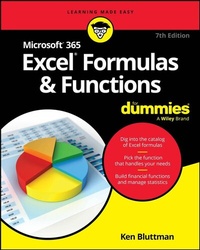
Microsoft 365 Excel Formulas & Functions For Dummies
Description

Turn Excel into an unstoppable data-and number-crunching machine
Microsoft Excel is the Swiss Army knife of apps. With over 470 built-in functions and countless custom formulas, the program can help make you the smartest guy or gal in any room. And now that it's been supercharged with Copilot-Microsoft's AI-powered helper-it's even easier to produce accurate and useful results anywhere, anytime.
Best of all, it doesn't take an advanced degree in mathematics or data science to take full advantage of Excel's functionality. Just grab a copy of this latest edition of Excel Formulas & Functions For Dummies and get a flying start on the Excel functions and formulas that power up your data superpowers. With this book, you'll:
- Learn to create and use hundreds of formulas and functions, correct common mistakes, and make calculations
- Discover how to analyze data and calculate statistics, and even work with dates and times
- Use the ever-evolving, AI-powered Copilot to expand Excel's functionality and make it easier to use
Get ready to transform your copy of Excel at home or at work into an unstoppable toolkit equipped for almost any occasion. Grab a copy of Excel Formulas & Functions For Dummies today!
More details
Other editions
Additional editions
Person
Ken Bluttman is a veteran developer specializing in Excel/VBA and database-centric web applications. He has written many articles and books on topics including Office/VBA development, XML, SQL Server, and InfoPath. Ken is the author of Excel Charts For Dummies and all previous editions of Excel® Formulas & Functions For Dummies.
Content
Introduction 1
Part 1: Getting Started with Excel Formulas and Functions 5
Chapter 1: Tapping into Formula and Function Fundamentals 7
Chapter 2: Saving Time with Function Tools 39
Chapter 3: Saying "Array!" for Formulas and Functions 57
Chapter 4: Fixing Formula Boo-Boos 71
Part 2: Doing the Math 89
Chapter 5: Calculating Loan Payments and Interest Rates 91
Chapter 6: Appreciating What You'll Get, Depreciating What You've Got 111
Chapter 7: Using Basic Math Functions 127
Chapter 8: Advancing Your Math 145
Part 3: Solving with Statistics 173
Chapter 9: Throwing Statistics a Curve 175
Chapter 10: Rolling the Dice on Predictions and Probability 215
Part 4: Dancing with Data 235
Chapter 11: Dressing Up for Date Functions 237
Chapter 12: Keeping Well-Timed Functions 255
Chapter 13: Using Lookup, Logical, and Reference Functions 263
Chapter 14: Digging Up the Facts 295
Chapter 15: Writing Home about Text Functions 309
Part 5: The Part of Tens 337
Chapter 16: Ten Tips for Working with Formulas 339
Chapter 17: Ten Ways to Get Fancy with Excel 353
Chapter 18: Ten Really Cool Functions 359
Index 367
