

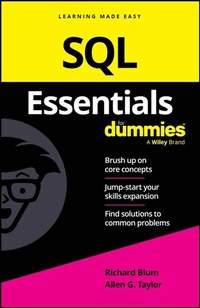
SQL Essentials For Dummies
Description

A right-to-the-point guide on all the key topics of SQL programming
SQL Essentials For Dummies is your quick reference to all the core concepts of SQL-a valuable common standard language used in relational databases. This useful guide is straightforward-with no excess review, wordy explanations, or fluff-so you get what you need, fast. Great for a brush-up on the basics or as an everyday desk reference, this book is one you can rely on.
- Strengthen your understanding of the basics of SQL
- Review what you've already learned or pick up key skills
- Use SQL to create, manipulate, and control relational databases
- Jog your memory on the essentials as you work and get clear answers to your questions
Perfect for supplementing classroom learning, reviewing for a certification, and staying knowledgeable on the job, SQL Essentials For Dummies is the convenient, direct, and digestible reference you've been looking for.
More details
Other editions
Additional editions
Persons
Richard Blum is a network and systems administrator. He has worked with database systems such as Microsoft SQL Server, PostgreSQL, and MySQL. Rich also teaches online courses in programming.
Allen G. Taylor is author of more than 40 books, including SQL For Dummies. He also teaches database development through a leading online education provider.
Content
Introduction 1
Chapter 1: Getting to Know SQL 5
Chapter 2: Creating a Database with SQL 13
Chapter 3: Drilling Down to the SQL Nitty-Gritty 27
Chapter 4: Values, Variables, Functions, and Expressions 51
Chapter 5: SELECT Statements and Modifying Clauses 79
Chapter 6: Querying Multiple Tables with Subqueries 109
Chapter 7: Querying Multiple Tables with Relational Operators 127
Chapter 8: Cursors 151
Chapter 9: Assigning Access Privileges 163
Chapter 10: Ten Retrieval Tips 175
Index 179
Chapter 1
Getting to Know SQL
IN THIS CHAPTER
Undertanding what SQL does
Getting clear on what SQL doesn't do
Weighing your SQL implementation options
In the early days of the relational database management system (RDBMS), there was no standard language for performing relational operations on data. A number of companies came out with RDBMS products, and each had its own associated language. However, differences in syntax and functionality made it impossible for a person using the language of one RDBMS to operate on data that had been stored by another. The creation of SQL solved this problem, but SQL is a continually evolving language that changes with each official release (the most recent being in 2023). This chapter explores just what SQL is (and isn't). It also takes a look at using SQL in some different database packages.
Knowing What SQL Does
SQL (pronounced ess cue el) is a software tool designed to deal with relational database data. It does far more than just execute queries. Yes, you can use it to retrieve the data you want from a database using a query. But you can also use SQL to create and destroy databases, as well as modify their structure. In addition, you can add, modify, and delete data with SQL. Even with all that capability, SQL is still considered only a data sublanguage, which means that it doesn't have all the features of general-purpose programming languages such as C, C++, C#, or Java.
SQL is specifically designed for dealing with relational databases, so it doesn't include a number of features needed for creating useful application programs. As a result, to create a complete application - one that handles queries, as well as provides access to a database - you have to write the code in one of the general-purpose languages and embed SQL statements within the program whenever it communicates with the database.
Knowing What SQL Does Not Do
Before we can tell you what SQL doesn't do, we need to give you some background information. In the 1930s, computer scientist and mathematician Alan Turing defined a very simple machine that could perform any computation that could be performed by any computer imaginable, regardless of how big and complex. This simple machine has come to be known as a universal Turing machine. Any computer that can be shown to be equivalent to a universal Turing machine is said to be Turing-complete. All modern computers are Turing-complete. Similarly, a computer language capable of expressing any possible computation is said to be Turing-complete. Practically all popular languages, including C, C#, C++, BASIC, FORTRAN, COBOL, Pascal, Java, and many others, are Turing-complete. SQL, however, is not.
Because standard SQL is not Turing-complete, you can't write an SQL program to perform a complex series of steps the way you can with a language such as C or Java. On the other hand, languages such as C and Java don't have the data-manipulation capabilities that SQL has, so you can't write a program with them that will efficiently operate on database data. There are several ways to solve this dilemma:
- Combine the two types of language by embedding SQL statements within a program written in a host language such as C.
- Have the C program make calls to SQL modules to perform data-manipulation functions.
- Create a new language that includes SQL, but also incorporates those structures that would make the language Turing-complete. (This is essentially what Microsoft and Oracle have done with their versions of SQL.)
All three of these solutions are offered by various vendors.
Choosing and Using an Available RDBMS Implementation
SQL by itself isn't all that useful - you need a platform that stores the data itself and uses SQL to create, read, update, and delete (often called CRUD) the data. This is where the RDBMS comes in.
The RDBMS is a program that stores data in a manner that makes it easy to retrieve the data as quickly as possible. Storing data in a typical file isn't efficient, because in order to find a specific data item, the program would have to read through the entire file until it got to that data.
An RDBMS system uses various methods to store and index data so it can quickly find a specific data record, based on the SQL statement it's processing. There are plenty of different RDBMS programs available these days, each with different features to help increase data retrieval performance. In the following sections, we fill you in on some of the more common RDBMS programs available today.
Microsoft Access
Microsoft Access is an entry-level RDBMS with which developers can build relatively small and simple databases and database applications. It's designed for use by people with little or no training in database theory. You can build databases and database applications using Access, without ever seeing SQL. However, you can opt to use SQL in Access if you so choose.
Access runs under any of the Microsoft Windows operating systems, as well as Apple's macOS, but not under Linux or any other non-Microsoft operating system.
To reach the SQL editor in Access, do the following:
-
Open a database that already has tables and at least one query defined.
A great place to start is with the Northwind Traders Starter Edition database provided as a free download with Access. The database includes a built-in mini-application that uses Access forms to help query and insert data. After you download the database, the application portion automatically starts, showing a form that asks you to create a user account for the application. After you log into the application, you see a database window that looks something like Figure 1-1, with the default Home tab visible. The icon at the left end of the Ribbon is the icon for Layout View, one of several available views. In this example, the pane on the left side of the window shows the different tables, forms, reports, queries, and scripts that have been created as part of the Northwind Traders Starter Edition database.
-
Click the Queries entry in the pane on the left, and then double-click the qryProductOrders query.
The default view shows the data that's a result of the query.
-
To see how the query is constructed, click the View icon at the top, and then select Design View.
The Design View for the query is shown in Figure 1-2. At the top is a graphical representation of the tables involved in the query, and below that is a list of the data fields that are retrieved in the query.
-
Choose SQL View from the View drop-down menu.
Doing so shows the view displayed in Figure 1-3. It's the SQL code generated in order to display the result of the Team Membership of Paper Authors query.
As you can see, it took a pretty complicated SQL statement to perform that Product Order query.
FIGURE 1-1: A Microsoft Access 365 database window running the Northwind Traders Starter Edition database.
FIGURE 1-2: The Design view of the qryProductOrders query.
FIGURE 1-3: The SQL view of the qryProductOrders query.
When you're a true SQL master, you may want to enter a query directly using SQL, instead of going through the extra stage of using Access's QBE facility. When you get to the SQL Editor, which is where you are right now, you can do just that. Step 8 shows you how.
-
Delete the SQL code currently in the SQL Editor pane and replace it with the query you want to execute.
For example, suppose you wanted to display all the rows and columns of the PRODUCTS table. The following SQL statement will do the trick:
SELECT * FROM PRODUCTS ; -
Execute the SQL statement that you just entered by clicking on the big red exclamation point in the ribbon that says Run.
Doing so produces the result shown in Figure 1-4, back in Datasheet View. This is a listing of all the data records stored in the PRODUCTS table.
FIGURE 1-4: The results of the query to display all the data in the PRODUCTS table.
Don't save your new query because it will replace the standard qryProductOrders query in the Northwind Traders Starter Edition database. Just exit out without saving your changes.
Microsoft SQL Server
Microsoft SQL Server is Microsoft's entry into the enterprise database market. It runs only under one of the various Microsoft Windows operating systems. The latest version is SQL Server 2022. Unlike Microsoft Access, SQL Server requires a high level of expertise in order to use it at all. Users interact with SQL Server using Transact-SQL, also known as T-SQL. Additional functionality provides the developer with usability and performance advantages that Microsoft hopes will make SQL Server more attractive than its competitors. There is a free version of SQL Server 2022, called SQL Server 2022 Express Edition, that you may think of as SQL Server on training wheels. It's fully functional, but the size of database it can operate on is limited.
IBM DB2
IBM DB2 is a flexible product that runs on Windows and Linux PCs on the low end...
