

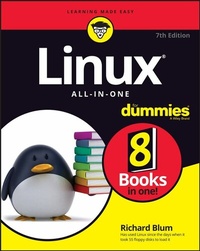
Linux All-In-One For Dummies
7th Edition
Published on 4. October 2022
576 pages
978-1-119-90194-5 (ISBN)
Description

Linux is for everyone!
Linux All-in-One For Dummies breaks down the ever-popular operating system to its basics and trains users on the art of Linux. This handy reference covers all the latest updates and operating system features. It presents content on Linux desktops, applications, and more. With eight books in one, you'll have access to the most comprehensive overview of Linux around. Explore the inner workings of Linux machines, so you'll know Linux front to back. This all-inclusive handbook also walks you through solving Linux problems--complete with hands-on examples--so you'll be a Linux whiz before you know it.
* Get familiar with Linux as you install and customize the operating system
* Learn how to navigate the file system, use the Linux shell, and get online
* Become a Linux guru with server hosting, scripting, and security how-tos
* Study for your Linux certification by using this complete guide as your reference
This book is a massive source of support for beginning and intermediate Linux users, as well as those looking to brush up on their knowledge for certification. And, thanks to the signature Dummies approach, it's also a lot of fun.
Linux All-in-One For Dummies breaks down the ever-popular operating system to its basics and trains users on the art of Linux. This handy reference covers all the latest updates and operating system features. It presents content on Linux desktops, applications, and more. With eight books in one, you'll have access to the most comprehensive overview of Linux around. Explore the inner workings of Linux machines, so you'll know Linux front to back. This all-inclusive handbook also walks you through solving Linux problems--complete with hands-on examples--so you'll be a Linux whiz before you know it.
* Get familiar with Linux as you install and customize the operating system
* Learn how to navigate the file system, use the Linux shell, and get online
* Become a Linux guru with server hosting, scripting, and security how-tos
* Study for your Linux certification by using this complete guide as your reference
This book is a massive source of support for beginning and intermediate Linux users, as well as those looking to brush up on their knowledge for certification. And, thanks to the signature Dummies approach, it's also a lot of fun.
More details
Other editions
Additional editions
Book
01/2023
7th Edition
Wiley
€35.00
Shipment within 15-20 days
Person
Richard Blum has more than 30 years' experience in the IT industry working as a systems and network administrator. He is an online instructor for Linux and programming courses and is the author of Linux Command Line and Shell Scripting Bible, Linux Essentials, and Linux For Dummies.
Content
- Intro
- Title Page
- Copyright Page
- Table of Contents
- Introduction
- About This Book
- Foolish Assumptions
- Icons Used in This Book
- Beyond the Book
- Where to Go from Here
- 1 Getting Started with Linux
- Chapter 1 Introducing Linux
- What Is Linux?
- The Linux kernel
- System memory management
- Software program management
- Hardware management
- GNU utilities
- Linux user interfaces
- The X Window system
- The KDE Plasma desktop
- The GNOME desktop
- The command-line interface
- Linux Distributions: Why So Many?
- Core Linux distributions
- Specialized Linux distributions
- Chapter 2 Installing Linux
- Dual-Booting with Linux and Microsoft Windows
- Installing a second hard drive
- Partitioning an existing drive
- Partitioning using Windows tools
- Partitioning using Linux tools
- Finally, Finally, Before You Get Started
- Disabling the secure boot feature
- Creating a boot disk
- Creating a bootable DVD
- Creating a bootable USB stick
- Installing Ubuntu
- Your First Ubuntu Boot
- Chapter 3 Living in a Virtual World
- What Are Virtual Servers?
- Installing VirtualBox
- Creating a Linux Virtual Machine
- Installing Linux on a Virtual Machine
- Changing settings
- Loading the operating system
- Working with the sandbox
- The Machine menu
- The View menu
- The Input menu
- The Devices menu
- Chapter 4 Trying Out Linux
- Starting Linux
- Playing with the Shell
- Starting the bash shell
- Understanding shell commands
- Trying a few Linux commands
- Shutting Down
- Chapter 5 Troubleshooting and Customizing Linux
- Using Text Mode Installation
- Lookin' for Trouble
- Using the kernel ring buffer
- Using log files
- Using the journal
- Resolving Other Installation Problems
- Using KNOPPIX boot commands
- Handling the fatal signal 11 error
- Getting around the PC reboot problem
- Using Linux kernel boot options
- Setting Up Printers
- Managing DVDs, CD-ROMs, and Flash Drives
- Updating the Operating System
- Updating Ubuntu
- Updating openSUSE
- Installing New Software
- Adding applications
- Adding applications in Ubuntu
- Adding applications in openSUSE
- Adding packages
- The Synaptic Package Manager
- Installing with YaST2
- 2 Linux Desktops
- Chapter 1 The GNOME Desktop
- Looking at the History of GNOME
- Breaking Down the GNOME Desktop
- Menu, please!
- The desktop
- Exploring the Activities Overview
- Customizing Your Ride
- Chapter 2 The KDE Plasma Desktop
- The KDE Plasma Desktop
- The Application launcher
- The panel
- The desktop
- Using Widgets
- Adding widgets
- Getting more widgets
- Plasma System Settings
- Desktop Settings
- Chapter 3 Other Popular Desktops
- Spicing Things Up with Cinnamon
- Reviewing the history of Cinnamon
- Looking at the menu
- Changing settings
- Adding more spice
- Working with MATE
- The history of MATE
- Looking at the menu
- Changing desktop settings
- Applets
- The Xfce Desktop Interface
- The history of Xfce
- The Whisker menu
- Changing Xfce settings
- Applets
- Chapter 4 Linux Desktop Applications
- The LibreOffice Suite
- Browsing the Web with Firefox
- Configuring Firefox
- Communicating with Email
- Evolving into email
- Working with KMail
- Setting up KMail
- The amazing Thunderbird
- Listening to Audio
- Listening to downloaded music
- Amarok
- Rhythmbox
- Viewing Movie Files
- Creating and Modifying Graphics
- Chapter 5 The Linux File System
- Pieces of the Puzzle
- Touring the Linux File System
- The root of the tree
- Where removable media lives
- Managing Your File System without a Net (or Mouse)
- Viewing information about files on the command line
- Understanding file listing information
- Comprehending file types
- Navigating the file system in Linux
- A Permissions Primer
- Checking out the triplets
- Beware of owners
- Hanging out in groups
- Clicking Your Way through the File System
- Using files
- Creating new directories
- Opening files and running programs
- Copying and moving files
- Deleting files and directories
- Taking out the trash
- Viewing and changing permissions
- Swimming with Dolphin
- Don't forget Xfce!
- Finding Things
- Chapter 6 Text Editors
- Viewing the Contents of a Text File
- Editing Text Files with nano
- Going with gedit
- Editing Text in the KDE Plasma Desktop
- Writing with KWrite
- Meet Kate
- Text Editing with ed and vi
- Using ed
- Using vi
- 3 Networking
- Chapter 1 Connecting to the Internet
- Understanding the Internet
- Deciding How to Connect to the Internet
- Connecting with DSL
- How DSL works
- DSL alphabet soup: ADSL, IDSL, SDSL
- Typical DSL setup
- Connecting with a Cable Modem
- How a cable modem works
- Typical cable modem setup
- Chapter 2 Setting Up a Local Area Network
- Understanding TCP/IP
- IP addresses
- Internet services and port numbers
- Setting Up an Ethernet LAN
- How Ethernet works
- Ethernet cables
- Configuring TCP/IP Networking
- Connecting Your LAN to the Internet
- Chapter 3 Going Wireless
- Understanding Wireless Ethernet Networks
- Understanding infrastructure and ad hoc modes
- Understanding wireless security
- Wired Equivalent Privacy (WEP)
- Wi-Fi Protected Access (WPA)
- Setting Up Wireless Hardware
- Configuring the Wireless Access Point
- Configuring Wireless Networks
- Chapter 4 Managing the Network
- Configuring Network Features
- Manually editing network configuration files
- Using a graphical tool
- Using a command-line tool
- NetworkManager command-line tools
- The iproute2 utilities
- Basic Network Troubleshooting
- Advanced Network Troubleshooting
- 4 Administration
- Chapter 1 Working with the Shell
- Opening Terminal Windows and Virtual Consoles
- Using the Bash Shell
- Understanding the syntax of shell commands
- Working with files
- Combining shell commands
- Controlling command input and output
- Getting command input from a file
- Saving command output in a file
- Saving error messages in a file
- Going wild with asterisks and question marks
- Discovering and Using Linux Commands
- Becoming root (superuser)
- Managing processes
- Working with date and time
- Processing files
- Counting words and lines in a text file
- Sorting text files
- Substituting or deleting characters from a file
- Splitting a file into several smaller files
- Writing Shell Scripts
- Chapter 2 Introducing Basic System Administration
- Taking Stock of System Administration Tasks
- Becoming root
- Using the su - command
- Using the sudo command
- Understanding How Linux Boots
- Understanding the SysVinit method
- Examining the /etc/inittab file
- Trying a new runlevel with the init command
- Understanding the Linux startup scripts
- Manually starting and stopping servers
- Automatically starting servers at system startup
- Understanding the Systemd method
- Units and targets
- Configuring units
- Setting the default target
- The systemctl program
- Monitoring System Performance
- Using the top utility
- Using the uptime command
- Using the vmstat utility
- Checking disk performance and disk usage
- Viewing System Information with the /proc File System
- Understanding Linux Devices
- Device files
- Block devices
- Character devices
- Network devices
- Persistent device naming with udev
- Managing Loadable Driver Modules
- Loading and unloading modules
- Understanding the /etc/modprobe.d files
- Scheduling Jobs in Linux
- Scheduling one-time jobs
- Scheduling recurring jobs
- Introducing Some GUI System Administration Tools
- Chapter 3 Managing Users and Groups
- Adding User Accounts
- Managing user accounts by using a GUI user manager
- Managing user accounts by using commands
- Managing Groups
- Exploring the User Environment
- Changing User and Group Ownership of Files
- Chapter 4 Managing File Systems
- Exploring the Linux File System
- Understanding the file-system hierarchy
- Mounting a device on the file system
- Examining the /etc/fstab file
- Sharing Files with NFS
- Installing NFS
- Exporting a file system with NFS
- Mounting an NFS file system
- Accessing a DOS or Windows File System
- Mounting a DOS or Windows disk partition
- Mounting an NTFS partition
- 5 Managing Linux Servers
- Chapter 1 Hosting Internet Services
- What Is a Linux Server?
- Launching services
- Running background processes
- Using a super-server
- Listening for clients
- Serving the Basics
- Web services
- The Apache server
- The NGINX server
- The lighthttpd package
- Database services
- The PostgreSQL server
- The MySQL server
- The MariaDB server
- The MongoDB server
- Mail services
- The mail transfer agent
- The mail delivery agent
- Serving Local Networks
- File servers
- NFS
- Samba
- Print servers
- Network resource servers
- IP addresses
- Logging
- Name servers
- Network management
- Time
- Chapter 2 Managing a Web Server
- Linux Web Servers
- Apache
- NGINX
- The Apache Web Server
- Installing an Apache server
- Configuring an Apache server
- Basic setup
- Apache logs
- User web hosting
- Virtual web hosting
- Creating a secure web server
- The NGINX Server
- Installing NGINX
- Configuring NGINX
- Chapter 3 Managing a Database Server
- Using the MySQL/MariaDB Database
- Installing MariaDB
- Looking at the MariaDB command prompt
- Using the mysql commands
- Creating database objects
- Creating a database
- Creating a user account
- Using the PostgreSQL Database
- Installing PostgreSQL
- Looking at the PostgreSQL command interface
- Connecting to the server
- The psql commands
- Creating PostgreSQL database objects
- Creating a database
- Creating user accounts
- Chapter 4 Working with Samba and NFS
- Sharing Files with NFS
- Installing NFS
- Exporting a file system with NFS
- Mounting an NFS file system
- Setting Up a Windows Server Using Samba
- Installing Samba
- Configuring Samba
- Trying out Samba
- Chapter 5 Managing Mail Servers
- Working with sendmail
- The sendmail configuration file
- The m4 macro processor
- The sendmail macro file
- Syntax of the sendmail.cf file
- Other sendmail files
- The .forward file
- The sendmail alias file
- Working with Postfix
- A Mail-Delivery Test
- Using the mail command
- The mail-delivery mechanism
- 6 Security
- Chapter 1 Introducing Linux Security
- Why Worry about Security?
- Establishing a Security Framework
- Determining business requirements for security
- Performing risk analysis
- Typical threats
- Typical vulnerabilities
- The 1-2-3 of risk analysis (probability and effect)
- Establishing a security policy
- Implementing security solutions (mitigation)
- Managing security
- Securing Linux
- Understanding the host-security issues
- Understanding network-security issues
- Delving Into Computer Security Terminology and Tools
- Keeping Up with Security News and Updates
- Chapter 2 Securing Linux
- Securing Passwords
- Shadow passwords
- Pluggable authentication modules (PAMs)
- Protecting Files and Directories
- Viewing ownerships and permissions
- Changing file ownerships
- Changing file permissions
- Setting default permission
- Checking for set user ID permission
- Encrypting and Signing Files with GnuPG
- Understanding public key encryption
- Understanding digital signatures
- Using GPG
- Generating the key pair
- Exchanging keys
- Signing a file
- Encrypting and decrypting documents
- Monitoring System Security
- Securing Internet Services
- Turning off stand-alone services
- Configuring the Internet super server
- Configuring TCP wrapper security
- Using Secure Shell for Remote Logins
- Setting Up Simple Firewalls
- Using NAT
- Enabling packet filtering on your Linux system
- Using the security level configuration tool
- Using the iptables command
- Security Files to Be Aware Of
- Chapter 3 Vulnerability Testing and Computer Security Audits
- Understanding Security Audits
- Nontechnical aspects of security audits
- Technical aspects of security audits
- Implementing a Security Test Methodology
- Some common computer vulnerabilities
- Online resources on computer vulnerabilities
- Typical computer vulnerabilities
- Host-security review
- Operating system updates
- File permissions
- Password security
- Incident response
- Network-security review
- Services started by inetd or xinetd
- Stand-alone services
- Penetration test
- Vulnerability Testing Types
- Exploring Security Testing Tools
- 7 Scripting
- Chapter 1 Introductory Shell Scripting
- Trying Out Simple Shell Scripts
- Exploring the Basics of Shell Scripting
- Storing stuff
- Calling shell functions
- Controlling the flow
- Exploring bash's built-in commands
- Chapter 2 Advanced Shell Scripting
- Trying Out sed
- Working with awk and sed
- Step 1: Pull out the ISBN
- Step 2: Calculate the 13th digit
- Step 3: Add the 13th digit to the other 12
- Step 4: Finish the process
- Final Notes on Shell Scripting
- Chapter 3 Programming in Linux
- An Overview of Programming
- Exploring the Software-Development Tools in Linux
- GNU C and C++ compilers
- Using GCC
- Compiling C++ programs
- Exploring GCC options
- The GNU make utility
- Makefile names
- The makefile
- Variables (or macros)
- A sample makefile
- How to run make
- The GNU debugger
- Preparing to debug a program
- Running gdb
- Finding bugs by using gdb
- Fixing bugs in gdb
- Understanding the Implications of GNU Licenses
- The GNU General Public License
- The GNU Library General Public License
- 8 Linux Certification
- Chapter 1 Studying for the Linux Professional Institute Exams
- Overview of LPI Certification Exams
- Overview of the Linux Essentials Exam
- Getting involved in the Linux community and finding a career in open source
- Finding your way on a Linux system
- The power of the command line
- The Linux operating system
- Security and file permissions
- Overview of the Linux Professionals Exams
- The LPIC-1 exams
- The LPIC-2 exams
- The LPIC-3 exams
- Chapter 2 Studying for the CompTIA Linux+ Exam
- Overview of the CompTIA Linux+ Exam
- System Management
- Security
- Scripting, Containers, and Automation
- Troubleshooting
- Chapter 3 Other Linux Certifications
- Vendor-Neutral Certifications
- The Linux Foundation
- The GIAC Certifications
- Vendor-Specific Certifications
- Index
- EULA
