

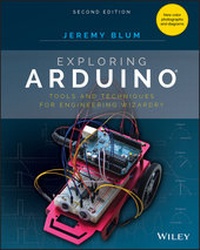
Exploring Arduino
Tools and Techniques for Engineering Wizardry
2nd Edition
Published on 16. October 2019
512 pages
978-1-119-40535-1 (ISBN)
Description

The bestselling beginner Arduino guide, updated with new projects!
Exploring Arduino makes electrical engineering and embedded software accessible. Learn step by step everything you need to know about electrical engineering, programming, and human-computer interaction through a series of increasingly complex projects. Arduino guru Jeremy Blum walks you through each build, providing code snippets and schematics that will remain useful for future projects. Projects are accompanied by downloadable source code, tips and tricks, and video tutorials to help you master Arduino. You'll gain the skills you need to develop your own microcontroller projects!
This new 2nd edition has been updated to cover the rapidly-expanding Arduino ecosystem, and includes new full-color graphics for easier reference. Servo motors and stepper motors are covered in richer detail, and you'll find more excerpts about technical details behind the topics covered in the book. Wireless connectivity and the Internet-of-Things are now more prominently featured in the advanced projects to reflect Arduino's growing capabilities. You'll learn how Arduino compares to its competition, and how to determine which board is right for your project. If you're ready to start creating, this book is your ultimate guide!
* Get up to date on the evolving Arduino hardware, software, and capabilities
* Build projects that interface with other devices--wirelessly!
* Learn the basics of electrical engineering and programming
* Access downloadable materials and source code for every project
Whether you're a first-timer just starting out in electronics, or a pro looking to mock-up more complex builds, Arduino is a fantastic tool for building a variety of devices. This book offers a comprehensive tour of the hardware itself, plus in-depth introduction to the various peripherals, tools, and techniques used to turn your little Arduino device into something useful, artistic, and educational. Exploring Arduino is your roadmap to adventure--start your journey today!
Exploring Arduino makes electrical engineering and embedded software accessible. Learn step by step everything you need to know about electrical engineering, programming, and human-computer interaction through a series of increasingly complex projects. Arduino guru Jeremy Blum walks you through each build, providing code snippets and schematics that will remain useful for future projects. Projects are accompanied by downloadable source code, tips and tricks, and video tutorials to help you master Arduino. You'll gain the skills you need to develop your own microcontroller projects!
This new 2nd edition has been updated to cover the rapidly-expanding Arduino ecosystem, and includes new full-color graphics for easier reference. Servo motors and stepper motors are covered in richer detail, and you'll find more excerpts about technical details behind the topics covered in the book. Wireless connectivity and the Internet-of-Things are now more prominently featured in the advanced projects to reflect Arduino's growing capabilities. You'll learn how Arduino compares to its competition, and how to determine which board is right for your project. If you're ready to start creating, this book is your ultimate guide!
* Get up to date on the evolving Arduino hardware, software, and capabilities
* Build projects that interface with other devices--wirelessly!
* Learn the basics of electrical engineering and programming
* Access downloadable materials and source code for every project
Whether you're a first-timer just starting out in electronics, or a pro looking to mock-up more complex builds, Arduino is a fantastic tool for building a variety of devices. This book offers a comprehensive tour of the hardware itself, plus in-depth introduction to the various peripherals, tools, and techniques used to turn your little Arduino device into something useful, artistic, and educational. Exploring Arduino is your roadmap to adventure--start your journey today!
More details
Other editions
Additional editions
Book
12/2019
2nd Edition
Wiley
€38.50
Available immediately
Content
- Cover
- Title Page
- Copyright
- About the Author
- About the Technical Editor
- Acknowledgments
- Contents at a Glance
- Contents
- Figure Credits
- Introduction
- Why Arduino?
- Who This Book Is For
- What You'll Learn in This Book
- Features Used in This Book
- Getting the Parts
- What You'll Need
- Source Code and Digital Content
- Errata
- Supplementary Material and Support
- What Is an Arduino?
- An Open Source Platform
- Beyond This Book
- Part I Arduino Engineering Basics
- Chapter 1 Getting Started and Understanding the Arduino Landscape
- Exploring the Arduino Ecosystem
- Arduino Functionality
- The Microcontroller
- Programming Interfaces
- Input/Output: GPIO, ADCs, and Communication Busses
- Power
- Arduino Boards
- Creating Your First Program
- Downloading and Installing the Arduino IDE
- Running the IDE and Connecting to the Arduino
- Breaking Down Your First Program
- Summary
- Chapter 2 Digital Inputs, Outputs, and Pulse-Width Modulation
- Digital Outputs
- Wiring Up an LED and Using Breadboards
- Working with Breadboards
- Wiring LEDs
- Programming Digital Outputs
- Using For Loops
- Pulse-Width Modulation with analogWrite()
- Reading Digital Inputs
- Reading Digital Inputs with Pull-Down Resistors
- Working with "Bouncy" Buttons
- Building a Controllable RGB LED Nightlight
- Summary
- Chapter 3 Interfacing with Analog Sensors
- Understanding Analog and Digital Signals
- Comparing Analog and Digital Signals
- Converting an Analog Signal to Digital
- Reading Analog Sensors with the Arduino: analogRead()
- Reading a Potentiometer
- Using Analog Sensors
- Using Variable Resistors to Make Your Own Analog Sensors
- Using Resistive Voltage Dividers
- Using Analog Inputs to Control Analog Outputs
- Summary
- Part II Interfacing with Your Environment
- Chapter 4 Using Transistors and Driving DC Motors
- Driving DC Motors
- Handling High-Current Inductive Loads
- Using Transistors as Switches
- Using Protection Diodes
- Using a Secondary Power Source
- Wiring the Motor
- Controlling Motor Speed with PWM
- Using an H-Bridge to Control DC Motor Direction
- Building an H-Bridge Circuit
- Operating an H-Bridge Circuit
- Building a Roving Robot
- Choosing the Robot Parts
- Selecting a Motor and Gearbox
- Powering Your Robot
- Constructing the Robot
- Writing the Robot Software
- Bringing It Together
- Summary
- Chapter 5 Driving Stepper and Servo Motors
- Driving Servo Motors
- Understanding the Difference between Continuous Rotation and Standard Servos
- Understanding Servo Control
- Controlling a Servo
- Building a Sweeping Distance Sensor
- Understanding and Driving Stepper Motors
- How Bipolar Stepper Motors Work
- Making Your Stepper Move
- Building a "One-Minute Chronograph"
- Wiring and Building the Chronograph
- Programming the Chronograph
- Summary
- Chapter 6 Making Soundsand Music
- Understanding How Speakers Work
- The Properties of Sound
- How a Speaker Produces Sound
- Using tone() to Make Sounds
- Including a Definition File
- Wiring the Speaker
- Making Sound Sequences
- Using Arrays
- Making Note and Duration Arrays
- Completing the Program
- Understanding the Limitations of the tone() Function
- Building a Micro Piano
- Summary
- Chapter 7 USB Serial Communication
- Understanding the Arduino's Serial Communication Capabilities
- Arduino Boards with an Internal or External FTDI or Silicon Labs USB-to-Serial Converter
- Arduino Boards with a Secondary USB-Capable ATmega MCU Emulating a Serial Converter
- Arduino Boards with a Single USB-Capable MCU
- Arduino Boards with USB-Host Capabilities
- Listening to the Arduino
- Using print Statements
- Using Special Characters
- Changing Data Type Representations
- Talking to the Arduino
- Configuring the Arduino IDE's Serial Monitor to Send Command Strings
- Reading Incoming Data from a Computer or Other Serial Device
- Telling the Arduino to Echo Incoming Data
- Understanding the Differences between Chars and Ints
- Sending Single Characters to Control an LED
- Sending Lists of Values to Control an RGB LED
- Talking to a Desktop App
- Installing Processing
- Controlling a Processing Sketch from Your Arduino
- Sending Data from Processing to Your Arduino
- Summary
- Chapter 8 Emulating USB Devices
- Emulating a Keyboard
- Typing Data into the Computer
- Commanding Your Computer to Do Your Bidding
- Emulating a Mouse
- Summary
- Chapter 9 Shift Registers
- Understanding Shift Registers
- Sending Parallel and Serial Data
- Working with the 74HC595 Shift Register
- Understanding the Shift Register pin Functions
- Understanding How the Shift Register Works
- Shifting Serial Data from the Arduino
- Converting Between Binary and Decimal Formats
- Controlling Light Animations with a Shift Register
- Building a "Light Rider"
- Responding to Inputs with an LED Bar Graph
- Summary
- Part III Communication Interfaces
- Chapter 10 The I2C Bus
- History of the I2C Bus
- I2C Hardware Design
- Communication Scheme and ID Numbers
- Hardware Requirements and Pull-Up Resistors
- Communicating with an I2C Temperature Probe
- Setting Up the Hardware
- Referencing the Datasheet
- Writing the Software
- Combining Shift Registers, Serial Communication, and I2C Communications
- Building the Hardware for a Temperature Monitoring System
- Modifying the Embedded Program
- Writing the Processing Sketch
- Summary
- Chapter 11 The SPI Bus and Third-Party Libraries
- Overview of the SPI Bus
- SPI Hardware and Communication Design
- Hardware Configuration
- Communication Scheme
- Comparing SPI to I2C and UART
- Communicating with an SPI Accelerometer
- What Is an Accelerometer?
- Gathering Information from the Datasheet
- Setting Up the Hardware
- Writing the Software
- Installing the Adafruit Sensor Libraries
- Leveraging the Library
- Creating an Audiovisual Instrument Using a 3-Axis Accelerometer
- Setting Up the Hardware
- Modifying the Software
- Summary
- Chapter 12 Interfacing with Liquid Crystal Displays
- Setting Up the LCD
- Using the LiquidCrystal Library to Write to the LCD
- Adding Text to the Display
- Creating Special Characters and Animations
- Building a Personal Thermostat
- Setting Up the Hardware
- Displaying Data on the LCD
- Adjusting the Set Point with a Button
- Adding an Audible Warning and a Fan
- Bringing It All Together: The Complete Program
- Taking This Project to the Next Level
- Summary
- Part IV Digging Deeper and Combining Functions
- Chapter 13 Interrupts and Other Special Functions
- Using Hardware Interrupts
- Knowing the Tradeoffs Between Polling and Interrupting
- Ease of Implementation (Software)
- Ease of Implementation (Hardware)
- Multitasking
- Acquisition Accuracy
- Understanding the Arduino Hardware Interrupt Capabilities
- Building and Testing a Hardware-Debounced Button Interrupt Circuit
- Creating a Hardware-Debouncing Circuit
- Assembling the Complete Test Circuit
- Writing the Software
- Using Timer Interrupts
- Understanding Timer Interrupts
- Getting the Library
- Executing Two Tasks Simultaneously(ish)
- Building an Interrupt-Driven Sound Machine
- Sound Machine Hardware
- Sound Machine Software
- Summary
- Chapter 14 Data Logging with SD Cards
- Getting Ready for Data Logging
- Formatting Data with CSV Files
- Preparing an SD Card for Data Logging
- Formatting Your SD Card Using a Windows PC
- Formatting Your SD Card Using Mac OS
- Formatting Your SD Card Using Linux
- Interfacing the Arduino with an SD Card
- SD Card Shields
- SD Card SPI Interface
- Writing to an SD Card
- Reading from an SD Card
- Real-Time Clocks
- Understanding Real-Time Clocks
- Communicating with a Real-Time Clock
- Using the RTC Arduino Third-Party Library
- Using a Real-Time Clock
- Installing the RTC and SD Card Modules
- Updating the Software
- Building an Entrance Logger
- Logger Hardware
- Logger Software
- Data Analysis
- Summary
- Part V Going Wireless
- Chapter 15 Wireless RF Communications
- The Electromagnetic Spectrum
- The Spectrum
- How Your RF Link Will Send and Receive Data
- Receiving Key Presses with the RF Link
- Connecting Your Receiver
- Programming Your Receiver
- Making a Wireless Doorbell
- Wiring the Receiver
- Programming the Receiver
- The Start of Your Smart Home-Controlling a Lamp
- Your Home's AC Power
- How a Relay Works
- Programming the Relay Control
- Hooking up Your Lamp and Relay to the Arduino
- Summary
- Chapter 16 Bluetooth Connectivity
- Demystifying Bluetooth
- Bluetooth Standards and Versions
- Bluetooth Profiles and BTLE GATT Services
- Communication between Your Arduino and Your Phone
- Reading a Sensor over BTLE
- Adding Support for Third-Party Boards to the Arduino IDE
- Installing the BTLE Module Library
- Programming the Feather Board
- Connecting Your Smartphone to Your BTLE Transmitter
- Sending Commands from Your Phone over BTLE
- Parsing Command Strings
- Commanding Your BTLE Device with Natural Language
- Controlling an AC Lamp with Bluetooth
- How Your Phone "Pairs" to BTLE Devices
- Writing the Proximity Control Software
- Pairing Your Phone
- Pairing an Android Phone
- Pairing an iPhone
- Make Your Lamp React to Your Presence
- Summary
- Chapter 17 Wi-Fi and the Cloud
- The Web, the Arduino, and You
- Networking Lingo
- The Internet vs. the World Wide Web vs. the Cloud
- IP Address
- Network Address Translation
- MAC Address
- HTML
- HTTP and HTTPS
- GET/POST
- DHCP
- DNS
- Clients and Servers
- Your Wi-Fi-Enabled Arduino
- Controlling Your Arduino from the Web
- Setting Up the I/O Control Hardware
- Preparing the Arduino IDE for Use with the Feather Board
- Ensuring the Wi-Fi Library Is Matched to the Wi-Fi Module's Firmware
- Checking the WINC1500's Firmware Version
- Updating the WINC1500's Firmware
- Writing an Arduino Server Sketch
- Connecting to the Network and Retrieving an IP Address via DHCP
- Writing the Code for a Bare-Minimum Web Server
- Controlling Your Arduino from Inside and Outside Your Local Network
- Controlling Your Arduino over the Local Network
- Using Port Forwarding to Control Your Arduino from Anywhere
- Interfacing with Web APIs
- Using a Weather API
- Creating an Account with the API Service Provider
- Understanding How APIs Are Structured
- JSON-Formatted Data and Your Arduino
- Fetching and Parsing Weather Data
- Getting the Local Temperature from the Web on Your Arduino
- Completing the Live Temperature Display
- Wiring up the LED Readout Display
- Driving the Display with Temperature Data
- Summary
- Appendix A: Deciphering Datasheets and Schematics
- Reading Datasheets
- Breaking Down a Datasheet
- Understanding Component Pin-Outs
- Understanding the Arduino Schematic
- Index
- EULA
