

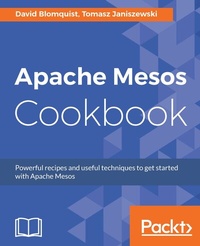
Apache Mesos Cookbook
Efficiently handle and manage tasks in a distributed environment
Published on 8. July 2025
146 pages
978-1-78588-093-3 (ISBN)
Description

No detailed description available for "Apache Mesos Cookbook".
All prices
More details
Edition
Digital original
Language
English
Place of publication
Birmingham
United Kingdom
Target group
Professional and scholarly
US School Grade: College Graduate Student
Edition type
Digital original
File size
1,88 MB
ISBN-13
978-1-78588-093-3 (9781785880933)
Copyright in bibliographic data and cover images is held by Nielsen Book Services Limited or by the publishers or by their respective licensors: all rights reserved.
Schweitzer Classification
Other editions
Additional editions
David Blomquist | Tomasz Janiszewski
Apache Mesos Cookbook
Book
08/2017
Packt Publishing
€44.90
Shipment within 3-4 weeks
Person
Massenzio Marco :
MesosBlomquist David :
David Blomquist been working with computers since the 1980s. His first computer was an Apple Macintosh and the first networked computer he managed was a 10 terminal Xenix system. Since that time, David has held positions in virtually every area of IT, including operations, development, and architecture. David now specializes in designing Big Data, HPC, and Grid Computing systems with applications in Health Care and Science. Most recently, he has designed and deployed several large-scale clusters for the Federal Government.Janiszewski Tomasz :
mesos
MesosBlomquist David :
David Blomquist been working with computers since the 1980s. His first computer was an Apple Macintosh and the first networked computer he managed was a 10 terminal Xenix system. Since that time, David has held positions in virtually every area of IT, including operations, development, and architecture. David now specializes in designing Big Data, HPC, and Grid Computing systems with applications in Health Care and Science. Most recently, he has designed and deployed several large-scale clusters for the Federal Government.Janiszewski Tomasz :
mesos
Content
- Cover
- Copyright
- Credits
- About the Authors
- About the Reviewer
- www.PacktPub.com
- Customer Feedback
- Table of Contents
- Preface
- Chapter 1: Getting Started with Apache Mesos
- Introduction
- Installing Mesos on Ubuntu 16.04 from packages
- Getting ready
- How to do it...
- How it works...
- See also
- Installing Mesos on Ubuntu 14.04 from packages
- Getting ready
- How to do it...
- How it works...
- See also
- Installing Mesos on CentOS 7 and RHEL 7 from packages
- Getting ready
- How to do it...
- How it works...
- See also
- Preparing Ubuntu 16.04 for a Mesos installation from source code
- Getting ready
- How to do it...
- How it works...
- Preparing Ubuntu 14.04 for a Mesos installation from source code
- Getting ready
- How to do it...
- How it works...
- Preparing OS X (Yosemite and El Capitan) for a Mesos Installation from source code
- Getting ready
- How to do it...
- How it works...
- Downloading, building, and installing the Mesos source code
- Getting ready
- How to do it...
- How it works...
- There's more...
- Configuration tips
- Build tips
- Installation tips
- Chapter 2: Implementing High Availability with Apache ZooKeeper
- Introduction
- Configuring ZooKeeper installed from packages on Ubuntu 14.04, Ubuntu 16.04, CentOS 7, or RHEL 7
- Getting ready
- How to do it...
- Configuring Mesos masters with ZooKeeper
- Configuring Mesos agents with ZooKeeper
- There's more...
- Configuring ZooKeeper on Ubuntu 14.04, 16.04, and OS X from source
- Getting ready
- How to do it...
- Configuring Mesos masters with ZooKeeper
- Configuring Mesos agents with ZooKeeper
- How it works...
- There's more...
- Chapter 3: Running and Maintaining Mesos
- Introduction
- Logging and debugging
- Getting ready
- How to do it...
- How it works...
- Monitoring
- Getting ready
- How to do it...
- How it works...
- See also
- Setting attributes for agents
- How to do it...
- How it works...
- Defining roles and resources
- How to do it...
- How it works...
- There's more...
- Dynamic reservations
- Persistent volumes
- Oversubscription
- How to do it...
- How it works...
- See also
- Controlling permissions using access control lists
- Getting ready
- How to do it...
- How it works...
- Agent authentication
- Getting ready
- How to do it...
- Master
- Agent
- Marathon
- How it works...
- Encryption SSL
- Getting ready
- How to do it...
- How it works...
- Upgrading Mesos
- How to do it...
- How it works...
- Chapter 4: Understanding the Scheduler API
- Introduction
- Installing Protobuf
- Getting ready
- How to do it...
- How it works...
- Registering frameworks
- How to do it...
- How it works...
- Handling events
- How to do it...
- How it works...
- Declining offers
- How to do it...
- How it works...
- Scheduling tasks
- How to do it...
- How it works...
- Acknowledging task updates
- How to do it...
- How it works...
- Killing tasks
- How to do it...
- How it works...
- State persistence
- How to do it...
- How it works...
- Reconciliation
- How to do it...
- How it works...
- Chapter 5: Managing Containers
- Introduction
- Enabling the Mesos containerizer
- Getting ready
- How to do it...
- How it works...
- Enabling POSIX isolators
- Getting ready
- How to do it....
- How it works...
- Enabling the POSIX disk isolator
- Getting ready
- How to do it...
- How it works...
- Configuring the shared filesystem isolator
- Getting ready
- How to do it...
- How it works...
- Configuring cgroup isolators
- Getting ready
- How to do it...
- How it works...
- Configuring the port mapping network isolator
- Getting ready
- How to do it...
- How it works...
- Configuring Docker image support for the Mesos containerizer
- Getting ready
- How to do it...
- How it works...
- Using the Docker containerizer
- Getting ready
- How to do it...
- How it works...
- Running an image from a private repository
- Getting ready
- How to do it...
- How it works...
- Using container network interface
- Getting ready
- How to do it...
- How it works...
- Monitoring containers with Sysdig
- Getting ready
- How to do it...
- How it works...
- Chapter 6: Deploying PaaS with Marathon
- Introduction
- Installing and configuring Marathon
- Getting ready
- How to do it...
- How it works...
- Monitoring Marathon
- Getting ready
- How to do it...
- How it works...
- Launching an application
- Getting ready
- How to do it...
- How it works...
- Launching a Docker container
- Getting ready
- How to do it...
- How it works...
- Setting up the discovery service
- Getting ready
- How to do it...
- How it works...
- Enabling SSL
- Getting ready
- How to do it...
- How it works...
- Enabling basic access authentication
- Getting ready
- How to do it...
- How it works...
- Using a custom authentication plugin
- Getting ready
- How to do it...
- How it works...
- Tuning Marathon
- Getting ready
- How to do it...
- How it works...
- Chapter 7: Job Scheduling with Metronome
- Introduction
- Installing and configuring Metronome
- How to do it...
- How it works...
- Monitoring Metronome
- How to do it...
- How it works...
- Scheduling jobs
- How to do it...
- How it works...
- Chapter 8: Continuous Integration with Jenkins
- Introduction
- Building the Jenkins Mesos plugin
- Getting ready
- How to do it...
- How it works...
- Installing Jenkins
- How to do it...
- Enabling the Jenkins Mesos plugin
- Getting ready
- How to do it...
- Index

