

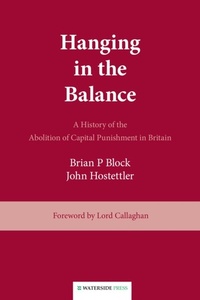
Hanging in the Balance
A History of the Abolition of Capital Punishment in Britain
1st Edition
Published on 30. September 1997
288 pages
978-1-908162-39-7 (ISBN)
Description

"Hanging in the Balance" traces the History of capital punishment in the United Kingdom from ancient times to the modern day - through periods of reform until hanging for murder was finally abolished by Parliament in 1969. It describes in detail the Parliamentary and public debates, and notes the stance taken by organizations and individuals (including the tenacious and persistent Sydney Silverman MP). The book collates data and references not previously brought together in one place-and in exploring the underlying issues and the recurring arguments about deterrence, retribution and expediency it provides an invaluable resource vis-a-vis the same debate in the many countries where capital punishment still exists.Lord Callaghan was home secretary at the time of abolition. His ''Foreword'' conveys how strong his personal feelings were concerning the death penalty from the time he entered Parliament in 1945. The book''s closing chapters record how his insistence that abolition should become permanent ultimately overcame the still considerable opposition. Capital punishment was finally abolished in 1999 throughout the UK. For all practical purposes this had already happened in 1969 when the Murder (Abolition of Death Penalty) Act 1965 was made fully effective into following a trial period.
More details
Other editions
Additional editions
Brian P. Block | John Hostettler
Hanging in the Balance
a History of the Abolition of Capital Punishment in Britain
Book
09/1997
Waterside Press
€37.80
Shipment within 3-4 weeks
Content
- Intro
- About the authors
- Copyright and publication details
- CONTENTS
- Foreword
- Preface
- 1. Capital Crimes
- 2. Gruesome Scenes
- 3. Moves To Minimise Capital Punishment
- 4. Rush To Reform
- 5. Executions in Private
- 6. Abolition of Public Hangings
- 7. The Campaign at Bay
- 8. Towards a Select Committee
- 9. Peace and War
- 10. The Silverman Amendment
- 11. The Royal Commission
- 12. Trials and Tribulations
- 13. A Quiet Report
- 14. Another Victory: Another Defeat
- 15. The Homicide Act 1957
- 16. Confusion
- 17. The Trend Towards Abolition
- 18. Abolition
- 19. The End of the Rope
- Afterword
- APPENDIX I: Milestones to Abolition
- APPENDIX II: Prime Ministers from 1800 to 1970
- APPENDIX III: Home Secretaries from 1800 to 1970
- Select Bibliography
- Index
