

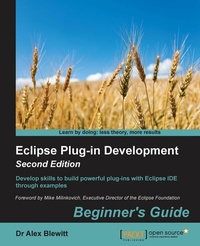
Eclipse Plug-in Development Beginner's Guide
Extend and customize Eclipse
2nd Edition
Published on 8. July 2025
458 pages
978-1-78528-501-1 (ISBN)
Description

Develop skills to build powerful plug-ins with Eclipse IDE through examples
Key Features
[*] Create useful plug-ins to make Eclipse work for you
[*] Learn how to migrate Eclipse 3.x plug-ins to Eclipse 4.x
[*] From automation to testing, find out how to get your IDE performing at an impressive standard
Book DescriptionEclipse is used by everyone from indie devs to NASA engineers. Its popularity is underpinned by its impressive plug-in ecosystem, which allows it to be extended to meet the needs of whoever is using it. This book shows you how to take full advantage of the Eclipse IDE by building your own useful plug-ins from start to finish. Taking you through the complete process of plug-in development, from packaging to automated testing and deployment, this book is a direct route to quicker, cleaner Java development. It may be for beginners, but we're confident that you'll develop new skills quickly. Pretty soon you'll feel like an expert, in complete control of your IDE. Don't let Eclipse define you - extend it with the plug-ins you need today for smarter, happier, and more effective development.What you will learn
[*] Create plug-ins for Eclipse 4.x
[*] Test plug-ins automatically with JUnit
[*] Display tree and table information in views
[*] Upgrade Eclipse 3.x plug-ins to Eclipse 4.x
[*] Find out how to build user interfaces from SWT and JFace
[*] Run tasks in the background and update the user interface asynchronously
[*] Automate builds of plug-ins and features
[*] Automate user interface tests with SWTBot [/list]
Who this book is forThis book is for Java developers familiar with Eclipse who need more from the IDE. This book will sharpen your confidence and make you a more productive developer with a tool that supports rather than limits you.
Key Features
[*] Create useful plug-ins to make Eclipse work for you
[*] Learn how to migrate Eclipse 3.x plug-ins to Eclipse 4.x
[*] From automation to testing, find out how to get your IDE performing at an impressive standard
Book DescriptionEclipse is used by everyone from indie devs to NASA engineers. Its popularity is underpinned by its impressive plug-in ecosystem, which allows it to be extended to meet the needs of whoever is using it. This book shows you how to take full advantage of the Eclipse IDE by building your own useful plug-ins from start to finish. Taking you through the complete process of plug-in development, from packaging to automated testing and deployment, this book is a direct route to quicker, cleaner Java development. It may be for beginners, but we're confident that you'll develop new skills quickly. Pretty soon you'll feel like an expert, in complete control of your IDE. Don't let Eclipse define you - extend it with the plug-ins you need today for smarter, happier, and more effective development.What you will learn
[*] Create plug-ins for Eclipse 4.x
[*] Test plug-ins automatically with JUnit
[*] Display tree and table information in views
[*] Upgrade Eclipse 3.x plug-ins to Eclipse 4.x
[*] Find out how to build user interfaces from SWT and JFace
[*] Run tasks in the background and update the user interface asynchronously
[*] Automate builds of plug-ins and features
[*] Automate user interface tests with SWTBot [/list]
Who this book is forThis book is for Java developers familiar with Eclipse who need more from the IDE. This book will sharpen your confidence and make you a more productive developer with a tool that supports rather than limits you.
All prices
More details
Edition
2nd Revised edition
Language
English
Place of publication
Birmingham
United Kingdom
Target group
Professional and scholarly
US School Grade: College Graduate Student
Edition type
Revised edition
File size
15,60 MB
ISBN-13
978-1-78528-501-1 (9781785285011)
Copyright in bibliographic data and cover images is held by Nielsen Book Services Limited or by the publishers or by their respective licensors: all rights reserved.
Schweitzer Classification
Other editions
Additional editions
Book
08/2016
2nd Edition
Packt Publishing
€64.40
Shipment within 3-4 weeks
Person
Blewitt Alex :
contacted on 30 aug 16 _____________ Dr Alex Blewitt has over 20 years of experience in Objective-C and has been using Apple frameworks since NeXTstep 3.0. He upgraded his NeXTstation for a TiBook when Apple released Mac OS X in 2001 and has been developing on it ever since. Alex currently works for an investment bank in London, writes for the on-line technology news site InfoQ and has published two other books for Packt publishing. He also has a number of apps on the Apple AppStore through Bandlem Limited. When he's not working on technology, and if the weather is nice, he likes to go flying from the nearby Cranfield airport. Alex writes regularly at his blog, http://alblue.bandlem.com, as well tweeting regularly from Twitter as @alblue. Acknowledgements This book would not have been possible without the ongoing love and support of my wife Amy, who has helped me through both the highs and lows of life. She gave me the freedom to work during the many late nights and weekends that it takes to produce a book and its associated code repository. She truly is the Lem of my life. I'd also like to thank my parents, Ann and Derek, for their encouragement and support during my formative years. It was this work ethic that allowed me to start my technology career as a teenager and to incorporate my first company before I was 25. I'd also like to congratulate them on their 50th wedding anniversary in 2015, and I look forward to reaching that goal with Amy. Thanks are due especially to the reviewer of this version of the book: Antonio Bello, as well as the previous version of this book: Nate Cook, James Robert and Arvid Gerstmann, who provided excellent feedback on the contents of this book during development and caught many errors in both the text and code. Any remaining errors are my own. I'd also like to thank my children Sam and Holly for inspiring me and hope that they too can achieve anything that they set their minds to. Finally, I'd like to thank Ben Moseley and Eren Kotan, both of whom introduced me to NeXT in the first place and set my career going on a twenty year journey to this book.
contacted on 30 aug 16 _____________ Dr Alex Blewitt has over 20 years of experience in Objective-C and has been using Apple frameworks since NeXTstep 3.0. He upgraded his NeXTstation for a TiBook when Apple released Mac OS X in 2001 and has been developing on it ever since. Alex currently works for an investment bank in London, writes for the on-line technology news site InfoQ and has published two other books for Packt publishing. He also has a number of apps on the Apple AppStore through Bandlem Limited. When he's not working on technology, and if the weather is nice, he likes to go flying from the nearby Cranfield airport. Alex writes regularly at his blog, http://alblue.bandlem.com, as well tweeting regularly from Twitter as @alblue. Acknowledgements This book would not have been possible without the ongoing love and support of my wife Amy, who has helped me through both the highs and lows of life. She gave me the freedom to work during the many late nights and weekends that it takes to produce a book and its associated code repository. She truly is the Lem of my life. I'd also like to thank my parents, Ann and Derek, for their encouragement and support during my formative years. It was this work ethic that allowed me to start my technology career as a teenager and to incorporate my first company before I was 25. I'd also like to congratulate them on their 50th wedding anniversary in 2015, and I look forward to reaching that goal with Amy. Thanks are due especially to the reviewer of this version of the book: Antonio Bello, as well as the previous version of this book: Nate Cook, James Robert and Arvid Gerstmann, who provided excellent feedback on the contents of this book during development and caught many errors in both the text and code. Any remaining errors are my own. I'd also like to thank my children Sam and Holly for inspiring me and hope that they too can achieve anything that they set their minds to. Finally, I'd like to thank Ben Moseley and Eren Kotan, both of whom introduced me to NeXT in the first place and set my career going on a twenty year journey to this book.
Content
Table of Contents
Creating Your First Plug-in
Creating Views with SWT
Creating JFace Viewers
Interacting with the User
Storing Preferences and Settings
Working with Resources
Understanding the Eclipse 4 Model and RCP applications
Migrating views to Eclipse 4 IDE
Styling and custom hooks in E4
Creating Features Update Sites Applications and Products
Automated Testing of Plug-ins
Automated Builds with Tycho
Contributing to Eclipse
Appendix A: Using OSGi Services to dynamically wire applications
Appendix B: Pop Quiz Answers
Creating Your First Plug-in
Creating Views with SWT
Creating JFace Viewers
Interacting with the User
Storing Preferences and Settings
Working with Resources
Understanding the Eclipse 4 Model and RCP applications
Migrating views to Eclipse 4 IDE
Styling and custom hooks in E4
Creating Features Update Sites Applications and Products
Automated Testing of Plug-ins
Automated Builds with Tycho
Contributing to Eclipse
Appendix A: Using OSGi Services to dynamically wire applications
Appendix B: Pop Quiz Answers

