

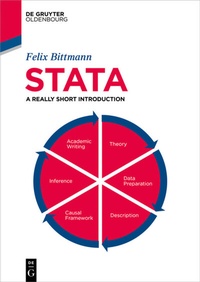
Stata
Description

Stata is one of the most popular statistical software in the world and suited for all kinds of users, from absolute beginners to experienced veterans. This book offers a clear and concise introduction to the usage and the workflow of Stata. Included topics are importing and managing datasets, cleaning and preparing data, creating and manipulating variables, producing descriptive statistics and meaningful graphs as well as central quantitative methods, like linear (OLS) and binary logistic regressions and matching. Additional information about diagnostical tests ensures that these methods yield valid and correct results that live up to academic standards. Furthermore, users are instructed how to export results that can be directly used in popular software like Microsoft Word for seminar papers and publications. Lastly, the book offers a short yet focussed introduction to scientific writing, which should guide readers through the process of writing a first quantitative seminar paper or research report. The book underlines correct usage of the software and a productive workflow which also introduces aspects like replicability and general standards for academic writing. While absolute beginners will enjoy the easy to follow point-and-click interface, more experienced users will benefit from the information about do-files and syntax which makes Stata so popular. Lastly, a wide range of user-contributed software ("Ados") is introduced which further improves the general workflow and guarantees the availability of state of the art statistical methods.
More details
Other editions
Person
Content
- Intro
- Contents
- List of Notes
- 1. Introduction
- 2. The first steps
- 3. Cleaning and preparing data
- 4. Describing data
- 5. Introduction to causal analysis
- 6. Regression analysis
- 7. Regression diagnostics
- 8. Logistic regression
- 9. Matching
- 10. Reporting results
- 11. Writing a seminar paper
- 12. The next steps
- References
- Copyright
- Index
