

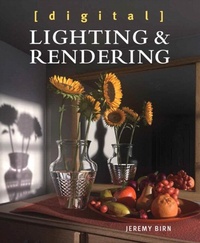
Digital Lighting and Rendering
3rd Edition
Published on 29. October 2013
464 pages
978-0-13-343919-9 (ISBN)
Description

Learn the fine art and craft of digital lighting and rendering from an experienced pro whose lighting work you've seen in blockbuster films such as Monsters University, Toy Story 3, Up, WALL-E, Ratatouille, and The Incredibles. Jeremy Birn draws on his wealth of industry and teaching experience to provide a thoroughly updated edition of what has become the standard guide to digital lighting and rendering. Using beautiful, full-color examples; a friendly, clear teaching style; and a slew of case studies and tutorials, Jeremy demonstrates how to create strategic lighting for just about any project using any 3D application. By explaining not just how to use various lighting techniques but why, this guide provides the grounding graphics pros need to master Hollywood lighting techniques.
. Learn how to pinpoint problems with your lighting and solve them to produce professional results.
. Break scenes into passes and layers, and convincingly composite 3D models into real-world environments.
. Adopt a linear workflow for more convincing lighting, global illumination, and compositing.
. Apply advanced rendering techniques using subsurface scattering, physically based lighting, caustics, and high dynamic range images.
. Build a bigger bag of tricks by learning "old-school" approaches such as tweaking shadow maps, faking GI with occlusion passes, and other cheats and tricks that save render time.
. Develop realistic materials and shaders, and design and assign detailed texture maps to your models.
. Mimic photographic exposure and cinematography techniques to simulate real-life f-stops, lens breathing, bokeh effects, and Kelvin color temperatures for more photorealistic renderings.
. Learn to light characters and environments in different situations: day or night; natural or artificial lights; indoors or outdoors; and in clear air, thick atmosphere, or under water.
. Understand production pipelines at visual effects and animation studios, and prepare for collaborative work on large lighting teams
. Get the latest insights into industry trends, and how to develop your lighting reel and get a job in an increasingly competitive industry.
. Download many of the 3D scenes used in this book from the author's website to try texturing, lighting, and compositing on your own
. Learn how to pinpoint problems with your lighting and solve them to produce professional results.
. Break scenes into passes and layers, and convincingly composite 3D models into real-world environments.
. Adopt a linear workflow for more convincing lighting, global illumination, and compositing.
. Apply advanced rendering techniques using subsurface scattering, physically based lighting, caustics, and high dynamic range images.
. Build a bigger bag of tricks by learning "old-school" approaches such as tweaking shadow maps, faking GI with occlusion passes, and other cheats and tricks that save render time.
. Develop realistic materials and shaders, and design and assign detailed texture maps to your models.
. Mimic photographic exposure and cinematography techniques to simulate real-life f-stops, lens breathing, bokeh effects, and Kelvin color temperatures for more photorealistic renderings.
. Learn to light characters and environments in different situations: day or night; natural or artificial lights; indoors or outdoors; and in clear air, thick atmosphere, or under water.
. Understand production pipelines at visual effects and animation studios, and prepare for collaborative work on large lighting teams
. Get the latest insights into industry trends, and how to develop your lighting reel and get a job in an increasingly competitive industry.
. Download many of the 3D scenes used in this book from the author's website to try texturing, lighting, and compositing on your own
All prices
More details
Other editions
Additional editions
Jeremy Birn
Digital Lighting and Rendering
Book
11/2013
3rd Edition
New Riders
€59.41
Article exhausted; check different version
Person
Jeremy Birn has been a Lighting Technical Director at Pixar since 2002, and has lit shots in movies including Brave, Toy Story 3, Ratatouille, Wall-e, Cars 1 and 2, and The Incredibles. He has previously done visual effects and lighting work at companies including Tippett Studios, CBS Television, Wild Brain, and Palomar Pictures.
He also has taught advanced lighting and rendering at the Academy of Art University in San Francisco and the California Institute of the Arts, and has taught master classes in Maya at Autodesk.
Content
Introduction
Chapter One Fundamentals of Lighting Design
Chapter Two Lighting Basics and Good Practices
Chapter Three Shadows and Occlusion
Chapter Four Lighting Environments and Architecture
Chapter Five Lighting Creatures, Characters, and Animation
Chapter Six Cameras and Exposure
Chapter Seven Composition and Staging
Chapter Eight The Art and Science of Color
Chapter Nine Shaders and Rendering Algorithms
Chapter Ten Designing and Assigning Textures
Chapter Eleven Rendering in Layers and Passes for Compositing
Chapter Twelve Production Pipelines and Professional Practices
Appendix Getting a Job in 3D Graphics
Index
Chapter One Fundamentals of Lighting Design
Chapter Two Lighting Basics and Good Practices
Chapter Three Shadows and Occlusion
Chapter Four Lighting Environments and Architecture
Chapter Five Lighting Creatures, Characters, and Animation
Chapter Six Cameras and Exposure
Chapter Seven Composition and Staging
Chapter Eight The Art and Science of Color
Chapter Nine Shaders and Rendering Algorithms
Chapter Ten Designing and Assigning Textures
Chapter Eleven Rendering in Layers and Passes for Compositing
Chapter Twelve Production Pipelines and Professional Practices
Appendix Getting a Job in 3D Graphics
Index
