

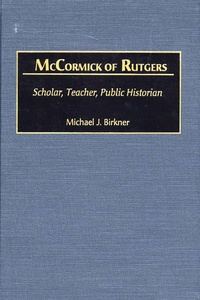
McCormick of Rutgers
Scholar, Teacher, Public Historian
1st Edition
Published on 28. February 2001
264 pages
978-0-313-00080-5 (ISBN)
Description

Richard P. McCormick made his mark as an innovative student of American party politics, as well as the most influential interpreter of New Jersey history. A distinguished teacher, scholar, and public historian, McCormick revitalized a venerable but dormant state historical society. Later, he used notable anniversaries, such as the Bicentennial of the American Revolution and the Tercentenary of New Jersey's founding, as vehicles to bring history to schools and the general public. He also helped create a state historical agency, the New Jersey Historical Commission, to promote New Jersey's past and preserve its historic treasures.
Birkner describes McCormick's life and times. He looks at McCormick's scholarly apprenticeship, the origins of his interest in a new political history, and his contributions to the study of American politics before the Civil War. McCormick's concern for elucidating political machinery was fused with a fundamental skepticism about American democracy as run by and for the people. Through use of oral history, McCormick tells his own story. Then, through their exchanges, Birkner challenges some of McCormick's scholarly arguments and elicits responses that help to shed light on his subject's theory of politics.
Birkner describes McCormick's life and times. He looks at McCormick's scholarly apprenticeship, the origins of his interest in a new political history, and his contributions to the study of American politics before the Civil War. McCormick's concern for elucidating political machinery was fused with a fundamental skepticism about American democracy as run by and for the people. Through use of oral history, McCormick tells his own story. Then, through their exchanges, Birkner challenges some of McCormick's scholarly arguments and elicits responses that help to shed light on his subject's theory of politics.
More details
Series
Edition
1. Auflage
Language
English
Place of publication
New York
United States
Publishing group
Bloomsbury Publishing Plc
Target group
Interest Age: From 7 to 17 years
ISBN-13
978-0-313-00080-5 (9780313000805)
Copyright in bibliographic data and cover images is held by Nielsen Book Services Limited or by the publishers or by their respective licensors: all rights reserved.
Schweitzer Classification
Other editions
Additional editions
Book
02/2001
Praeger Publishers Inc
€99.40
Shipment within 15-20 days
Person
MICHAEL J. BIRKNER is Professor and Chair of the History Department at Gettysburg College./e
Content
Preface
Introduction
The Path to a Life With History
Revitalizing the Study of New Jersey
Life at Rutgers: Doing Public History in the 1950s and 1960s
Championing a New Political History
The Turbulent 60s at Rutgers
Doing History: Reflections
Selected Bibliography
Bibliography
Index
Introduction
The Path to a Life With History
Revitalizing the Study of New Jersey
Life at Rutgers: Doing Public History in the 1950s and 1960s
Championing a New Political History
The Turbulent 60s at Rutgers
Doing History: Reflections
Selected Bibliography
Bibliography
Index
