

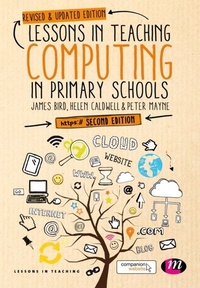
Lessons in Teaching Computing in Primary Schools
2nd Edition
Published on 6. March 2017
176 pages
978-1-5264-1244-7 (ISBN)
Description

Whether you are currently teaching or training to teach the primary computing curriculum, you need to know what effective teaching of computing in primary schools actually looks like. Written for non specialists and trainees, this book uses exemplar primary computing lessons as a starting point for developing subject knowledge. It's a unique but tried and tested approach to developing your computing subject knowledge alongside your teaching practice.
The current computing curriculum is explored in manageable chunks and there is no "scary" tech speak; everything is explained clearly and accessibly. You will find example lesson plans alongside every element of the curriculum that can be adapted to suit different year groups and different schools. This resourceful guide inspires an approach to teaching computing that is about creativity and encouraging problem solving using technology as a tool.
NEW TO THIS EDITION: Updated throughout and includes information on new apps and other resources for teaching and a brand new chapter on teaching with tablets in the primary classroom.
This book is part of the Lessons in Teaching series and includes additional online resources on its accompanying website.
The current computing curriculum is explored in manageable chunks and there is no "scary" tech speak; everything is explained clearly and accessibly. You will find example lesson plans alongside every element of the curriculum that can be adapted to suit different year groups and different schools. This resourceful guide inspires an approach to teaching computing that is about creativity and encouraging problem solving using technology as a tool.
NEW TO THIS EDITION: Updated throughout and includes information on new apps and other resources for teaching and a brand new chapter on teaching with tablets in the primary classroom.
This book is part of the Lessons in Teaching series and includes additional online resources on its accompanying website.
All prices
More details
Series
Edition
Second Edition
Language
English
Place of publication
London
United Kingdom
Publishing group
Sage Publications Ltd
Target group
College/higher education
Product notice
Reflowable
File size
3,29 MB
ISBN-13
978-1-5264-1244-7 (9781526412447)
Copyright in bibliographic data and cover images is held by Nielsen Book Services Limited or by the publishers or by their respective licensors: all rights reserved.
Schweitzer Classification
Other editions
Additional editions
James Bird | Helen Caldwell | Peter Mayne
Lessons in Teaching Computing in Primary Schools
Book
04/2017
2nd Edition
Learning Matters Ltd
€128.80
Shipment within 15-20 days
James Bird | Helen Caldwell | Peter Mayne
Lessons in Teaching Computing in Primary Schools
Book
04/2017
2nd Edition
Learning Matters Ltd
€62.00
Shipment within 15-20 days
Persons
Helen Caldwell is the curriculum lead for Primary Computing in Teacher Education at the University of Northampton. Her teaching covers the use of technology across primary subjects, implementing the computing curriculum and assistive technologies for SEN.
Content
Algorithms and computational thinking in Key Stage 1
Programming in KS1
Manipulating digital data in KS1
Programming in KS2
Physical Computing in KS2
Understanding computer networks in KS2
Searching wisely for digital information in KS2
Using technology purposefully in KS2
Purposeful technology across the curriculum - supporting enquiry using tablets
Extending computing to meet individual needs in KS2
Embedding computational thinking: moving from graphical to text-based languages
Programming in KS1
Manipulating digital data in KS1
Programming in KS2
Physical Computing in KS2
Understanding computer networks in KS2
Searching wisely for digital information in KS2
Using technology purposefully in KS2
Purposeful technology across the curriculum - supporting enquiry using tablets
Extending computing to meet individual needs in KS2
Embedding computational thinking: moving from graphical to text-based languages
