

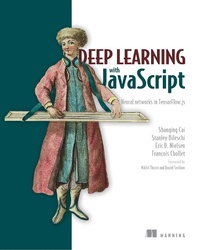
Deep Learning with JavaScript
Neural networks in TensorFlow.js
1st Edition
Published on 24. January 2020
560 pages
978-1-63835-154-2 (ISBN)
Description

Summary
Deep learning has transformed the fields of computer vision, image processing, and natural language applications. Thanks to TensorFlow.js, now JavaScript developers can build deep learning apps without relying on Python or R. Deep Learning with JavaScript shows developers how they can bring DL technology to the web. Written by the main authors of the TensorFlow library, this new book provides fascinating use cases and in-depth instruction for deep learning apps in JavaScript in your browser or on Node.
Foreword by Nikhil Thorat and Daniel Smilkov.
About the technology
Running deep learning applications in the browser or on Node-based backends opens up exciting possibilities for smart web applications. With the TensorFlow.js library, you build and train deep learning models with JavaScript. Offering uncompromising production-quality scalability, modularity, and responsiveness, TensorFlow.js really shines for its portability. Its models run anywhere JavaScript runs, pushing ML farther up the application stack.
About the book
In Deep Learning with JavaScript, you'll learn to use TensorFlow.js to build deep learning models that run directly in the browser. This fast-paced book, written by Google engineers, is practical, engaging, and easy to follow. Through diverse examples featuring text analysis, speech processing, image recognition, and self-learning game AI, you'll master all the basics of deep learning and explore advanced concepts, like retraining existing models for transfer learning and image generation.
What's inside
- Image and language processing in the browser
- Tuning ML models with client-side data
- Text and image creation with generative deep learning
- Source code samples to test and modify
About the reader
For JavaScript programmers interested in deep learning.
About the author
Shanging Cai, Stanley Bileschi and Eric D. Nielsen are software engineers with experience on the Google Brain team, and were crucial to the development of the high-level API of TensorFlow.js. This book is based in part on the classic, Deep Learning with Python by François Chollet.
TOC:
PART 1 - MOTIVATION AND BASIC CONCEPTS
1 • Deep learning and JavaScript
PART 2 - A GENTLE INTRODUCTION TO TENSORFLOW.JS
2 • Getting started: Simple linear regression in TensorFlow.js
3 • Adding nonlinearity: Beyond weighted sums
4 • Recognizing images and sounds using convnets
5 • Transfer learning: Reusing pretrained neural networks
PART 3 - ADVANCED DEEP LEARNING WITH TENSORFLOW.JS
6 • Working with data
7 • Visualizing data and models
8 • Underfitting, overfitting, and the universal workflow of machine learning
9 • Deep learning for sequences and text
10 • Generative deep learning
11 • Basics of deep reinforcement learning
PART 4 - SUMMARY AND CLOSING WORDS
12 • Testing, optimizing, and deploying models
13 • Summary, conclusions, and beyond
Deep learning has transformed the fields of computer vision, image processing, and natural language applications. Thanks to TensorFlow.js, now JavaScript developers can build deep learning apps without relying on Python or R. Deep Learning with JavaScript shows developers how they can bring DL technology to the web. Written by the main authors of the TensorFlow library, this new book provides fascinating use cases and in-depth instruction for deep learning apps in JavaScript in your browser or on Node.
Foreword by Nikhil Thorat and Daniel Smilkov.
About the technology
Running deep learning applications in the browser or on Node-based backends opens up exciting possibilities for smart web applications. With the TensorFlow.js library, you build and train deep learning models with JavaScript. Offering uncompromising production-quality scalability, modularity, and responsiveness, TensorFlow.js really shines for its portability. Its models run anywhere JavaScript runs, pushing ML farther up the application stack.
About the book
In Deep Learning with JavaScript, you'll learn to use TensorFlow.js to build deep learning models that run directly in the browser. This fast-paced book, written by Google engineers, is practical, engaging, and easy to follow. Through diverse examples featuring text analysis, speech processing, image recognition, and self-learning game AI, you'll master all the basics of deep learning and explore advanced concepts, like retraining existing models for transfer learning and image generation.
What's inside
- Image and language processing in the browser
- Tuning ML models with client-side data
- Text and image creation with generative deep learning
- Source code samples to test and modify
About the reader
For JavaScript programmers interested in deep learning.
About the author
Shanging Cai, Stanley Bileschi and Eric D. Nielsen are software engineers with experience on the Google Brain team, and were crucial to the development of the high-level API of TensorFlow.js. This book is based in part on the classic, Deep Learning with Python by François Chollet.
TOC:
PART 1 - MOTIVATION AND BASIC CONCEPTS
1 • Deep learning and JavaScript
PART 2 - A GENTLE INTRODUCTION TO TENSORFLOW.JS
2 • Getting started: Simple linear regression in TensorFlow.js
3 • Adding nonlinearity: Beyond weighted sums
4 • Recognizing images and sounds using convnets
5 • Transfer learning: Reusing pretrained neural networks
PART 3 - ADVANCED DEEP LEARNING WITH TENSORFLOW.JS
6 • Working with data
7 • Visualizing data and models
8 • Underfitting, overfitting, and the universal workflow of machine learning
9 • Deep learning for sequences and text
10 • Generative deep learning
11 • Basics of deep reinforcement learning
PART 4 - SUMMARY AND CLOSING WORDS
12 • Testing, optimizing, and deploying models
13 • Summary, conclusions, and beyond
More details
Other editions
Additional editions
Shanqing Cai | Stanley Bileschi | Eric Nielsen
Deep Learning with JavaScript
Neural Networks in Tensorflow.Js
Book
02/2020
Manning Publications
€47.00
Shipment within 10-20 days
Persons
Stan Bileschi is the technical lead for Google's TensorFlow Usability team, which built the TensorFlow Layers API.
Eric Nielsen is a senior software engineer on the Google Brain team.
Shanqing Cai is one of the developers of TensorFlow, a popular open-source framework for deep learning and artificial intelligence.
Eric Nielsen is a senior software engineer on the Google Brain team.
Shanqing Cai is one of the developers of TensorFlow, a popular open-source framework for deep learning and artificial intelligence.
Content
- Intro
- Copyright
- Brief Table of Contents
- Table of Contents
- Foreword
- Preface
- Acknowledgments
- About this Book
- About the Authors
- About the cover illustration
- Part 1. Motivation and basic concepts
- Chapter 1. Deep learning and JavaScript
- 1.1. Artificial intelligence, machine learning, neural networks, and deep learning
- 1.2. Why combine JavaScript and machine learning?
- 1.3. Why TensorFlow.js?
- Exercises
- Summary
- Part 2. A gentle introduction to TensorFlow.js
- Chapter 2. Getting started: Simple linear regression in TensorFlow.js
- 2.1. Example 1: Predicting the duration of a download using TensorFlow.js
- 2.2. Inside Model.fit(): Dissecting gradient descent from example 1
- 2.3. Linear regression with multiple input features
- 2.4. How to interpret your model
- Exercises
- Summary
- Chapter 3. Adding nonlinearity: Beyond weighted sums
- 3.1. Nonlinearity: What it is and what it is good for
- 3.2. Nonlinearity at output: Models for classification
- 3.3. Multiclass classification
- Exercises
- Summary
- Chapter 4. Recognizing images and sounds using convnets
- 4.1. From vectors to tensors: Representing images
- 4.2. Your first convnet
- 4.3. Beyond browsers: Training models faster using Node.js
- 4.4. Spoken-word recognition: Applying convnets on audio data
- Exercises
- Summary
- Chapter 5. Transfer learning: Reusing pretrained neural networks
- 5.1. Introduction to transfer learning: Reusing pretrained models
- 5.2. Object detection through transfer learning on a convnet
- Exercises
- Summary
- Part 3. Advanced deep learning with TensorFlow.js
- Chapter 6. Working with data
- 6.1. Using tf.data to manage data
- 6.2. Training models with model.fitDataset
- 6.3. Common patterns for accessing data
- 6.4. Your data is likely flawed: Dealing with problems in your data
- 6.5. Data augmentation
- Exercises
- Summary
- Chapter 7. Visualizing data and models
- 7.1. Data visualization
- 7.2. Visualizing models after training
- Materials for further reading and exploration
- Exercises
- Summary
- Chapter 8. Underfitting, overfitting, and the universal workflow of machine learning
- 8.1. Formulation of the temperature-prediction problem
- 8.2. Underfitting, overfitting, and countermeasures
- 8.3. The universal workflow of machine learning
- Exercises
- Summary
- Chapter 9. Deep learning for sequences and text
- 9.1. Second attempt at weather prediction: Introducing RNNs
- 9.2. Building deep-learning models for text
- 9.3. Sequence-to-sequence tasks with attention mechanism
- Materials for further reading
- Exercises
- Summary
- Chapter 10. Generative deep learning
- 10.1. Generating text with LSTM
- 10.2. Variational autoencoders: Finding an efficient and structured vec- ctor representation of images
- 10.3. Image generation with GANs
- Materials for further reading
- Exercises
- Summary
- Chapter 11. Basics of deep reinforcement learning
- 11.1. The formulation of reinforcement-learning problems
- 11.2. Policy networks and policy gradients: The cart-pole example
- 11.3. Value networks and Q-learning: The snake game example
- Materials for further reading
- Exercises
- Summary
- Part 4. Summary and closing words
- Chapter 12. Testing, optimizing, and deploying models
- 12.1. Testing TensorFlow.js models
- 12.2. Model optimization
- 12.3. Deploying TensorFlow.js models on various platforms and environments
- Materials for further reading
- Exercises
- Summary
- Chapter 13. Summary, conclusions, and beyond
- 13.1. Key concepts in review
- 13.2. Quick overview of the deep-learning workflow and algorithms in TensorFlow.js
- 13.3. Trends in deep learning
- 13.4. Pointers for further exploration
- Final words
- Appendix A. Installing tfjs-node-gpu and its dependencies
- A.1. Installing tfjs-node-gpu on Linux
- A.2. Installing tfjs-node-gpu on Windows
- Appendix B. A quick tutorial of tensors and operations in TensorFlow.js
- B.1. Tensor creation and tensor axis conventions
- B.2. Basic tensor operations
- B.3. Memory management in TensorFlow.js: tf.dispose() and tf.tidy()
- B.4. Calculating gradients
- Exercises
- Glossary
- Index
- List of Figures
- List of Tables
- List of Listings
