

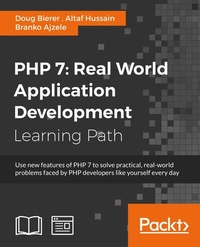
PHP 7: Real World Application Development
1st Edition
Published on 30. September 2016
1091 pages
978-1-78712-014-3 (ISBN)
Description

Use new features of PHP 7 to solve practical, real-world problems faced by PHP developers like yourself every day.About This BookThis course covers the new features of version 7.x, best practices for server-side programming, and MVC frameworksLeverage the potential of PHP for server-side programming, memory management, and Object-Oriented Programming to improve your programming productivityThis course also illustrates the development of a complete modular application using PHP 7 in detailWho This Book Is ForIf you are an aspiring web developer, mobile developer, or back-end programmer, who has basic experience in PHP programming and wants to develop performance-critical applications, then this course is for you. It will take your PHP programming skills to next level.What You Will LearnSolve practical real-world programming problems using PHP 7Discover where and when PHP 5 code needs to be re-written to avoid backwards-compatibility breaksUse advanced PHP 7 features such as the Abstract Syntax Tree, Uniform Variable Syntax, Scalar Type Hints, Generator Delegation, Anonymous Classes, and the Context Sensitive LexerSet up a high performance development and production environment for PHP 7Discover new OOP features in PHP 7 to achieve high performanceDiscover the new features of PHP 7 that are relevant to modular application developmentExplore the ins and outs of the Symfony frameworkBuild a set of modules based on the Symfony framework that comprise a simple web shop appIn DetailPHP is a great language for developing web applications. It is essentially a server-side scripting language. PHP 7 is the latest version, providing major backward-compatibility breaks and focusing on improved performance and speed.This course follows a learning path which is divided into three modules. Each module is a mini course in its own right, taking your basic PHP programing skills to the next level by showing you intermediate to advanced PHP techniques with a focus on PHP 7. This way, get you equipped with the tools and skills required to develop professional and efficient applications for your websites and enterprises.The first module of the book is a programming cookbook that consists over 80 recipes! Each recipe is designed to solve practical, real-world problems faced by PHP developers like yourself every day. This course also covers new ways of writing PHP code made possible only in version 7.The second module of the course is designed to improve the performance and productivity of your application. We'll introduce you to the concepts of Object-Oriented Programming (OOP) in PHP 7, then shed some light on how to improve the performance of your PHP 7 applications and database. Throughout this module you will be introduced to benchmarking tools.With all important concepts of PHP covered up you will move on to third module. In this module you will gain a deep insight into the modular programming paradigm and how to achieve modularity in your PHP code. Modular design techniques help you build readable, manageable, reusable, and more efficient codes. PHP 7, which is a popular open source scripting language, is used to build modular functions for your software.This Learning Path combines some of the best that Packt has to offer in one complete, curated package. It includes content from the following Packt products:PHP 7 Programming Cookbook, Doug BiererLearning PHP 7 High Performance, Altaf HussainModular Programming with PHP 7, Branko AjzeleStyle and approachThis book takes a practical, step-by-step approach with real-world examples that serve as building blocks for your application development and guide you through improving the quality of your code.
All prices
More details
Content
- Cover
- Credits
- Preface
- Module 1: PHP 7 Programming Cookbook
- Chapter 1: Building a Foundation
- Introduction
- PHP 7 installation considerations
- Using the built-in PHP web server
- Defining a test MySQL database
- Installing PHPUnit
- Implementing class autoloading
- Hoovering a website
- Building a deep web scanner
- Creating a PHP 5 to PHP 7 code converter
- Chapter 2: Using PHP 7 High Performance Features
- Introduction
- Understanding the abstract syntax tree
- Understanding differences in parsing
- Understanding differences in foreach() handling
- Improving performance using PHP 7 enhancements
- Iterating through a massive file
- Uploading a spreadsheet into a database
- Recursive directory iterator
- Chapter 3: Working with PHP Functions
- Introduction
- Developing functions
- Hinting at data types
- Using return value data typing
- Using iterators
- Writing your own iterator using generators
- Chapter 4: Working with PHP Object-Oriented Programming
- Introduction
- Developing classes
- Extending classes
- Using static properties and methods
- Using namespaces
- Defining visibility
- Using interfaces
- Using traits
- Implementing anonymous classes
- Chapter 5: Interacting with a Database
- Introduction
- Using PDO to connect to a database
- Building an OOP SQL query builder
- Handling pagination
- Defining entities to match database tables
- Tying entity classes to RDBMS queries
- Embedding secondary lookups into query results
- Implementing jQuery DataTables PHP lookups
- Chapter 6: Building Scalable Websites
- Introduction
- Creating a generic form element generator
- Creating an HTML radio element generator
- Creating an HTML select element generator
- Implementing a form factory
- Chaining $_POST filters
- Chaining $_POST validators
- Tying validation to a form
- Chapter 7: Accessing Web Services
- Introduction
- Converting between PHP and XML
- Creating a simple REST client
- Creating a simple REST server
- Creating a simple SOAP client
- Creating a simple SOAP server
- Chapter 8: Working with Date/Time and International Aspects
- Introduction
- Using emoticons or emoji in a view script
- Converting complex characters
- Getting the locale from browser data
- Formatting numbers by locale
- Handling currency by locale
- Formatting date/time by locale
- Creating an HTML international calendar generator
- Building a recurring events generator
- Handling translation without gettext
- Chapter 9: Developing Middleware
- Introduction
- Authenticating with middleware
- Using middleware to implement access control
- Improving performance using the cache
- Implementing routing
- Making inter-framework system calls
- Using middleware to cross languages
- Chapter 10: Looking at Advanced Algorithms
- Introduction
- Using getters and setters
- Implementing a linked list
- Building a bubble sort
- Implementing a stack
- Building a binary search class
- Implementing a search engine
- Displaying a multi-dimensional array and accumulating totals
- Chapter 11: Implementing Software Design Patterns
- Introduction
- Creating an array to object hydrator
- Building an object to array hydrator
- Implementing a strategy pattern
- Defining a mapper
- Implementing object-relational mapping
- Implementing the Pub/Sub design pattern
- Chapter 12: Improving Web Security
- Introduction
- Filtering $_POST data
- Validating $_POST data
- Safeguarding the PHP session
- Securing forms with a token
- Building a secure password generator
- Safeguarding forms with a CAPTCHA
- Encrypting/decrypting without mcrypt
- Chapter 13: Best Practices, Testing, and Debugging
- Introduction
- Using Traits and Interfaces
- Universal exception handler
- Universal error handler
- Writing a simple test
- Writing a test suite
- Generating fake test data
- Customizing sessions using session_start parameters
- Chapter 14: Defining PSR-7 Classes
- Introduction
- Implementing PSR-7 value object classes
- Developing a PSR-7 Request class
- Defining a PSR-7 Response class
- Module 2: Learning PHP 7 High Performance
- Chapter 1: Setting Up the Environment
- Setting up Windows
- Setting up Debian or Ubuntu
- Setting up CentOS
- Setting up Vagrant
- Summary
- Chapter 2: New Features in PHP 7
- OOP features
- New operators
- Uniform variable syntax
- Miscellaneous features and changes
- Summary
- Chapter 3: Improving PHP 7 Application Performance
- NGINX and Apache
- HTTP server optimization
- HTTP persistent connection
- Content Delivery Network (CDN)
- CSS and JavaScript optimization
- Full page caching
- Varnish
- The infrastructure
- Summary
- Chapter 4: Improving Database Performance
- The MySQL database
- Storage engines
- The Percona Server - a fork of MySQL
- MySQL performance monitoring tools
- Percona XtraDB Cluster (PXC)
- Redis - the key-value cache store
- Memcached key-value cache store
- Summary
- Chapter 5: Debugging and Profiling
- Xdebug
- Profiling with Xdebug
- PHP DebugBar
- Summary
- Chapter 6: Stress/Load Testing PHP Applications
- Apache JMeter
- ApacheBench (ab)
- Siege
- Load testing real-world applications
- Summary
- Chapter 7: Best Practices in PHP Programming
- Coding styles
- Test-driven development (TDD)
- Design patterns
- Service-oriented architecture (SOA)
- Being object-oriented and reusable always
- PHP frameworks
- Version control system (VCS) and Git
- Deployment and Continuous Integration (CI)
- Summary
- Chapter 8: Tools to Make Life Easy
- Composer - A dependency manager for PHP
- Git - A version control system
- Grunt watch
- Summary
- Chapter 9: MVC and Frameworks
- The MVC design pattern
- Laravel
- Lumen
- Apigility
- Summary
- Module 3: Modernizing Legacy Applications in PHP
- Chapter 1: Legacy Applications
- The typical PHP application
- Legacy Frameworks
- Review and next steps
- Chapter 2: Prerequisites
- Revision control
- Test suite
- Review and next steps
- Chapter 3: Implement an Autoloader
- PSR-0
- A Single Location for Classes
- Using The __autoload() Function
- Common Questions
- Review and next steps
- Chapter 4: Consolidate Classes and Functions
- Consolidate Class Files
- Consolidate functions into class files
- Common Questions
- Review and next steps
- Chapter 5: Replace global With Dependency Injection
- Global Dependencies
- Common Questions
- Review and next steps
- Chapter 6: Replace new with Dependency Injection
- Embedded instantiation
- The replacement process
- Change instantiation calls
- Review and next steps
- Chapter 7: Write Tests
- Fighting test resistance
- The way of Testivus
- Review and next steps
- Chapter 8: Extract SQL statements to Gateways
- Embedded SQL Statements
- Review and next steps
- Chapter 9: Extract Domain Logic to Transactions
- Embedded Domain Logic
- The Extraction Process
- Review and next steps
- Chapter 10: Extract Presentation Logic to View Files
- Embedded presentation logic
- Review and next steps
- Chapter 11: Extract Action Logic to Controllers
- Embedded action logic
- Review and next steps
- Chapter 12: Replace Includes in Classes
- Embedded include Calls
- The Replacement process
- Review and next steps
- Chapter 13: Separate Public and Non-Public Resources
- Intermingled resources
- The separation process
- Common Questions
- Review and next steps
- Chapter 14: Decouple URL Paths from File Paths
- Coupled Paths
- Review and next steps
- Chapter 15: Remove Repeated Logic in Page Scripts
- Repeated logic
- Review and next steps
- Chapter 16: Add a Dependency Injection Container
- What is a Dependency Injection Container?
- Review and next steps
- Chapter 17: Conclusion
- Opportunities for improvement
- Conversion to Framework
- Review and next steps
- Appendix A: Typical Legacy Page Script
- Appendix B: Code before Gateways
- Appendix C: Code after Gateways
- Appendix D: Code after Transaction Scripts
- Appendix E: Code before Collecting Presentation Logic
- Appendix F: Code after Collecting Presentation Logic
- Appendix G: Code after Response View File
- Appendix H: Code after Controller Rearrangement
- Appendix I: Code after Controller Extraction
- Appendix J: Code after Controller Dependency Injection
- Bibliography

