

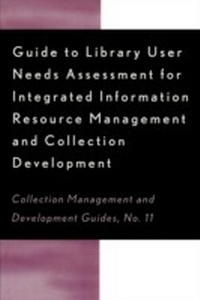
Guide to Library User Needs Assessment for Integrated Information Resource
Management and Collection Development
1st Edition
Published on 6. June 2001
80 pages
978-1-4616-5895-5 (ISBN)
Description

Applicable for all types of libraries. Needs assessment can be defined as the process of using one or more techniques to collect and analyze data on library users or potential users. The guide includes the methodology and techniques for carrying out needs assessment projects, ranging from short-term assessments to long-term research or comprehensive collection assessments. Various types of data, techniques, and methodology are described, as are associated pointers and pitfalls.
More details
Series
Edition
1. Auflage
Language
English
Place of publication
Lanham
United States
ISBN-13
978-1-4616-5895-5 (9781461658955)
Copyright in bibliographic data and cover images is held by Nielsen Book Services Limited or by the publishers or by their respective licensors: all rights reserved.
Schweitzer Classification
Other editions
Additional editions
Dora Biblarz | Stephen Bosch | Chris Sugnet
Guide to Library User Needs Assessment for Integrated Information Resource
Management and Collection Development
Book
06/2001
Scarecrow Press
€55.80
Shipment within 10-20 days
Persons
Dora Biblarz is Associate Dean of TQS/Continuous Improvement at Arizona State University. Stephen Bosch is Information Access Librarian at University of Arizona. Chris Sugnet is Assistant Director for Collections at University of Nevada, Las Vegas.
Content
- Cover
- Title Page
- Copyright Page
- Table of Contents
- Introduction
- I. The reasons for undertaking needs assessment, defining the value of user assessments, and the theory concerning user needs assessment
- II. The process for developing a needs assessment project
- A. Establish the goals of the assessment
- B. Assess available resources
- C. Establish project scope
- D. Define the user population
- E. Review current awareness
- F. Identify useful information
- G. Establish a time frame
- H. Complete the plan
- III. What can be measured and how to measure it: Types of assessment data that may be useful
- A. Direct user input (e.g., user surveys)
- 1. Definitions
- 2. Pros and cons of direct user input for needs assessment
- 3. Methodology for direct user input
- a) Exploratory data collection
- (1) Focus groups
- (2) Qualitative input from surveys
- (3) Crucial incident surveys
- (4) Internal staff feedback
- (5) User interviews
- b) Representative data gathering
- c) Techniques for random surveys
- (1) Direct mailing
- (2) Online forms
- (3) Randomly timed surveys
- B. Secondary information: Data that describes current conditions
- C. Specific types of secondary data
- 1. Demographic data
- a) Specific demographic data for academic libraries
- b) Specific demographic data for public libraries
- 2. Number and distribution of student enrollment credit hours
- 3. Course offerings
- 4. Electronic resources use statistics
- 5. Circulation statistics
- a) Circulation patterns of monographic/serial collections
- b) Statistics derived from patron requests for holds/recalls on currently circulating materials
- c) In-house use statistics for both serials and monographs
- d) Photocopy activity
- e) Gate counts of the number of users entering a library building
- f) Use of media
- 6. Collection statistics and evaluation of collections
- a) Number of titles/volumes
- b) Median age of collections
- c) Condition of collection
- d) Distribution of multiple copies in the collection
- 7. Interlibrary loan (ILL) and document delivery statistics
- 8. Consortial agreements
- 9. Price indexes and other cost data
- 10. Analysis of organizations' external environment
- 11. Materials budget as secondary data
- 12. Citation analyses
- 13. Journal impact rankings and useful half-life ratings
- 14. Measure of actual use of journals
- 15. Other library activities
- IV. Scenarios for user needs assessments
- A. New degree program
- B. Possible scenario regarding the reallocation of materials budget
- C. Possible needs assessment for a school library/media center
- D. Possible needs assessment for the addition of a new branch library
- E. Possible needs assessment for consortial cooperation on serial subscriptions and document delivery
- F. Possible preliminary needs assessment to assist development of statewide cooperative resource-sharing ventures in support of small public libraries
- V. Pointers and pitfalls
- A. Avoid the easy-data-is-the-right-data syndrome
- B. Do not confuse data types
- C. Do not confuse measurement units
- D. The numbers sometimes do not tell the whole story
- E. Context is important
- F. Recognize under-represented groups
- G. Recognize service impacts of the unknown user
- Glossary
- Bibliography
- World Wide Web Resources
