

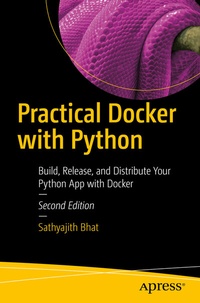
Practical Docker with Python
Build, Release, and Distribute Your Python App with Docker
2nd Edition
Published on 27. November 2021
XVIII, 239 pages
978-1-4842-7815-4 (ISBN)
Description

Learn the fundamentals of containerization and get acquainted with Docker. This second edition builds upon the foundation of the first book by revising all the chapters, updating the commands, code, and examples to meet the changes in Docker. It also introduces a new chapter on setting up your application for production deployment and breaks down terminologies like Dockerfile and Docker volumes while taking you on a guided tour of building a telegram bot using Python.
You'll start with a brief history of how containerization has changed over the years. Next, we look at how to install (including using the new WSL2 mode) and get started with Docker. The next couple of chapters will focus on understanding the Dockerfile, including the structure and the core instructions used in building a Docker image. You'll also see how to distribute Docker images using Docker hub and other private registries. From there, you'll look at using Docker volumes for persisting data. Then learn how to run multi-container applications with Docker compose and learn inter-container networking works with Docker networks. Finally, you'll look at how to prepare a containerized application for production deployments.
Throughout the book you'll apply the techniques learned through the chapters by building a Telegram messenger Chatbot and see how much easier Docker makes it possible to build, release, contribute and distribute an application. In addition, the book shows how optimize the Docker images for production servers by using multi-stage builds and improve the reliability of your services by using health checks and restart policies. Practical Docker with Python will break down terminologies like Dockerfile and Docker volumes, and take you on a guided tour of building a telegram bot using Python.
What You'll Learn
Beginner and intermediate developers, DevOps practitioners who are looking improving their build and release workflow by containerizing applications as well as system administrators learning to implement DevOps principles.
You'll start with a brief history of how containerization has changed over the years. Next, we look at how to install (including using the new WSL2 mode) and get started with Docker. The next couple of chapters will focus on understanding the Dockerfile, including the structure and the core instructions used in building a Docker image. You'll also see how to distribute Docker images using Docker hub and other private registries. From there, you'll look at using Docker volumes for persisting data. Then learn how to run multi-container applications with Docker compose and learn inter-container networking works with Docker networks. Finally, you'll look at how to prepare a containerized application for production deployments.
Throughout the book you'll apply the techniques learned through the chapters by building a Telegram messenger Chatbot and see how much easier Docker makes it possible to build, release, contribute and distribute an application. In addition, the book shows how optimize the Docker images for production servers by using multi-stage builds and improve the reliability of your services by using health checks and restart policies. Practical Docker with Python will break down terminologies like Dockerfile and Docker volumes, and take you on a guided tour of building a telegram bot using Python.
What You'll Learn
- Compare the difference between containerization and virtualization
- Understand the Dockerfile and converting your application to Docker image
- Define and run multi-container applications with Docker compose
- Review data persistency with Docker volumes
Beginner and intermediate developers, DevOps practitioners who are looking improving their build and release workflow by containerizing applications as well as system administrators learning to implement DevOps principles.
More details
Series
Edition
2nd ed.
Language
English
Place of publication
Berkeley
United States
Publishing group
APRESS
Target group
Professional and scholarly
Product notice
Reflowable
Illustrations
XVIII, 239 p. 34 illus.
File size
4,85 MB
ISBN-13
978-1-4842-7815-4 (9781484278154)
DOI
10.1007/978-1-4842-7815-4
Schweitzer Classification
Other editions
Additional editions
Sathyajith Bhat
Practical Docker with Python
Build, Release, and Distribute Your Python App with Docker
Book
11/2021
2nd Edition
APress
€58.84
Shipment within 15-20 days
Previous edition

Sathyajith Bhat
Practical Docker with Python
Build, Release and Distribute your Python App with Docker
E-Book
07/2018
APress
€39.99
Available for download
Person
Sathyajith Bhat is a seasoned DevOps/SRE professional currently working as a DevOps Engineer on Adobe I/O, which is Adobe's developer ecosystem and community. Prior to this, he was the lead Ops/SRE at Styletag.com. He transitioned to Ops/SRE after being a lead analyst at CGI, working primarily on Oracle Fusion stack (Oracle DB/PL/SQL/Oracle Forms and other related middleware) designing, architecting, and implementing complete end-to-end solutions for a major insurance provider in the Nordics.
In his free time, Sathya is part of the Barcamp Bangalore planning team, handling DevOps and Social Media for BCB. He is also a volunteer Community Moderator at Super User and Web Apps Stack Exchange, keeps the servers for Indian Video Gamer forums up and running, and was previously a Moderator for Chip-India and Tech 2 forums.
In his free time, Sathya is part of the Barcamp Bangalore planning team, handling DevOps and Social Media for BCB. He is also a volunteer Community Moderator at Super User and Web Apps Stack Exchange, keeps the servers for Indian Video Gamer forums up and running, and was previously a Moderator for Chip-India and Tech 2 forums.
Content
Chapter 1: Introduction to Containerization & Docker.- Chapter 2: Docker 101.- mandsChapter 3: Building the Python App.- Chapter 4: Understanding Dockerfile.- Chapter 5: Understanding Docker Volumes.- Chapter 6: Docker Networking.- Chapter 7: Multi Container Applications.- Chapter 8: Preparing for Production Deployments.
