

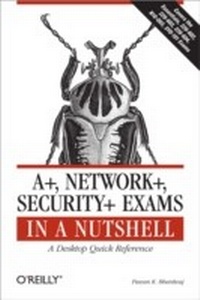
A+, Network+, Security+ Exams in a Nutshell
A Desktop Quick Reference
1st Edition
Published on 27. March 2007
812 pages
978-0-596-55151-3 (ISBN)
Description

If you're preparing for the new CompTIA 2006 certification in A+, or the current Network+ and Security+ certifications, you'll find this book invaluable. It provides all the information you need to get ready for these exams, including the four new A+ exams -- the required Essentials exam and three elective exams that pertain to your area of specialization.As with other O'Reilly Nutshell books for certification exams, A+, Network+ and Security + in a Nutshell follows a proven style and approach. It reviews all of the topics needed to master each exam in a remarkably concise format, with required knowledge boiled down to the core. Instead of plowing through 500 to 700 pages to prepare for each exam, this book covers each one in approximately 150 pages. And because the objectives for the three elective A+ exams are redundant, and the book covers them in one section.The exams covered include:A+ Essentials: Required for A+ 2006 certificationEXAM 220-602: For the A+ IT Technician specializationEXAM 220-603: For the A+ Remote Support Technician specializationEXAM 220-604: For the A+ IT Depot specializationEXAM N10-003: For Network+ CertificationEXAM SYO-101: For Security+ CertificationEach exam is covered in three parts: Exam Overview, Study Guide and Prep and Practice. Plenty of detailed tables and screen shots are included, along with study notes and practice questions. Once you have completed the exams successfully, you will find this all-in-one book to be a valuable reference to core administration and security skills.
More details
Other editions
Additional editions
Book
05/2007
1st Edition
O'Reilly
€51.50
Shipment within 10-20 days
Content
- Intro
- Table of Contents
- Preface
- Conventions Used in This Book
- Other Study Resources
- How to Contact Us
- Acknowledgments
- I
- Overview of A+ Essentials Exam
- Areas of Study for the A+ Essentials Exam
- Personal Computer Components
- Laptops and Portable Devices
- Operating Systems
- Printers and Scanners
- Networks
- Security
- Safety and Environmental Issues
- Communication and Professionalism
- A+ Essentials Study Guide
- Personal Computer Components
- Components of Motherboards
- Form Factors
- Components of motherboards
- Power supplies
- Processors
- Memory
- Storage devices
- Display devices
- Input devices
- Adapter cards
- Types of port connectors
- Cooling systems
- Installing, Configuring, and Optimizing Personal Computer Components
- Installing storage devices
- Installing/upgrading display devices
- Installing and removing input/multimedia devices
- Troubleshooting Tools and Procedures
- Basic troubleshooting theory
- Basic diagnostic procedures
- Basic troubleshooting tools
- Identifying problems
- Preventive Maintenance (PM)
- Scheduling preventive maintenance
- Visual and audio inspection
- Driver and firmware updates
- Heat and temperature
- Humidity
- PM for display devices
- PM for power supply
- PM for input devices
- PM for storage devices
- PM for motherboards, memory, and adapters
- Laptops and Portable Devices
- Overview of Laptop Components
- Motherboards
- Processors
- Power supplies
- Memory
- Display devices
- Storage devices
- Input devices
- Expansion buses and ports
- Docking station
- Power Management and Device Removal
- Overview of ACPI standards
- Power options in Windows
- Removing laptop-specific hardware
- Troubleshooting Laptops
- Power problems
- Input problems
- Display problems
- Networking problems
- Problems with external devices
- Preventive Maintenance (PM)
- Operating environment
- Handling
- Operating Systems
- Overview of Operating Systems
- Windows
- MAC OS X
- Linux
- Working with Windows interfaces
- Control Panel
- The System Control Panel
- Windows Registry
- Virtual memory
- Windows system files
- Managing disks
- Managing files and folders
- Installing and Configuring Operating Systems
- Installing the operating system
- Installing Windows XP Professional
- Installing Windows 2000 Professional
- Upgrading an operating system
- Installing devices and drivers
- Optimizing performance
- Troubleshooting Techniques
- Understanding boot sequence
- Understanding the Advanced Boot Options
- Recovery Console
- System Restore (Windows XP)
- Automated System Recovery (Windows XP)
- Emergency Repair Disk (Windows 2000)
- Troubleshooting procedures
- Operational problems
- Common error messages
- Troubleshooting utilities
- Preventive Maintenance (PM)
- Software updates
- Windows Update
- Data backup and restoration
- Antivirus software
- Creating System Restore Points
- Printers and Scanners
- Printer and Scanner Technologies
- Laser printers
- Inkjet printers
- Impact printers
- Thermal printers
- Solid ink printers
- Printer interfaces
- Printer software
- Printer memory
- Printer supplies
- Types of scanners
- Components of a scanner
- Scanner interfaces
- Installing, Configuring, and Upgrading Printers and Scanners
- Installing printers and scanners
- Upgrading printers
- Troubleshooting Printers and Scanners
- Basic troubleshooting procedures
- Troubleshooting inkjet printers
- Troubleshooting laser printers
- Troubleshooting dot matrix printers
- Common problems with scanners
- Networks
- Networking Fundamentals
- Types of networks
- Networking models
- Network topologies
- Network cabling
- Connectors
- Network devices
- Switches
- Routers
- Networking protocols
- Host naming and addressing
- Bandwidth
- LAN technologies
- WAN technologies
- Infrared
- Installing and Maintaining Networks
- Installing and configuring network cards
- Troubleshooting Techniques
- Status indicators
- Troubleshooting network media
- Troubleshooting network devices
- Troubleshooting wireless connectivity
- Security
- Principles of Security
- Authentication technologies and protocols
- Protection from malicious software
- Software firewalls
- Wireless security
- Protecting wireless networks from attacks
- Physical security
- Security Problems and Preventive Maintenance
- Security-related problems
- Preventive maintenance procedures
- Safety and Environmental Issues
- Safety and Environment Issues
- Identifying potential safety hazards
- Material Safety Data Sheet (MSDS)
- Using appropriate repair tools
- Handling safety incidents
- Safety Procedures
- ESD precautions
- Disposal Procedures
- Batteries
- Display devices
- Chemicals
- Communications and Professionalism
- Communication Skills
- Privacy and confidentiality
- Talking to the customer
- Active listening
- Asking questions
- Use nontechnical vocabulary
- Don't be judgmental
- Professional Behavior
- Professional behavior
- Use of property
- Prep and Practice for the A+ Essentials Exam
- Preparing for the A+ Essentials Exam
- Suggested Exercises for the A+ Essentials Exam
- Examine the Motherboard
- BIOS/Firmware
- Identify Processor and Memory
- I/O Ports and Expansion Bus Slots
- Power Supply and Its Connectors
- Memory Modules
- Hard Disk Drive
- Input Devices
- Common Ports on a PC
- Cooling Fans
- Software Diagnostic Utilities
- Troubleshooting
- Preventive Maintenance
- Laptop Motherboard, Processor, and Memory
- Laptop Display
- Safely Removing Hardware
- Configuring Power Options
- Configuring Windows Desktop
- Configuring Taskbar
- Control Panel
- Changing the Computer Name
- Exploring Windows Registry
- Creating a Disk Partition
- Using Windows Explorer
- Changing File Attributes
- Configuring File Permissions
- Configuring Paging File
- Examining Advanced Boot Options
- Preparing an ASR
- Creating System Restore Point (Windows XP)
- Configuring Automatic Updates
- Laser Printing Process
- Inkjet Printers
- Scanners
- Printing Problems
- Network Topologies
- Network Cables and Connectors
- Network Protocols, Services, and Addressing
- WAN/Internet Connectivity
- Network Troubleshooting
- Authentication Methods
- Protection from Malicious Software
- Password Management
- Preventive Maintenance for Security
- Highlighters Index
- Personal Computer Components
- Laptop and Portable Devices
- Operating Systems
- Printers and Scanners
- Networks
- Security
- Safety and Environmental Issues
- Communication and Professionalism
- Practice Questions for the A+ Essentials Exam
- II
- Overview of the A+ Exams 220-602, 220-603, and 220-604
- Areas of Study for A+ Exams 220-602, 220-603, and 220-604
- Personal Computer Components
- Laptops and Portable Devices
- Operating Systems
- Printers and Scanners
- Networks
- Security
- Safety and Environmental Issues
- Communication and Professionalism
- Study Guide for A+ Exams 220-602, 220-603, and 220-604
- Personal Computer Components
- Adding, Removing, and Upgrading Computer Components
- Storage devices
- Motherboards
- Power supplies
- Processors/CPUs
- Memory (RAM)
- Display devices
- Input devices
- Adapter cards
- Troubleshooting Tools and Techniques
- Basic diagnostic procedures
- Troubleshooting steps
- Troubleshooting tools
- Preventive Maintenance (PM)
- Display devices
- Power supply
- Input devices
- Storage devices
- Motherboards, adapters, and memory
- External ventilation factors
- Laptops and Portable Devices
- Fundamental Principles
- Communication technologies for laptops
- Power supplies
- Components of LCD
- Installing, Optimizing, and Upgrading
- Installing and removing devices
- Upgrading memory
- Troubleshooting Tools and Procedures
- Power problems
- Removing unneeded devices
- External monitor
- Function keys
- External keypad
- The LCD cut-off switch and backlight
- Digitizer problems
- Exhaust fans
- Antenna wires
- Operating Systems
- Fundamental Principles
- Command-line functions and utilities
- Managing disks
- Disk maintenance
- Optimize Operating Systems
- Virtual memory
- Defragmenting hard disks
- Removing temporary files
- Managing services
- System startup
- Application tuning
- Diagnostic Tools and Troubleshooting Techniques
- Operating system recovery
- Resolving common operational problems
- Interpreting common error messages
- Utilities for diagnosing operational problems
- Preventive Maintenance (PM)
- Software updates
- Windows Update
- Data backup and restoration
- Antivirus software
- Printers and Scanners
- Fundamentals of Printers and Scanners
- The printing process
- Laser printers
- Inkjet printers
- Solid ink
- Thermal printers
- Impact printers (dot matrix)
- Scanners and the scanning process
- Installing and Configuring Printers and Scanners
- Installing and configuring printers
- Educating users
- Upgrading printers and scanners
- Installing and configuring scanners
- Optimizing printer and scanner performance
- Troubleshooting Printers and Scanners
- Gathering information
- Analyzing the collected data
- Isolating the problem
- Applying the solution
- Repair tools
- Preventive Maintenance (PM)
- Scheduled maintenance
- Environment
- Supplies
- Networks
- Network Fundamentals
- OSI model
- Networking protocols
- Connectivity technologies
- LAN technologies
- WAN technologies
- Infrared (IrDA)
- Installing, Configuring, and Optimizing Networks
- Establishing network connectivity
- Joining a Windows workgroup or domain
- Sharing network resources
- Installing and configuring network browsers
- Troubleshooting Network Problems
- Troubleshooting tools
- Cable-testing devices
- Configuration problems
- Preventive maintenance for networks
- Security
- Principles of Security
- Access control
- User accounts
- Access control using groups
- Permissions and level of access
- Restricted spaces
- Auditing and event logging
- Install, Configure, and Upgrade Security
- Authentication technologies
- Software firewalls
- Enabling and disabling auditing
- Wireless client configuration
- Data access
- Diagnostic and Troubleshooting Techniques
- Software firewall issues
- Wireless client configuration issues with SSID
- Data access issues
- Preventive Maintenance for Security
- Security policies
- Social engineering
- Prep and Practice for the A+ Exams 220-602, 220-603, and 220-604
- Preparing for the A+ Exams
- Suggested Exercises for the Exams
- Installing a Hard Drive
- Upgrading Memory
- Installing an Adapter Card
- Visual Inspection of Internal Components
- Audible Codes
- Testing the Power Supply DC Output Voltages
- Starting the Computer with Minimum Configuration
- Adding/Removing Laptop-Specific Components
- Connecting External Devices
- Connecting a Laptop to a Wireless Network
- Using the Windows Command Prompt
- Creating New Folders
- Changing File/Folder Attributes
- Disk Partitioning and Formatting
- Converting a Disk from FAT to NTFS
- Using Disk Maintenance Tools
- Examining System Startup Environment
- Configuring Virtual Memory
- Changing the System Startup Settings
- Using Event Viewer
- Using Task Manager
- Using Device Manager
- Accessing Advanced Boot Options
- Enabling Automatic Updates
- Connecting the Printer to a Local Port
- Configuring and Verifying TCP/IP Properties
- Testing Network Connectivity
- Configuring Share Permissions
- Enabling and Configuring Windows Firewall
- Viewing Access Permissions
- Configuring Auditing and Logging
- Viewing the Local Security Policy
- Highlighters Index
- Personal Computer Components
- Laptop and Portable Devices
- Operating Systems
- Printers and Scanners
- Networks
- Security
- Practice Questions for the A+ Exams
- III
- Overview of the Network+ Exam
- Areas of Study for the Network+ Exam
- Media and Topologies
- Protocols and Standards
- Network Implementation
- Network Support
- Network+ Exam Study Guide
- Media and Topologies
- Overview of Networks
- Local area network (LAN)
- Wide area network (WAN)
- Personal area network (PAN)
- Metropolitan area network (MAN)
- Centralized and decentralized computing
- Peer-to-peer (P2P) network
- Client/server network
- Physical Network Topologies
- Star topology
- Bus topology
- Mesh topology
- Ring topology
- Wireless topologies
- Networking Standards
- IEEE 802.2
- IEEE 802.3
- IEEE 802.5
- IEEE 802.11
- Fiber Distributed Data Interface (FDDI)
- Types of Cables
- Coaxial cable
- Twisted pair cables
- Fiber optic cables
- Networking and Cable Standards
- 10 Mbps Ethernet
- 100 Mbps Ethernet
- 1000 Mbps Ethernet
- 10 Gigabit Ethernet
- Media Connectors
- Registered Jack-11 (RJ-11)
- Registered Jack-45 (RJ-45)
- F-Type
- BNC connectors
- Fiber optic connectors
- IEEE 1394
- Universal Serial Bus (USB)
- Network Devices
- Hubs
- Switches
- Media Access Unit (MAU)
- Bridges
- Routers
- Gateways
- Channel Service Unit (CSU)/Data Service Unit (DSU)
- Network Interface Card (NIC)
- ISDN adapters
- Wireless Access Point (WAP)
- Modems
- Transceivers and media converters
- Firewalls
- Wireless Technologies
- Spread spectrum wireless technology
- Infrared
- Bluetooth
- Factors that affect wireless services
- Protocols and Standards
- Media Access Control (MAC) Address
- The OSI Networking Model
- Physical layer (Layer 1)
- Data Link layer (Layer 2)
- Network layer (Layer 3)
- Transport layer (Layer 4)
- Session layer (Layer 5)
- Presentation layer (Layer 6)
- Application layer (Layer 7)
- Network Protocols
- NetBEUI
- Internet Packet Exchange/Sequenced Packet Exchange (IPX/SPX)
- AppleTalk
- Transmission Control Protocol/Internet Protocol (TCP/IP)
- IP Addressing
- IPv4 addresses
- Public and private IP addresses
- Subnetting
- IPv6 addresses
- Address assignment
- Automatic Private IP Addressing (APIPA)
- TCP/IP protocols
- Port assignments in TCP/IP
- Network services
- WAN Technologies
- Packet switching
- Circuit switching
- Integrated Services Digital Network (ISDN)
- Fiber Distributed Data Interface (FDDI)
- T-Carrier
- Optical Carrier (OC)
- X.25
- Internet Access Technologies
- Digital Subscriber Line (DSL)
- Broadband cable
- Plain Old Telephone System/Public Switched Telephone Network (POTS/PSTN)
- Satellite
- Wireless
- Remote Access Protocols and Services
- Remote Access Service (RAS)
- Serial Line Internet Protocol (SLIP)
- Point-to-Point Protocol (PPP)
- Virtual Private Networking
- Remote Desktop Protocol (RDP)
- Security Protocols
- IP Security (IPSec)
- Point-to-Point Tunneling Protocol (PPTP)
- Layer 2 Tunneling Protocol (L2TP)
- Secure Socket Layer (SSL)
- Wired Equivalent Privacy (WEP)
- Wi-Fi Protected Access (WPA)
- 802.1x
- Authentication Protocols
- Remote Authentication Dial-in User Service (RADIUS)
- Kerberos
- Network Implementation
- Network Operating Systems (NOS)
- Linux/Unix
- MAC OS X
- NetWare
- Windows 2000 Server and Windows Server 2003
- Network Wiring Tools
- Wire crimpers
- Punchdown tools
- Media testers/certifiers
- Tone generators
- Loopback connectors
- Components of Network Security
- Firewalls
- Proxy servers
- Virtual Local Area Network (VLAN)
- Implementing Network Security
- Port blocking/filtering
- Authentication
- Biometrics
- Encryption
- Types of malicious codes
- Viruses
- Worms
- Trojan horses
- Logic bombs
- Fault Tolerance and Disaster Recovery
- Disk fault tolerance
- Server fault tolerance
- Disaster recovery
- Data backup
- Network Support
- Troubleshooting Utilities
- tracert/traceroute
- ping
- arp
- netstat
- nbtstat
- ipconfig
- ifconfig
- winipcfg
- nslookup
- dig
- Visual Indicators
- Troubleshooting Remote Connectivity
- File and print permissions
- Authentication failures
- Protocol configuration
- Physical connectivity
- Troubleshooting Network Connectivity Problems
- Troubleshooting network services
- Troubleshooting physical topologies
- Troubleshooting network infrastructure
- Troubleshooting strategy
- Network+ Exam Prep and Practice
- Preparing for the Network+ Exam
- Network+ Exam Suggested Exercises
- Network Topologies
- Network Media
- Wireless Network
- Cable Types
- Media Devices
- MAC Address
- Networking Protocols
- IP Addressing
- TCP/IP Services
- WAN and Internet Technologies
- Remote Access Protocols and Services
- Network Operating Systems
- Interoperability of Network Operating Systems
- Network Wiring Tools
- Network Security
- Fault Tolerance
- Disaster Recovery
- Troubleshooting Utilities
- Troubleshooting Network Connectivity
- Troubleshooting Network Devices
- Using the arp Command
- Using the netstat Command
- Network+ Exam Highlighters Index
- Media and Topologies
- Protocols and Standards
- Network Implementation
- Network Support
- Network+ Exam Practice Questions
- IV
- Overview of Security+ Exam
- Areas of Study for Security+ Exam
- General Security Concepts
- Communication Security
- Infrastructure Security
- Basics of Cryptography
- Operational/Organizational Security
- Security+ Exam Study Guide
- General Security Concepts
- Access Control Models
- Mandatory Access Control (MAC)
- Discretionary Access Control (DAC)
- Role-Based Access Control (RBAC)
- Authentication Methods
- Kerberos
- Challenge Handshake Authentication Protocol (CHAP)
- Certificates
- Username/Password
- Tokens
- Multifactor
- Mutual authentication
- Biometrics
- Auditing and Logging
- System auditing
- Logging
- System Scanning
- Types of Attacks
- Denial of Service (DoS)
- Distributed Denial of Service (DDoS)
- SYN flood
- IP spoofing
- Man-in-the-Middle Attacks (MITM)
- Replay attacks
- TCP/IP hijacking
- Weak keys
- Password attacks
- Buffer overflow
- Software exploitation
- Back door
- Types of Malicious Codes
- Viruses
- Worms
- Trojan horses
- Logic bombs and time bombs
- Wardialing
- Dumpster diving
- Risks Involved in Social Engineering
- Identifying and Disabling Nonessential Services and Protocols
- Nonessential services
- Nonessential protocols
- Communication Security
- Remote Access
- 802.1x
- Virtual Private Networking
- Remote Authentication Dial-in User Service (RADIUS)
- Terminal Access Controller Access Control System (TACACS)
- TACACS+
- Point-to-Point Tunneling Protocol (PPTP)
- Layer 2 Tunneling Protocol (L2TP)
- Internet Protocol Security (IPSec)
- Secure Shell (SSH)
- Vulnerabilities in Remote Access Services (RAS)
- Multipurpose Internet Mail Extensions (MIME)
- Secure/Multipurpose Internet Mail Extensions (S/MIME)
- Pretty Good Privacy (PGP)
- Email vulnerabilities
- Internet Security Concepts
- Securing web servers
- Securing web browsers
- Secure Socket Layer/Transport Layer Security (SSL/TSL)
- HTTP/HTTPS
- Instant Messaging (IM)
- Vulnerabilities in Internet services
- Directory Services Security
- LDAP naming conventions
- LDAP security
- File Transfer Protocols (FTP)
- Blind FTP
- Secure FTP (S/FTP)
- Wireless Communications
- Wireless local area networks
- Wireless Application Protocol (WAP)
- Wireless Transport Layer Security (WTLS)
- IEEE 802.11
- Wired Equivalent Privacy (WEP)
- Authentication in wireless networks
- Types of attacks on wireless networks
- Protecting wireless networks from attacks
- Infrastructure Security
- Device-based Security
- Firewalls
- Routers
- Switches
- Wireless
- Modems
- Remote Access Servers (RAS)
- Virtual Private Networks (VPNs)
- Network monitoring
- Workstations
- Servers
- Mobile devices
- Media Security
- Coaxial cable
- Unshielded fwisted pair/shielded twisted pair (UTP/STP) cables
- Fiber optic cable
- Removable media
- Security Topologies
- Security zones
- Virtual local area network (VLAN)
- Network address translation (NAT)
- Tunneling
- Intrusion Detection System (IDS)
- Honeypots
- Incident response
- Operating System Hardening
- Filesystems
- Updates
- Network Hardening
- Application Hardening
- Web servers
- Email servers
- FTP servers
- DNS servers
- NNTP servers
- File and print servers
- Data repositories
- Basics of Cryptography
- Encryption Algorithms
- Symmetric algorithms
- Asymmetric algorithms
- Hashing algorithms
- Concepts of Cryptography
- Confidentiality
- Integrity
- Authentication
- Non-repudiation
- Public Key Infrastructure (PKI)
- Certificates
- Trust models
- PKI standards and protocols
- Key management and certificate lifecycles
- Operational and Organizational Security
- Physical Security
- Access control
- Social engineering
- Environment
- Disaster Recovery
- Backups
- Secure recovery
- Disaster recovery plan
- Business continuity plan
- Security Policies and Procedures
- Incident response policy
- Privilege Management
- User/Group/Role management
- Single sign-on
- Centralized verses decentralized
- Auditing
- Mandatory Access Control/ Discretionary Access Control/Role-based Access Control (MAC/DAC/RBAC)
- Computer Forensics
- Chain of custody
- Preservation of evidence
- Collection of evidence
- Education and Training
- Communication
- User awareness
- Education
- Online resources
- Risk Identification
- Asset identification
- Risk assessment
- Threat identification
- Vulnerabilities
- Security+ Exam Prep and Practice
- Preparing for the Security+ Exam
- Security+ Exam Suggested Exercises
- Access Control
- Authentication
- Auditing and Logging
- System Scanning
- Disabling Non-Essential Services and Protocols
- Social Engineering Attack
- Remote Access and VPN
- Email Security
- Wireless Security
- Web Server Security
- Web Browser Security
- Demilitarized Zones
- System Hardening
- Data Backup
- Disaster Recover Plan
- Security+ Exam Highlighters Index
- General Security Concepts
- Communication Security
- Infrastructure Security
- Basics of Cryptography
- Operational and Organizational Security
- Security+ Exam Practice Questions
- Index
