

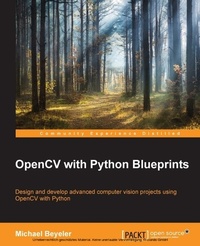
OpenCV with Python Blueprints
Design and develop advanced computer vision projects using OpenCV with Python
Published on 8. July 2025
230 pages
978-1-78528-986-6 (ISBN)
Description

Key Features
Book DescriptionDesign and develop advanced computer vision projects using OpenCV with Python About This Book Program advanced computer vision applications in Python using different features of the OpenCV library Practical end-to-end project covering an important computer vision problem All projects in the book include a step-by-step guide to create computer vision applications Who This Book Is For This book is for intermediate users of OpenCV who aim to master their skills by developing advanced practical applications. Readers are expected to be familiar with OpenCV's concepts and Python libraries. Basic knowledge of Python programming is expected and assumed. What You Will Learn Generate real-time visual effects using different filters and image manipulation techniques such as dodging and burning Recognize hand gestures in real time and perform hand-shape analysis based on the output of a Microsoft Kinect sensor Learn feature extraction and feature matching for tracking arbitrary objects of interest Reconstruct a 3D real-world scene from 2D camera motion and common camera reprojection techniques Track visually salient objects by searching for and focusing on important regions of an image Detect faces using a cascade classifier and recognize emotional expressions in human faces using multi-layer peceptrons (MLPs) Recognize street signs using a multi-class adaptation of support vector machines (SVMs) Strengthen your OpenCV2 skills and learn how to use new OpenCV3 features In Detail OpenCV is a native cross platform C++ Library for computer vision, machine learning, and image processing. It is increasingly being adopted in Python for development. OpenCV has C++/C, Python, and Java interfaces with support for Windows, Linux, Mac, iOS, and Android. Developers using OpenCV build applications to process visual data; this can include live streaming data from a device like a camera, such as photographs or videos. OpenCV offers extensive libraries with over 500 functions This book demonstrates how to develop a series of intermediate to advanced projects using OpenCV and Python, rather than teaching the core concepts of OpenCV in theoretical lessons. Instead, the working projects developed in this book teach the reader how to apply their theoretical knowledge to topics such as image manipulation, augmented reality, object tracking, 3D scene reconstruction, statistical learning, and object categorization. By the end of this book, readers will be OpenCV experts whose newly gained experience allows them to develop their own advanced computer vision applications. Style and approach This book covers independent hands-on projects that teach important computer vision concepts like image processing and machine learning for OpenCV with multiple examples.What you will learn
[*]Generate real-time visual effects using different filters and image manipulation techniques such as dodging and burning
[*]Recognize hand gestures in real time and perform hand-shape analysis based on the output of a Microsoft Kinect sensor
[*]Learn feature extraction and feature matching for tracking arbitrary objects of interest
[*]Reconstruct a 3D real-world scene from 2D camera motion and common camera reprojection techniques
[*]Track visually salient objects by searching for and focusing on important regions of an image
[*]Detect faces using a cascade classifier and recognize emotional expressions in human faces using multi-layer peceptrons (MLPs)
[*]Recognize street signs using a multi-class adaptation of support vector machines (SVMs)
[*]Strengthen your OpenCV2 skills and learn how to use new OpenCV3 features
Who this book is forThis book is for intermediate users of OpenCV who aim to master their skills by developing advanced practical applications. Readers are expected to be familiar with OpenCV'
Book DescriptionDesign and develop advanced computer vision projects using OpenCV with Python About This Book Program advanced computer vision applications in Python using different features of the OpenCV library Practical end-to-end project covering an important computer vision problem All projects in the book include a step-by-step guide to create computer vision applications Who This Book Is For This book is for intermediate users of OpenCV who aim to master their skills by developing advanced practical applications. Readers are expected to be familiar with OpenCV's concepts and Python libraries. Basic knowledge of Python programming is expected and assumed. What You Will Learn Generate real-time visual effects using different filters and image manipulation techniques such as dodging and burning Recognize hand gestures in real time and perform hand-shape analysis based on the output of a Microsoft Kinect sensor Learn feature extraction and feature matching for tracking arbitrary objects of interest Reconstruct a 3D real-world scene from 2D camera motion and common camera reprojection techniques Track visually salient objects by searching for and focusing on important regions of an image Detect faces using a cascade classifier and recognize emotional expressions in human faces using multi-layer peceptrons (MLPs) Recognize street signs using a multi-class adaptation of support vector machines (SVMs) Strengthen your OpenCV2 skills and learn how to use new OpenCV3 features In Detail OpenCV is a native cross platform C++ Library for computer vision, machine learning, and image processing. It is increasingly being adopted in Python for development. OpenCV has C++/C, Python, and Java interfaces with support for Windows, Linux, Mac, iOS, and Android. Developers using OpenCV build applications to process visual data; this can include live streaming data from a device like a camera, such as photographs or videos. OpenCV offers extensive libraries with over 500 functions This book demonstrates how to develop a series of intermediate to advanced projects using OpenCV and Python, rather than teaching the core concepts of OpenCV in theoretical lessons. Instead, the working projects developed in this book teach the reader how to apply their theoretical knowledge to topics such as image manipulation, augmented reality, object tracking, 3D scene reconstruction, statistical learning, and object categorization. By the end of this book, readers will be OpenCV experts whose newly gained experience allows them to develop their own advanced computer vision applications. Style and approach This book covers independent hands-on projects that teach important computer vision concepts like image processing and machine learning for OpenCV with multiple examples.What you will learn
[*]Generate real-time visual effects using different filters and image manipulation techniques such as dodging and burning
[*]Recognize hand gestures in real time and perform hand-shape analysis based on the output of a Microsoft Kinect sensor
[*]Learn feature extraction and feature matching for tracking arbitrary objects of interest
[*]Reconstruct a 3D real-world scene from 2D camera motion and common camera reprojection techniques
[*]Track visually salient objects by searching for and focusing on important regions of an image
[*]Detect faces using a cascade classifier and recognize emotional expressions in human faces using multi-layer peceptrons (MLPs)
[*]Recognize street signs using a multi-class adaptation of support vector machines (SVMs)
[*]Strengthen your OpenCV2 skills and learn how to use new OpenCV3 features
Who this book is forThis book is for intermediate users of OpenCV who aim to master their skills by developing advanced practical applications. Readers are expected to be familiar with OpenCV'
All prices
More details
Edition
Digital original
Language
English
Place of publication
Birmingham
United Kingdom
Target group
US School Grade: College Graduate Student
Edition type
Digital original
File size
5,83 MB
ISBN-13
978-1-78528-986-6 (9781785289866)
Copyright in bibliographic data and cover images is held by Nielsen Book Services Limited or by the publishers or by their respective licensors: all rights reserved.
Schweitzer Classification
Other editions
Additional editions
Michael Beyeler
OpenCV with Python Blueprints
Book
10/2015
Packt Publishing
€50.50
Shipment within 3-4 weeks
Person
Beyeler Michael :
Michael Beyeler is a postdoctoral fellow in neuroengineering and data science at the University of Washington, where he is working on computational models of bionic vision in order to improve the perceptual experience of blind patients implanted with a retinal prosthesis (bionic eye).His work lies at the intersection of neuroscience, computer engineering, computer vision, and machine learning. He is also an active contributor to several open source software projects, and has professional programming experience in Python, C/C++, CUDA, MATLAB, and Android. Michael received a PhD in computer science from the University of California, Irvine, and an MSc in biomedical engineering and a BSc in electrical engineering from ETH Zurich, Switzerland.(USD) Michael Beyeler :
Michael Beyeler is a postdoctoral fellow in neuroengineering and data science at the University of Washington, where he is working on computational models of bionic vision in order to improve the perceptual experience of blind patients implanted with a retinal prosthesis (bionic eye).His work lies at the intersection of neuroscience, computer engineering, computer vision, and machine learning. He is also an active contributor to several open source software projects, and has professional programming experience in Python, C/C++, CUDA, MATLAB, and Android. Michael received a PhD in computer science from the University of California, Irvine, and an MSc in biomedical engineering and a BSc in electrical engineering from ETH Zurich, Switzerland.
Michael Beyeler is a postdoctoral fellow in neuroengineering and data science at the University of Washington, where he is working on computational models of bionic vision in order to improve the perceptual experience of blind patients implanted with a retinal prosthesis (bionic eye).His work lies at the intersection of neuroscience, computer engineering, computer vision, and machine learning. He is also an active contributor to several open source software projects, and has professional programming experience in Python, C/C++, CUDA, MATLAB, and Android. Michael received a PhD in computer science from the University of California, Irvine, and an MSc in biomedical engineering and a BSc in electrical engineering from ETH Zurich, Switzerland.(USD) Michael Beyeler :
Michael Beyeler is a postdoctoral fellow in neuroengineering and data science at the University of Washington, where he is working on computational models of bionic vision in order to improve the perceptual experience of blind patients implanted with a retinal prosthesis (bionic eye).His work lies at the intersection of neuroscience, computer engineering, computer vision, and machine learning. He is also an active contributor to several open source software projects, and has professional programming experience in Python, C/C++, CUDA, MATLAB, and Android. Michael received a PhD in computer science from the University of California, Irvine, and an MSc in biomedical engineering and a BSc in electrical engineering from ETH Zurich, Switzerland.
Content
Table of Contents
Fun with filters
Hand gesture tracking using Kinect
Finding objects via feature matching
3D scene reconstruction using structure from motion
Tracking visually salient objects
Detecting and recognizing street signs
Recognizing emotion in faces
Fun with filters
Hand gesture tracking using Kinect
Finding objects via feature matching
3D scene reconstruction using structure from motion
Tracking visually salient objects
Detecting and recognizing street signs
Recognizing emotion in faces

