

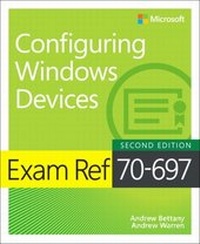
Exam Ref 70-697 Configuring Windows Devices
2nd Edition
Published on 25. April 2018
432 pages
978-1-5093-0793-7 (ISBN)
Description

Prepare for Microsoft Exam 70-697-and help demonstrate your real-world mastery of configuring Windows 10 devices in the enterprise. Designed for experienced IT professionals ready to advance their status, this Exam Ref focuses on the critical-thinking and decision-making acumen needed for success at the MCSA level.
Focus on the expertise measured by these objectives:
* Manage identity
* Plan desktop and device deployment
* Plan and implement a Microsoft 365 Solution
* Configure networking
* Configure storage
* Manage data access and protection
* Manage remote access
* Manage apps
* Manage updates and recovery
This Microsoft Exam Ref:
* Organizes its coverage by exam objectives
* Features strategic, what-if scenarios to challenge you
* Assumes you have experience with Windows desktop administration, maintenance, and troubleshooting; Windows 10 security, and integrated Azure features; as well as a basic understanding of Windows networking, Active Directory, and Microsoft Intune
For details on requirements for taking Exam 70-697, go to https://www.microsoft.com/en-us/learning/exam-70-697.aspx
Focus on the expertise measured by these objectives:
* Manage identity
* Plan desktop and device deployment
* Plan and implement a Microsoft 365 Solution
* Configure networking
* Configure storage
* Manage data access and protection
* Manage remote access
* Manage apps
* Manage updates and recovery
This Microsoft Exam Ref:
* Organizes its coverage by exam objectives
* Features strategic, what-if scenarios to challenge you
* Assumes you have experience with Windows desktop administration, maintenance, and troubleshooting; Windows 10 security, and integrated Azure features; as well as a basic understanding of Windows networking, Active Directory, and Microsoft Intune
For details on requirements for taking Exam 70-697, go to https://www.microsoft.com/en-us/learning/exam-70-697.aspx
More details
Series
Edition
2nd edition
Language
English
Place of publication
Boston
United States
Publishing group
Microsoft Press,U.S.
Target group
Professional and scholarly
ISBN-13
978-1-5093-0793-7 (9781509307937)
Copyright in bibliographic data and cover images is held by Nielsen Book Services Limited or by the publishers or by their respective licensors: all rights reserved.
Schweitzer Classification
Other editions
Additional editions
Andrew Bettany | Andrew Warren
Exam Ref 70-697 Configuring Windows Devices
Book
06/2018
2nd Edition
Microsoft Press
€37.50
Shipment within 3-4 weeks
Persons
Andrew Bettany, Microsoft Most Valuable Professional (Windows and Devices for IT), Dad, IT Geek, training mentor and consultant, entrepreneur, and author. As a Microsoft Most Valuable Professional (MVP), Andrew is recognized for his Windows expertise, and is the author of several publications, including Windows exam certification prep, Microsoft official training materials, and an author of video training materials for LinkedIn Learning and Pluralsight.
Having managed the IT Academy at the University of York, UK for years, he now focuses his time training and writing. As a Microsoft Certified Trainer, Andrew delivers learning and consultancy to businesses on many technical areas including Microsoft 365, Azure, and Windows. He has co-founded the "IT Masterclasses" series of short intensive technical courses, www.itmasterclasses.com, and is passionate about helping others learn technology. He is a frequent speaker and proctor at Microsoft Ignite conferences worldwide. Active on social media, Andrew can be found on LinkedIn Facebook and Twitter. He lives in a village just outside of the beautiful city of York in Yorkshire (UK).
Andrew Warren has over 30 years of experience in IT and has served as subject matter expert for many Microsoft Official Curriculum courses. He is a Microsoft Certified Trainer and runs his own training consultancy in the UK.
Having managed the IT Academy at the University of York, UK for years, he now focuses his time training and writing. As a Microsoft Certified Trainer, Andrew delivers learning and consultancy to businesses on many technical areas including Microsoft 365, Azure, and Windows. He has co-founded the "IT Masterclasses" series of short intensive technical courses, www.itmasterclasses.com, and is passionate about helping others learn technology. He is a frequent speaker and proctor at Microsoft Ignite conferences worldwide. Active on social media, Andrew can be found on LinkedIn Facebook and Twitter. He lives in a village just outside of the beautiful city of York in Yorkshire (UK).
Andrew Warren has over 30 years of experience in IT and has served as subject matter expert for many Microsoft Official Curriculum courses. He is a Microsoft Certified Trainer and runs his own training consultancy in the UK.
Content
Chapter 1 Manage Identity
Skill 1.1: Support Microsoft Store, Microsoft Store for Education, Microsoft Store for Business, and cloud apps
Skill 1.2: Support authentication and authorization
Chapter 2 Plan desktop and device deployment
Skill 2.1: Migrate and configure user data
Skill 2.2: Configure Hyper-V
Skill 2.3: Configure mobility options
Skill 2.4: Configure security for mobile devices
Chapter 3 Plan and implement a Microsoft 365 solution
Skill 3.1: Support mobile devices
Skill 3.2: Deploy software by using Microsoft Intune
Skill 3.3: Manage devices with Microsoft 365 Solution
Skill 3.4: Configure information protection
Chapter 4 Configure networking
Skill 4.1: Configure IP settings
Skill 4.2: Configure network settings
Skill 4.3: Configure and maintain network security
Chapter 5 Configure storage
Skill 5.1: Support data storage
Skill 5.2: Support data security
Chapter 6 Manage data access and protection
Skill 6.1: Configure shared resources.
Skill 6.2: Configure file and folder access
Chapter 7 Manage remote access
Skill 7.1: Configure remote
Skill 7.2: Configure mobility options
Chapter 8 Manage apps
Skill 8.1: Deploy and manage RemoteApp apps
Skill 8.2: Support desktop apps
Chapter 9 Manage updates and recovery
Skill 9.1: Configure system recovery
Skill 9.2: Configure file recovery
Skill 9.3: Configure and manage updates
Skill 1.1: Support Microsoft Store, Microsoft Store for Education, Microsoft Store for Business, and cloud apps
Skill 1.2: Support authentication and authorization
Chapter 2 Plan desktop and device deployment
Skill 2.1: Migrate and configure user data
Skill 2.2: Configure Hyper-V
Skill 2.3: Configure mobility options
Skill 2.4: Configure security for mobile devices
Chapter 3 Plan and implement a Microsoft 365 solution
Skill 3.1: Support mobile devices
Skill 3.2: Deploy software by using Microsoft Intune
Skill 3.3: Manage devices with Microsoft 365 Solution
Skill 3.4: Configure information protection
Chapter 4 Configure networking
Skill 4.1: Configure IP settings
Skill 4.2: Configure network settings
Skill 4.3: Configure and maintain network security
Chapter 5 Configure storage
Skill 5.1: Support data storage
Skill 5.2: Support data security
Chapter 6 Manage data access and protection
Skill 6.1: Configure shared resources.
Skill 6.2: Configure file and folder access
Chapter 7 Manage remote access
Skill 7.1: Configure remote
Skill 7.2: Configure mobility options
Chapter 8 Manage apps
Skill 8.1: Deploy and manage RemoteApp apps
Skill 8.2: Support desktop apps
Chapter 9 Manage updates and recovery
Skill 9.1: Configure system recovery
Skill 9.2: Configure file recovery
Skill 9.3: Configure and manage updates
