

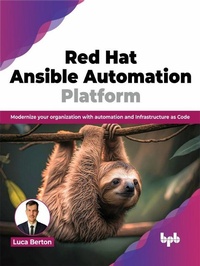
Red Hat Ansible Automation Platform
Description

Get enterprise framework for building and operating IT automation at scale, from networking to operations
KEY FEATURES
● Efficient application deployment using Ansible playbooks, content creation, and containerized workflows.
● Use Hybrid cloud environments with Kubernetes for scalable containerized applications.
● Get Architectural insight into Ansible Automation Platform.
● Dashboard management with Ansible Tower dashboard for efficient platform administration.
DESCRIPTION
This book equips you to revolutionize operations across Cloud Infrastructure, Applications, Networks, Containers, and Security. From foundational concepts to advanced strategies, the readers will navigate Ansible Automation intricacies, covering architecture, syntax, and installation scenarios, including single-machine setups and high-availability clusters. Authentication mastery encompasses Role-Based Access Controls (RBAC) and external authentication, ensuring a secure user management foundation.
System administration intricacies, such as metrics, logging, performance monitoring, and backup strategies, are explored, providing readers with holistic insights. Application deployment takes center stage in this book, emphasizing creating Ansible playbooks and content, automating deployment processes, and managing container applications. The book explores hybrid cloud environments, integrating Ansible with Kubernetes to manage applications across major cloud providers.
The concluding chapter encapsulates key learnings, offering a reflective mastery of the Ansible Automation Platform. This guide provides practical skills for designing, deploying, and orchestrating end-to-end automation.
WHAT YOU WILL LEARN
● Automate security patching for enhanced system uptime and resilience.
● Orchestrate multi-cloud deployments with unified playbooks for consistent and efficient control.
● Apply RBAC for secure collaboration and auditable workflows.
● Integrate metrics and logs for actionable insights and optimized automation workflows.
● Implement granular user roles and permissions for access control and team collaboration.
WHO THIS BOOK IS FOR
This book is for IT operations teams, Automation engineers, DevOps engineers, Sysadmins, Software development teams, and cloud management teams with prior knowledge of the basics of Ansible.
More details
Other editions
Additional editions
Content
- Intro
- Cover
- Title Page
- Copyright Page
- Dedication Page
- About the Author
- Disclaimer
- Acknowledgement
- Preface
- Table of Contents
- 1. Getting Started with the Ansible Automation Platform
- Introduction
- Structure
- Objectives
- Brief introduction and reference
- Overview of Ansible Automation Platform
- What is Ansible
- Ansible architecture
- Linux and macOS target
- Windows Target
- Ansible language
- Create Ansible playbooks and resources
- Conclusion
- Points to remember
- Multiple choice questions
- Answers
- Questions
- Key terms
- 2. Ansible Automation Platform Architecture
- Introduction
- Structure
- Ansible Automation Platform architecture
- Automation controller
- Dashboard
- Projects
- Jobs
- API
- Automation hub
- Roles and collections
- Ansible Galaxy and automation hub
- Ansible execution environment
- Building an execution environment
- Using an execution environment
- Execution environment mount options
- Ansible automation mesh
- Control and execution planes
- Automation mesh node types
- Key learning
- Points to remember
- Multiple choice questions
- Answers
- Questions
- Key terms
- 3. Platform Installation Scenarios
- Introduction
- Structure
- Objectives
- Overview of the installation scenarios
- Prerequisites and requirements
- Installer
- Installation scenarios
- Setup automation controller
- Standalone automation controller with internal database
- Single automation controller with installer-managed database
- Configure external database
- Single automation controller with external database
- Additional options
- Setup private automation hub
- Standalone automation hub with internal database
- Single automation hub with installer-managed database
- Single automation hub with external database
- Setup Event-Driven Ansible controller
- Setup Ansible Automation Platform
- Ansible Automation Platform with installer-managed database
- Ansible Automation Platform with external database
- Load balancer
- Websockets
- OpenShift
- Operator installation
- Automation controller
- Automation hub
- Containerized
- Key learning
- Points to remember
- Multiple choice questions
- Answers
- Questions
- Key terms
- 4. First Steps
- Introduction
- Structure
- Objectives
- Ansible subscription
- Activate with Ansible
- Automation controller
- Organization
- Inventory
- Dynamic inventory
- Credential
- Project
- Playbook
- Job Template
- Workflow Template
- Notification
- Project signature
- API
- CLI
- Execution environments
- Automation hub dashboard
- Ansible validated contents
- Custom execution environment
- Event-Driven Ansible
- Project
- Decision environment
- Automation controller token authentication
- Rulebook activation
- Best practices
- Configuration as code
- Other services
- Web console
- Automation analytics
- Key learning
- Points to remember
- Multiple choice questions
- Answers
- Questions
- Key terms
- 5. Settings and Authentication
- Introduction
- Structure
- Objectives
- Automation controller settings
- New User Interface
- Job Settings
- Logging level
- Users, Teams, and RBAC
- Creating and managing users credentials
- Managing users efficiently with Teams
- Role-based access controls
- Automation hub
- Authentication integrations
- Automation controller LDAP integration
- Windows Active Directory
- Automation hub LDAP integration
- Integrate Azure Active Directory
- Integrate SAML authentication
- Ansible Automation Platform Central Authentication
- Connecting private automation hub with automation controller
- Key learning
- Points to remember
- Multiple choice questions
- Answer
- Questions
- Key terms
- 6. IT Operations
- Introduction
- Structure
- Objectives
- Start, stop and restart
- Automation controller
- Automation hub
- Log files
- Automation controller
- Automation hub
- Consolidating log files
- Logging aggregator services
- Splunk
- ELK Stack
- Metrics
- Prometheus
- Grafana
- Backup and restore
- Security
- Firewall Policy Management
- Network Intrusion Detection and Prevention Systems
- Key learning
- Points to remember
- Multiple choice questions
- Answer
- Questions
- Key terms
- 7. App Deployments
- Introduction
- Structure
- Objectives
- Create Ansible Playbooks and content
- Visual Studio Code
- Ansible Playbook
- GitOps
- Ansible modules
- Code reuse
- Collections
- Ansible Utils
- Ansible Lightspeed
- Automate application deployments
- Launching jobs via API
- Event-Driven automation
- Drift configuration
- Distribute containerized applications
- Key learning
- Points to remember
- Multiple choice questions
- Answer
- Questions
- Key terms
- 8. Hybrid Cloud and Kubernetes
- Introduction
- Structure
- Objectives
- Cloud infrastructure
- Amazon Web Services
- Microsoft Azure
- Google Cloud Platform
- Ansible resources
- Hybrid cloud
- Nutanix
- AgnosticD
- Kubernetes
- Scale containerized applications
- Key learning
- Points to remember
- Multiple choice questions
- Answer
- Questions
- Key terms
- 9. Automate IT Processes
- Introduction
- Structure
- Objectives
- IT Processes
- Ansible Network
- ansible-navigator
- network.base
- Building Ansible Inventory
- Querying Supported Resource Modules
- Deploying Configuration Changes
- network.interfaces
- network.ospf
- network.bgp
- LibSSH
- Managing Fleets
- Rolling Updates
- Red Hat
- Debian
- Apply Security Patches
- Red Hat
- Windows
- Monitor and Respond to Threats
- Develop Ansible Resources
- Code Inclusion
- Plugins & Modules
- Custom Test Plugin
- Custom Filter Plugin
- Using Callback Plugin
- Custom Callback Plugin
- Custom Lookup Plugin
- Custom Module
- Custom Collection
- Automation Hub
- XLAB Steampunk Spotter
- Reduce Risks and Speed Up Automation
- Playbook Secure Execution
- Insights and Reporting
- Custom Policies
- Who is it for?
- Ansible-Lockdown
- Automation with Ansible
- Implementation Steps
- Good Practices for Ansible
- Key learning
- Points to remember
- Multiple choice questions
- Answers
- Questions
- Key terms
- 10. Wrap-Up
- Structure
- Objectives
- Review of Ansible Automation Platform
- AWX community
- Use cases
- Administration
- Ansible SDK
- Ansible validated content
- The future
- Conclusion
- Key learning
- Points to remember
- Multiple choice questions
- Answer
- Questions
- Key terms
- Index
