

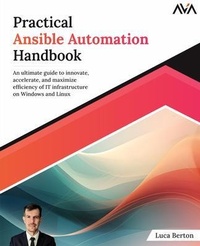
Practical Ansible Automation Handbook
Description

Tired of repetitive and time-consuming IT tasks? Unlock the true potential of automation with "Practical Ansible Automation Handbook." This comprehensive guide, authored by Ansible expert Luca Berton, will help you master the art of automation.
Starting with the basics, the book introduces Ansible's workflow, architecture, and environment setup. Through step-by-step instructions and real-world examples, you'll gain proficiency in executing core tasks such as provisioning, configuration management, application deployment, automation, and orchestration. The book covers automating administrative tasks in Linux and Windows, advanced topics like Ansible Automation Platform and Morpheus, and leveraging cloud computing with Amazon Web Services and Kubernetes container orchestration.
Practicality and real-world scenarios set this book apart. It addresses common roadblocks, provides best practices, and helps you develop a beginner-friendly playbook that minimises errors and maximises performance. With Ansible's commercial viability evident in the market, learning it positions you at the forefront of automation expertise. Whether you're a system administrator, network administrator, developer, or manager, this book empowers you to automate everything with Ansible. Embrace the power of automation, revolutionize your IT operations, and unleash new levels of efficiency and productivity in your organisation.
TABLE OF CONTENTS
Chapter 1: Getting Started
Chapter 2: Ansible Language Core
Chapter 3: Ansible Language Extended
Chapter 4: Ansible For Linux
Chapter 5: Ansible For Windows
Chapter 6: Ansible Troubleshooting
Chapter 7: Ansible Enterprise
Chapter 8: Ansible Advanced
More details
Content
- Intro
- Cover Page
- Title Page
- Copyright Page
- Dedication Page
- About the Author
- Technical Reviewer
- Preface
- Errata
- Table of Contents
- 1. Getting Started
- Introduction
- Structure
- Modern Datacenter
- Introduction to Ansible
- Linux and macOS Target
- Windows Target
- Ansible Community
- Ansible Architecture
- Ansible Installation
- Ansible Core vs. Ansible Community Packages
- Linux
- PIP
- macOS
- Windows
- Ansible Ad-hoc Commands
- Conclusion
- Points to Remember
- Multiple Choice Questions
- Answers
- Questions
- Key Terms
- 2. Ansible Language Core
- Introduction
- Structure
- Ansible Inventory
- Inventory
- INI inventory
- YAML inventory
- The Ansible-inventory tool
- The "all" keyword
- List view
- Graph list view
- Ranges of hosts
- Host in Multiple Groups
- Host and group variables
- Local inventory
- Multiple inventories
- Dynamic inventory
- Windows inventory
- Ansible Playbook
- YAML Syntax
- First playbook
- Check
- Debug
- Multiple play
- Includes
- Ansible Variables
- Unpermitted variable names
- User-defined variables
- Multiline
- Extra variables
- Host and group variables
- Host variable in the INI inventory
- Host variables
- Host variable in the file system
- Group variables
- Group variable in the file system
- Array variables
- Registered variables
- Writing a variable to a file
- Ansible Facts
- Ansible ad-hoc
- Facts in playbook
- Single fact
- Temporary facts
- Custom facts
- Ansible Magic Variables
- Common magic variables
- Ansible version
- Ansible Conditional
- Basic conditionals with "when"
- Conditionals based on Ansible facts
- Ansible Loop
- Loop statements
- The loop statement
- Conclusion
- Points to Remember
- Multiple Choice Questions
- Answers
- Questions
- Key Terms
- 3. Ansible Language Extended
- Introduction
- Structure
- Ansible Vault
- Creating an encrypted file
- Encrypting using a password file
- Viewing an encrypted file
- Editing an encrypted file
- Encrypting a file
- Decrypting a file
- Changing the password
- Include vault in playbook
- Inline vault in playbook
- Troubleshooting
- Ansible Handler
- Multiple handlers
- Code Reuse
- Include and import
- Role and collection
- Ansible Role
- Directories tree
- Usage in playbook
- Order of execution
- Ansible galaxy for roles
- Manual installation
- Automated installation
- Configuration
- Ansible Collection
- Ansible galaxy for collections
- The community.general collection
- Installing Ansible collection
- Manual installation
- Automated installation
- Python dependencies
- List collections
- Configuration
- Ansible Filter
- Ansible Template
- Control statement
- Loop statement
- Nested control statement
- Template filters
- Template extension
- Ansible Plugin
- Lookup plugin
- Copy multiple files to remote hosts
- Conclusion
- Points to Remember
- Multiple Choice Questions
- Answers
- Questions
- Key Terms
- 4. Ansible For Linux
- Introduction
- Structure
- Configuring Linux Target
- OpenSSH configuration
- Host variables
- Group variables
- Inheriting variable values
- Password authentication
- SSH key authentication
- Testing Host Availability
- Ansible ping module
- Data parameter ping
- Data parameter custom
- Data parameter crash
- Printing Text During Execution
- Ansible debug module
- The verbosity parameter
- Show Ansible version
- Configuration Management
- Single line edit
- Ansible lineinfile module
- Edit OpenSSH configuration
- Create text file
- File System
- Check file exists
- Creating an empty file
- Creating a directory
- Soft and hard link
- Deleting a file
- Copying local files to remote hosts
- Copying remote files to local
- File download
- Backup with rsync
- Checkout a GIT repository
- Installing Packages and Rolling Update
- Ansible package module
- Ansible yum module
- Ansible apt module
- Ansible zypper module
- Linux System Roles
- User Management
- Linux aging policy
- Group management
- Executing Commands
- Ansible command module
- Ansible shell module
- Uptime playbook
- Listing files
- Wrong module
- Conclusion
- Points to Remember
- Multiple Choice Questions
- Answers
- Questions
- Key Terms
- 5. Ansible for Windows
- Introduction
- Structure
- Configuring Windows Target
- Creating the Ansible User
- Verifying PowerShell, .NET and setting up WinRM
- PowerShell
- .NET
- Installing WinRM
- Windows collections
- Manual
- Automated
- Inventory
- Testing the host availability
- Configuration Management
- Editing single-line test
- Creating text file
- Checkout a GIT Repository
- File System
- Check file exists
- Creating an empty file
- Creating a directory
- Deleting a file
- Copying local files to remote hosts
- Copying remote files to local
- Downloading a file
- Backup with robocopy
- Installing Packages
- Rolling Update
- User Management
- Group management
- Windows Registry
- Checking registry
- Adding Windows registry
- Removing Windows registry
- Executing commands
- Netstat playbook
- Get-Date playbook
- Wrong module
- Conclusion
- Points to Remember
- Multiple Choice Questions
- Answers
- Questions
- Key Terms
- 6. Ansible Troubleshooting
- Introduction
- Structure
- Ansible Troubleshooting
- Ansible Debugging
- Ansible Syntax
- Troubleshooting Tools
- Errors playbook
- Fixed playbook
- Visual Studio code
- Ansible custom plugins
- CI/CD pipeline
- Ansible Connection
- The error
- Example
- Password authentication
- Ansible Vault
- Create
- Encrypt
- View
- Playbook
- Inline Vault
- Ansible Modules
- Missing module parameter
- Ansible service
- Ansible template
- Ansible command
- Ansible Role
- Molecule
- Ansible Collection
- Missing collection
- Missing Python library
- Ansible for Linux
- Ansible for Windows
- Ansible facts
- Module failure
- Windows subsystem for Linux
- Ansible Windows command
- Conclusion
- Points to Remember
- Multiple Choice Questions
- Answers
- Questions
- Key Terms
- 7. Ansible Enterprise
- Introduction
- Structure
- Ansible use cases
- GitOps
- Ansible Automation Platform
- Ansible Automation Hub
- Ansible execution environment
- Ansible Automation Mesh
- Role-based access control (RBAC)
- Morpheus
- Configuration Management (CM)
- Graphical User Interface
- Ansible Semaphore
- ARA records
- Installation
- Customization
- Steampunk Spotter
- Conclusion
- Points to Remember
- Multiple Choice Questions
- Answers
- Questions
- Key Terms
- 8. Ansible Advanced
- Introduction
- Structure
- Third-party integrations, fragility, and agility
- Callback plugin
- Dynamic inventories
- VMware
- Citrix
- Amazon Web Services
- Dynamic inventory
- Idempotence
- Amazon EC2
- Google Cloud Platform and Azure
- API integration
- GET method
- JSON and YAML
- Bearer token
- POST and PUT methods
- PATCH and DELETE methods
- Zuul
- Ansible Orchestration
- Fork versus serial
- Kubernetes
- Namespace
- Pod
- Ansible Configuration Settings
- Custom verbosity
- Custom role path
- Custom collection path
- Custom username
- Custom temporary directory
- Enable Ansible pipelining
- SSH and Paramiko
- Host key check
- Fact caching
- Fork
- Ansible managed
- Latest Trends
- Event-driven Ansible
- Ansible Lightspeed
- Conclusion
- Points to Remember
- Multiple Choice Questions
- Answers
- Questions
- Key Terms
- Index
