

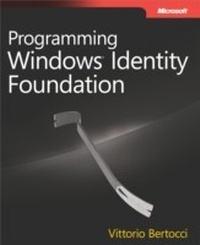
Programming Windows Identity Foundation
1st Edition
Published on 15. September 2010
272 pages
978-0-7356-5650-5 (ISBN)
Description

Get hands-on guidance designed to help you put the newest .NET Framework component- Windows Identity Foundation, the identity and access logic for all on-premises and cloud development- to work.
More details
Series
Language
English
Place of publication
Redmond
United States
Target group
College/higher education
ISBN-13
978-0-7356-5650-5 (9780735656505)
Copyright in bibliographic data and cover images is held by Nielsen Book Services Limited or by the publishers or by their respective licensors: all rights reserved.
Schweitzer Classification
Other editions
Additional editions
Vittorio Bertocci
Programming Windows Identity Foundation
Book
03/2014
Microsoft Press
€47.22
Article exhausted; check different version
Person
Vittorio Bertocciis a Senior Architect Evangelist in DPE and a key member of the extended engineering team that produces Microsoft's claims-based platform components (e.g. Windows Identity Foundation, ADFS 2.0). He is responsible for identity evangelism for the .NET developers community and drove initiatives such as the Identity Developer Training Kit and the IdElement show on Channel 9.
He is co-author of Understanding Windows Cardspace (Addison-Wesley, 2008) and a prominent authority/blogger on Azure, "Geneva" (the code name for Windows Identity Foundation), .NET development, and related topics.
He is co-author of Understanding Windows Cardspace (Addison-Wesley, 2008) and a prominent authority/blogger on Azure, "Geneva" (the code name for Windows Identity Foundation), .NET development, and related topics.
Content
Foreword
Acknowledgments
Introduction
Part I: Windows Identity Foundation for Everybody
Chapter 1: Claims-Based Identity
Chapter 2: Core ASP.NET Programming
Part II: Windows Identity Foundation for Identity Developers
Chapter 3: WIF Processing Pipeline in ASP.NET
Chapter 4: Advanced ASP.NET Programming
Chapter 5: WIF and WCF
Chapter 6: WIF and Windows Azure
Chapter 7: The Road Ahead
Acknowledgments
Introduction
Part I: Windows Identity Foundation for Everybody
Chapter 1: Claims-Based Identity
Chapter 2: Core ASP.NET Programming
Part II: Windows Identity Foundation for Identity Developers
Chapter 3: WIF Processing Pipeline in ASP.NET
Chapter 4: Advanced ASP.NET Programming
Chapter 5: WIF and WCF
Chapter 6: WIF and Windows Azure
Chapter 7: The Road Ahead
