

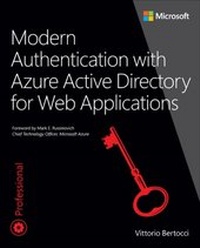
Modern Authentication with Azure Active Directory for Web Applications
1st Edition
Published on 17. December 2015
336 pages
978-0-7356-9848-2 (ISBN)
Description

Build advanced authentication solutions for any cloud or web environment
Active Directory has been transformed to reflect the cloud revolution, modern protocols, and today's newest SaaS paradigms. This is an authoritative, deep-dive guide to building Active Directory authentication solutions for these new environments. Author Vittorio Bertocci drove these technologies from initial concept to general availability, playing key roles in everything from technical design to documentation. In this book, he delivers comprehensive guidance for building complete solutions. For each app type, Bertocci presents high-level scenarios and quick implementation steps, illuminates key concepts in greater depth, and helps you refine your solution to improve performance and reliability. He helps you make sense of highly abstract architectural diagrams and nitty-gritty protocol and implementation details. This is the book for people motivated to become experts.
Active Directory Program Manager Vittorio Bertocci shows you how to:
Address authentication challenges in the cloud or on-premises
Systematically protect apps with Azure AD and AD Federation Services
Power sign-in flows with OpenID Connect, Azure AD, and AD libraries
Make the most of OpenID Connect's middleware and supporting classes
Work with the Azure AD representation of apps and their relationships
Provide fine-grained app access control via roles, groups, and permissions
Consume and expose Web APIs protected by Azure AD
Understand new authentication protocols without reading complex spec documents
Active Directory has been transformed to reflect the cloud revolution, modern protocols, and today's newest SaaS paradigms. This is an authoritative, deep-dive guide to building Active Directory authentication solutions for these new environments. Author Vittorio Bertocci drove these technologies from initial concept to general availability, playing key roles in everything from technical design to documentation. In this book, he delivers comprehensive guidance for building complete solutions. For each app type, Bertocci presents high-level scenarios and quick implementation steps, illuminates key concepts in greater depth, and helps you refine your solution to improve performance and reliability. He helps you make sense of highly abstract architectural diagrams and nitty-gritty protocol and implementation details. This is the book for people motivated to become experts.
Active Directory Program Manager Vittorio Bertocci shows you how to:
Address authentication challenges in the cloud or on-premises
Systematically protect apps with Azure AD and AD Federation Services
Power sign-in flows with OpenID Connect, Azure AD, and AD libraries
Make the most of OpenID Connect's middleware and supporting classes
Work with the Azure AD representation of apps and their relationships
Provide fine-grained app access control via roles, groups, and permissions
Consume and expose Web APIs protected by Azure AD
Understand new authentication protocols without reading complex spec documents
More details
Series
Language
English
Place of publication
Redmond
United States
Target group
College/higher education
ISBN-13
978-0-7356-9848-2 (9780735698482)
Copyright in bibliographic data and cover images is held by Nielsen Book Services Limited or by the publishers or by their respective licensors: all rights reserved.
Schweitzer Classification
Other editions
Additional editions
Vittorio Bertocci
Modern Authentication with Azure Active Directory for Web Applications
Book
01/2016
1st Edition
Microsoft Press
€36.49
Shipment within 10-20 days
Person
Vittorio Bertocci is principal program manager on the Azure Active Directory team, where he works on the developer experience: Active Directory Authentication Library (ADAL), OpenID Connect and OAuth2 OWIN components in ASP.NET, Azure AD integration in various Visual Studio work streams, and other things he can't tell you about (yet). Vittorio joined the product team after years as a virtual member in his role as principal architect evangelist, during which time he contributed to the inception and launch of Microsoft's claims-based platform components (Windows Identity Foundation, ADFS 2.0) and owned SaaS and identity evangelism for the .NET developers community.
Vittorio holds a Master's degree in computer science and began his career doing research on computational geometry and scientific visualization. In 2001 he joined Microsoft Italy, where he focused on the .NET platform and the nascent field of web services security, becoming a recognized expert at the national and European level.
Vittorio is easy to spot at conferences. He has spoken about identity in 23 countries on four continents, from keynote addresses to one-on-one meetings with customers. Vittorio is a regular speaker at Ignite, Build, Microsoft PDC, TechEd (US, Europe, Australia, New Zealand, Japan), TechDays, Gartner Summit, European Identity Conference, IDWorld, OreDev, NDC, IASA, Basta, and many others. At the moment his Channel 9 speaker page at https://channel9.msdn.com/events/speakers/vittorio-bertocci lists 44 recordings.
Vittorio is a published author, both in the academic and industry worlds, and has written many articles and papers. He is the author of Programming Windows Identity Foundation (Microsoft Press, 2010) and coauthor of "A Guide to Claims-Based Identity and Access Control" (Microsoft patterns & practices, 2010) and Understanding Windows Cardspace (Addison-Wesley, 2008). He is a prominent authority and blogger on identity, Azure, .NET development, and related topics: he shares his thoughts at www.cloudidentity.com and via his twitter feed, http://www.twitter.com/vibronet.
Vittorio lives in the lush green of Redmond with his wife, Iwona. He doesn't mind the gray skies too much, but every time he has half a chance, he flies to some place on the beach, be it the South Pacific or Camogli, his home town in Italy.
Vittorio holds a Master's degree in computer science and began his career doing research on computational geometry and scientific visualization. In 2001 he joined Microsoft Italy, where he focused on the .NET platform and the nascent field of web services security, becoming a recognized expert at the national and European level.
Vittorio is easy to spot at conferences. He has spoken about identity in 23 countries on four continents, from keynote addresses to one-on-one meetings with customers. Vittorio is a regular speaker at Ignite, Build, Microsoft PDC, TechEd (US, Europe, Australia, New Zealand, Japan), TechDays, Gartner Summit, European Identity Conference, IDWorld, OreDev, NDC, IASA, Basta, and many others. At the moment his Channel 9 speaker page at https://channel9.msdn.com/events/speakers/vittorio-bertocci lists 44 recordings.
Vittorio is a published author, both in the academic and industry worlds, and has written many articles and papers. He is the author of Programming Windows Identity Foundation (Microsoft Press, 2010) and coauthor of "A Guide to Claims-Based Identity and Access Control" (Microsoft patterns & practices, 2010) and Understanding Windows Cardspace (Addison-Wesley, 2008). He is a prominent authority and blogger on identity, Azure, .NET development, and related topics: he shares his thoughts at www.cloudidentity.com and via his twitter feed, http://www.twitter.com/vibronet.
Vittorio lives in the lush green of Redmond with his wife, Iwona. He doesn't mind the gray skies too much, but every time he has half a chance, he flies to some place on the beach, be it the South Pacific or Camogli, his home town in Italy.
Content
Chapter 1: Your first Active Directory app
Chapter 2: Identity protocols and application types
Chapter 3: Introducing Azure Active Directory and Active Directory Federation Services
Chapter 4: Introducing the identity developer libraries
Chapter 5: Getting started with web sign-on and Active Directory
Chapter 6: OpenID Connect and Azure AD web sign-on
Chapter 7: The OWIN OpenID Connect middleware
Chapter 8: Azure Active Directory application model
Chapter 9: Consuming and exposing a web API protected by Azure Active Directory
Chapter 10: Active Directory Federation Services in Windows Server 2016 Technical Preview 3
Appendix: Further reading
Index
Chapter 2: Identity protocols and application types
Chapter 3: Introducing Azure Active Directory and Active Directory Federation Services
Chapter 4: Introducing the identity developer libraries
Chapter 5: Getting started with web sign-on and Active Directory
Chapter 6: OpenID Connect and Azure AD web sign-on
Chapter 7: The OWIN OpenID Connect middleware
Chapter 8: Azure Active Directory application model
Chapter 9: Consuming and exposing a web API protected by Azure Active Directory
Chapter 10: Active Directory Federation Services in Windows Server 2016 Technical Preview 3
Appendix: Further reading
Index
