

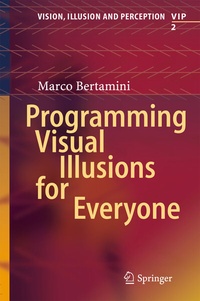
Programming Visual Illusions for Everyone
Description

If you find visual illusions fascinating Programming Visual Illusions for Everyone is a book for you. It has some background, some history and some theories about visual illusions, and it describes in some detail twelve illusions. Some are about surfaces, some are about apparent size of objects, some are about colour and some involve movement. This is only one aspect of the book. The other is to show you how you can create these effects on any computer.
The book includes a brief introduction to a powerful programming language called Python. No previous experience with programming is necessary. There is also an introduction to a package called PsychoPy that makes it easy to draw on a computer screen. It is perfectly ok if you have never heard the names Python or PsychoPy before. Python is a modern and easy-to-read language, and PsychoPy takes care of all the graphical aspects of drawing on a screen and also interacting with a computer. By the way, both Python and PsychoPy are absolutely free.
Is this a book about illusions or about programming? It is both!
Reviews / Votes
"Bertamini, a cognitive scientist (Univ. of Liverpool, UK), explores various visual illusions while introducing the reader to the Python programming language. . there are links to helpful resources for those who wish to learn more about the field. . Overall, this is an original, practical guide. Summing Up: Recommended. Lower-division undergraduates through faculty and professionals." (C. Vickery, Choice, Vol. 55 (9), May, 2018)More details
Other editions
Additional editions
Person
I studied experimental psychology at the University of Padova, Italy, graduating in 1989. My supervisor was Giovanni Vicario. The Department was an amazing place to study, full of activity but also with a sense of its long history. After my degree I went to the University of Virginia, USA, for an MA and PhD. There I worked with Dennis Proffitt and Michael Kubovy. In 1996, after my PhD, I took on a lectureship in England at Staffordshire University. In 1999 I moved to the University of Liverpool where I set up the Visual Perception Lab.
I have worked on many aspects of visual perception. I have studied perception of shape, including symmetry, contour curvature and part structure. Starting from work on symmetry I have also explored the link between perception and emotion, or more specifically what visual properties drive visual preference. At a more cognitive level I have studied how people think about and interact with mirrors (you can look up the Venus effect on Wikipedia). More recently, and mainly by chance, I have also discovered and named the Honeycomb illusion , which is discussed in detail in Chapter 11.
