

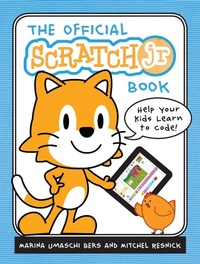
The Official ScratchJr Book
Help Your Kids Learn to Code
Published on 1. October 2015
160 pages
978-1-59327-731-4 (ISBN)
Description

ScratchJr is a free, introductory computer programming language that runs on iPads, Android tablets, Amazon tablets, and Chromebooks. Inspired by Scratch, the wildly popular programming language used by millions of children worldwide, ScratchJr helps even younger kids create their own playful animations, interactive stories, and dynamic games.
The Official ScratchJr Book is the perfect companion to this free app and makes coding easy and fun for all. Kids learn to program by connecting blocks of code to make characters move, jump, dance, and sing.
Each chapter includes several activities that build on one another, culminating in a fun final project. These hands-on activities help kids develop computational-thinking, problem-solving, and design skills. In each activity, you'll find:
-Step-by-step, easy-to-follow directions
-Ways to connect the activity with literacy and math concepts
-Tips for grown-ups and teachers
-Creative challenges to take the learning further
By the end of the book, kids will be ready for all sorts of new programming adventures!
The ScratchJr app now supports English, Spanish, Catalan, Dutch, French, Italian, and Thai.
The Official ScratchJr Book is the perfect companion to this free app and makes coding easy and fun for all. Kids learn to program by connecting blocks of code to make characters move, jump, dance, and sing.
Each chapter includes several activities that build on one another, culminating in a fun final project. These hands-on activities help kids develop computational-thinking, problem-solving, and design skills. In each activity, you'll find:
-Step-by-step, easy-to-follow directions
-Ways to connect the activity with literacy and math concepts
-Tips for grown-ups and teachers
-Creative challenges to take the learning further
By the end of the book, kids will be ready for all sorts of new programming adventures!
The ScratchJr app now supports English, Spanish, Catalan, Dutch, French, Italian, and Thai.
More details
Other editions
Additional editions
Marina Umaschi Bers | Mitchel Resnick
The Official ScratchJr Book
Book
10/2015
1st Edition
No Starch Press
€24.00
Shipment within 3-4 weeks
Persons
Marina Umaschi Bers is a professor in the Eliot-Pearson Department of Child Study and Human Development and adjunct professor in the Computer Science Department at Tufts University. She heads the Developmental Technologies Research group where she studies innovative ways to promote positive childhood development through new learning technologies. She is also the creator of KIBO, a robotics platform for children 4 to 7, which allows young builders to learn programming and engineering skills without screens.
Mitchel Resnick is the creator of Scratch, the wildly popular programming language used in thousands of schools and homes worldwide, with nearly 4 million users. He directs the Lifelong Kindergarten group at the MIT Media Lab and was awarded the McGraw Prize in Education in 2011 for his creative learning technologies.
Mitchel Resnick is the creator of Scratch, the wildly popular programming language used in thousands of schools and homes worldwide, with nearly 4 million users. He directs the Lifelong Kindergarten group at the MIT Media Lab and was awarded the McGraw Prize in Education in 2011 for his creative learning technologies.
Content
- Cover Page
- Everyone Loves ScratchJr!
- Title Page
- Copyright Page
- Brief Contents
- Contents in Detail
- Preface
- An Introduction to ScratchJr
- What Is ScratchJr?
- Why Did We Create ScratchJr?
- Who Is This Book For?
- What Do You Need?
- What's in This Book?
- How Should You Use This Book?
- Chapter 1: Getting Started
- Activity 1: Throw a Dance Party!
- Step 1: Open the App
- Step 2: Make a New Project
- Step 3: Make the Cat Move!
- Step 4: Use the Green Flag
- Step 5: Add a Background
- Step 6: Add Another Character
- Step 7: Don't Just Dance, Say Something!
- Step 8: Add a Title
- Step 9: Name Your Project
- Step 10: Save Your Project
- Hints
- Tips for Grown-ups
- Don't Be Afraid to Explore!
- Undoing and Redoing
- Deleting Objects
- Deleting Blocks
- A Guided Tour of the ScratchJr Interface
- What's Next?
- Chapter 2: Animations
- Activity 2: Make Your Cat Move!
- What You'll Learn
- How to Make It
- Hints
- Looking for a Challenge?
- Making Connections
- Literacy Connection: Spelling a Name
- Math Connection: Seeing How Many Ways You Can Get to 10
- Tips for Grown-ups
- Activity 3: Make Your Cat Turn!
- What You'll Learn
- How to Make It
- Hints
- Looking for a Challenge?
- Making Connections
- Literacy Connection: Describing Feelings
- Math Connection: Telling Time
- Tips for Grown-ups
- Activity 4: Let's Play Hide-and-Seek!
- What You'll Learn
- How to Make It
- Hints
- Looking for a Challenge?
- Making Connections
- Literacy Connection: Telling a Story
- Math Connection: Observing and Counting
- Tips for Grown-ups
- Activity 5: Do Something Over and Over!
- What You'll Learn
- How to Make It
- Hints
- Looking for a Challenge?
- Making Connections
- Literacy Connection: Comparing Your Scripts to Sentences
- Tips for Grown-Ups
- Math Connection: Comparing Two Scripts
- Tips for Grown-ups
- Project Time! Old MacDonald's Farm
- How to Make It
- Hints
- Looking for a Challenge?
- Making Connections
- Literacy Connection: Building New Vocabulary
- Math Connection: Counting the Blocks You've Used
- Tips for Grown-ups
- Chapter 3: Stories
- Activity 6: Find Your Voice!
- What You'll Learn
- How to Make It
- Hints
- Looking for a Challenge?
- Making Connections
- Literacy Connection: Presenting
- Math Connection: Adding and Subtracting
- Tips for Grown-ups
- Activity 7: Turn the Page!
- What You'll Learn
- How to Make It
- Hints
- Looking for a Challenge?
- Making Connections
- Literacy Connection: Telling Your Own Stories
- Math Connection: Sequencing Your Story
- Tips for Grown-ups
- Activity 8: Change the Pace!
- What You'll Learn
- How to Make It
- Hints
- Looking for a Challenge?
- Making Connections
- Literacy Connection: Creating Announcements
- Math Connection: Timing the Race
- Tips for Grown-ups
- Activity 9: Stop and Look!
- What You'll Learn
- How to Make It
- Looking for a Challenge?
- Making Connections
- Literacy Connection: Adding Narration
- Math Connection: Changing the Wait Time
- Tips for Grown-ups
- Activity 10: Wait Your Turn!
- What You'll Learn
- How to Make It
- Hints
- Looking for a Challenge?
- Making Connections
- Literacy Connection: Using Full Sentences
- Math Connection: Counting the Wait Time
- Tips for Grown-ups
- Activity 11: Build a Snowman!
- What You'll Learn
- How to Make It
- Hints
- Looking for a Challenge?
- Making Connections
- Literacy Connection: Asking Questions
- Math Connection: Counting the Circles
- Tips for Grown-ups
- Project Time! The Tortoise and the Hare
- How to Make It
- Hints
- Looking for a Challenge?
- Making Connections
- Literacy Connection: Creating a Digital Book
- Math Connection: Making Characters Move
- Tips for Grown-ups
- Chapter 4: Games
- Activity 12: Pick a Peach!
- What You'll Learn
- How to Make It
- Hints
- Looking for a Challenge?
- Making Connections
- Literacy Connection: Adding to the Story
- Math Connection: Composing and Comparing Shapes
- Tips for Grown-ups
- Activity 13: Blast Off!
- What You'll Learn
- How to Make It
- Hints
- Looking for a Challenge?
- Making Connections
- Literacy Connection: Getting Ready for Takeoff
- Math Connection: Counting Backward
- Tips for Grown-ups
- Activity 14: Play Tag!
- What You'll Learn
- How to Make It
- Hints
- Looking for a Challenge?
- Making Connections
- Literacy Connection: Creating a Conversation Between Friends
- Math Connection: Estimating
- Tips for Grown-ups
- Activity 15: Guess the Odd One Out!
- What You'll Learn
- How to Make It
- Looking for a Challenge?
- Making Connections
- Literacy Connection: Writing the Game Directions
- Math Connection: Writing Your Own Math Problems
- Tips for Grown-ups
- Project Time! Cats Versus Birds
- How to Make It
- Hints
- Looking for a Challenge?
- Making Connections
- Literacy Connection: Turning Your Game into a Story
- Math Connection: Keeping a Tally
- Tips for Grown-ups
- Afterword
- Appendix A: Transitioning From ScratchJr to Scratch
- The Scratch Community
- Getting Started with Scratch
- The ScratchEd Website
- Appendix B: Reference Guides
- Block Reference
- Paint Editor Reference
- Index
- Resources
- More Smart Books for Curious Kids!
